Title: Images During Message Version: 1.0.0 Author: DKPlugins Description: Allows you to display images during dialogs using special characters.
Compatibility:
RPG Maker MV: 1.5+
RPG Maker MZ: 1.0+
Features:
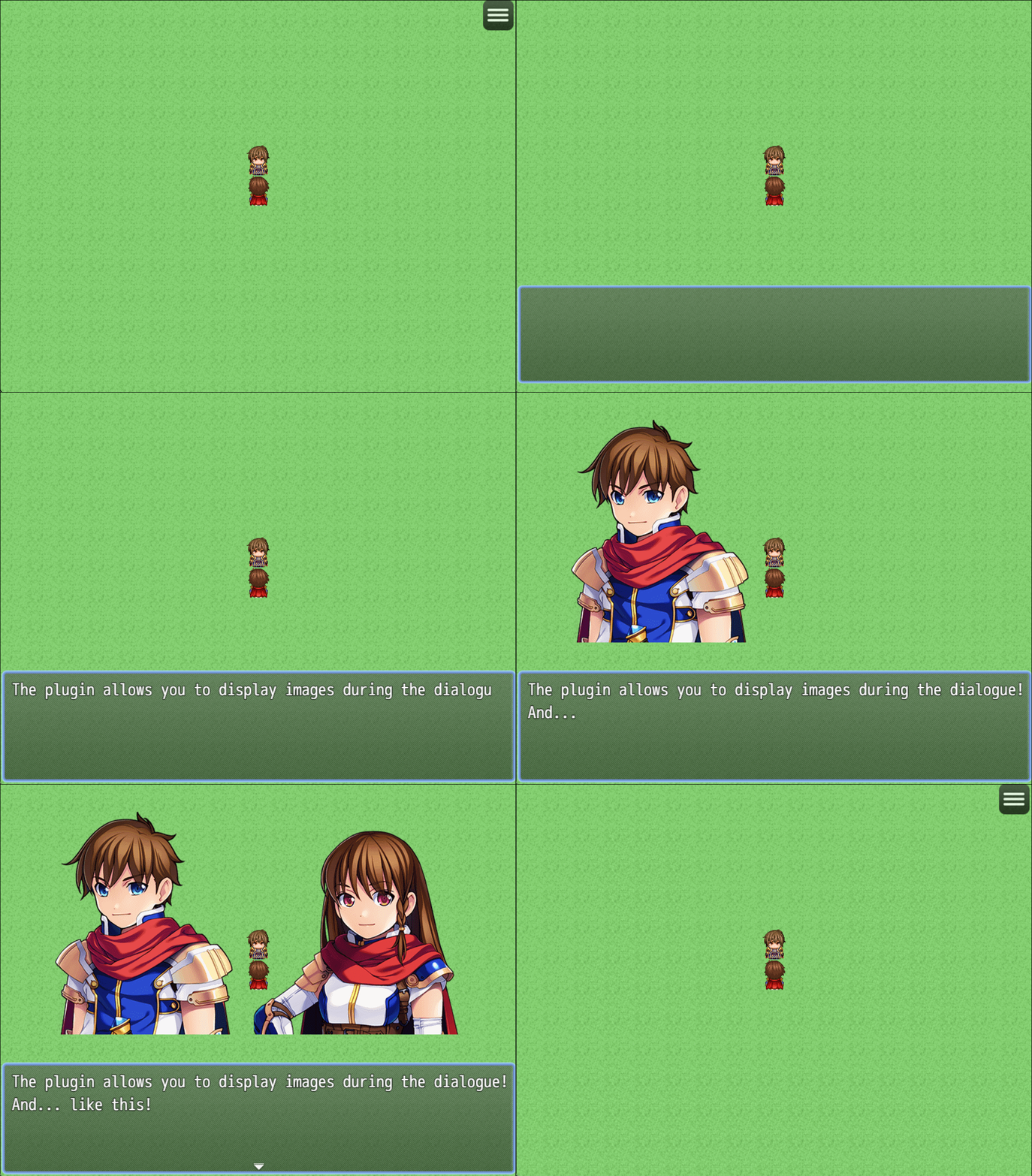
Display images with special characters during dialogs.
Ability to hide the image during dialogue using special characters.
Preview:
Spoiler
Instructions:
SpoilerTo display an image during a dialog, use the following command:
\img[id,picture_name,x,y]
id - Sequence number of the image
picture_name - File name
x - X coordinate
y - Y coordinate
Example: \img[1,Actor1_2,50,50]
To hide an image, use the following command:
\himg[id]
id - Sequence number of the image
Example: \himg[1]
At the end of the dialog (closing the window), all images
called with the \img command are automatically hidden!
"Help" languages: English, Russian
Terms of use
You can:
-To use the plugin for your non-commercial projects
-Change code of the plugin
You cannot:
-Delete or change any information about the plugin
-Distribute the plugin and its modifications
Details on obtaining a commercial license on my website
 简体中文
简体中文
 English(英语)
 日本語(日语)
 Deutsch(德语)
 Русский язык(俄语)
 بالعربية(阿拉伯语)
 Türkçe(土耳其语)
 Português(葡萄牙语)
 ภาษาไทย(泰国语)
 한어(朝鲜语/韩语)
 Français(法语)

 聊天机器人
聊天机器人




 窥视卡
窥视卡 雷达卡
雷达卡



 发表于 2026-7-17 07:27:40
 提升卡
提升卡 置顶卡
置顶卡 沉默卡
沉默卡 喧嚣卡
喧嚣卡 变色卡
变色卡 千斤顶
千斤顶 照妖镜
照妖镜