This article was
originally posted on HimeWorks and may not be completely up-to-date. For more articles or plugins, consider visiting my website. You can also follow me on
Twitter @HimeWorks for the latest updates.
In the previous article, I went over the
basics of MV tools. In this article, I’ll be going over the process of creating your own MV Tools.
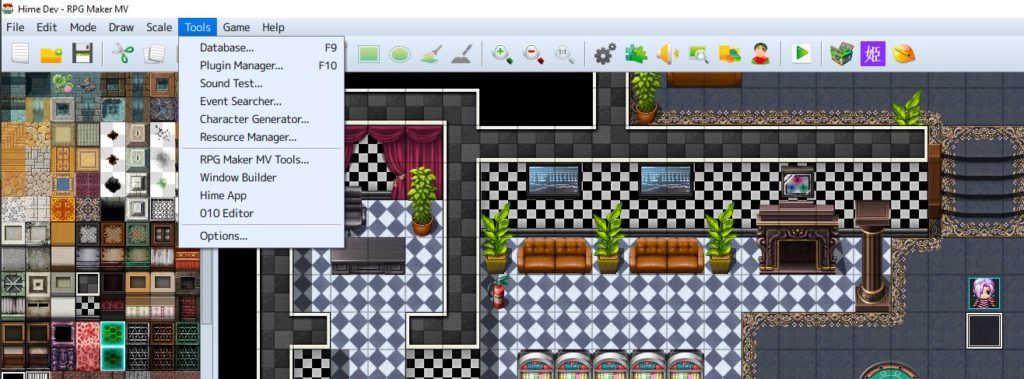 Why Create Your Own?
MV Tools add extra shortcuts to the editor, and will pass the current project's path to the application that the user launches. The application could be a GUI application, or it could be a console-based application that simply performs some data processing using the current project's information.
It's mostly for user convenience, but it also makes your tool feel more official since it actually appears in the editor! Anyways, let's go through the process to creating your own MV Tool.
MV Tool Anatomy
MV Tools are actually quite simple:
- There’s an exe file
- There’s an “identification” folder.
And that’s really all there is to it.
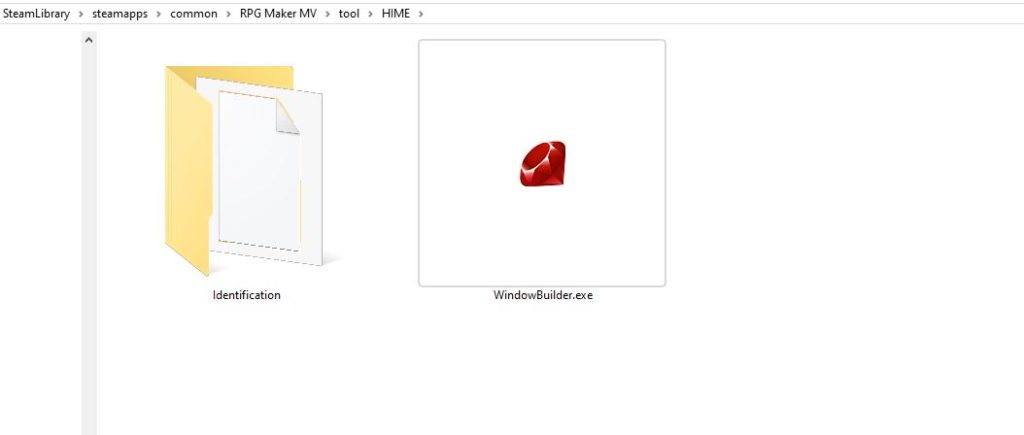 Executable Application
This is the executable that will be launched when you press the icon in the editor. It can’t be any name though; it must be one of the following:
- WindowBuilder.exe
- TilesetBuilder.exe
- SceneBuilder.exe
This is hardcoded into the editor, so it only expects one of these filenames. You can see it in the RPGMV.exe
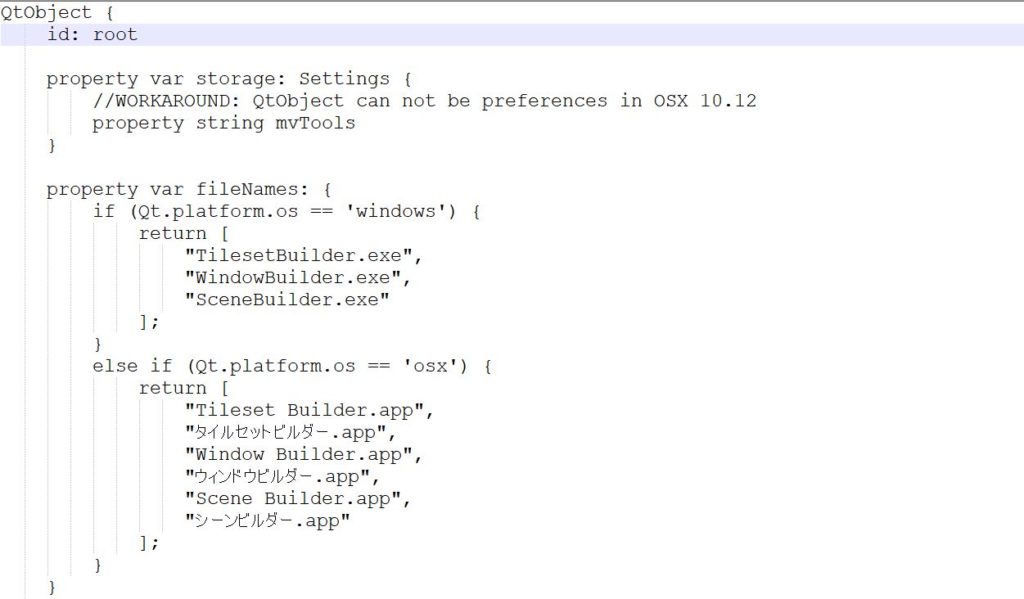
Anyways for testing purposes, simply create a blank text file and rename it “WindowBuilder.exe”.
Identification
This what the editor uses to get information about your MV Tool. In this folder, there’s a file called “app” (no extension) and a folder called “toolbar” which basically holds a 32×32 pixel icon that will be displayed in the editor.
The “app” file is just a text file that has three lines of text:
NAME
VERSION
DESCRIPTION
Anyways so let’s set up a sample “app” file and add an icon to the toolbar folder. You can just use notepad to create the “app” file, but make sure you have file extensions enabled in your file explorer.
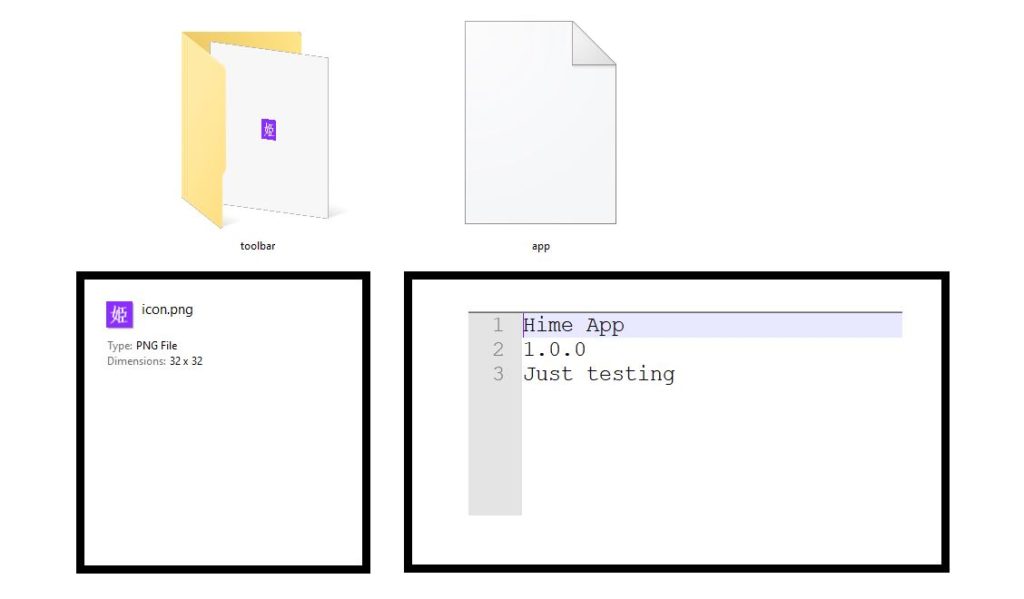
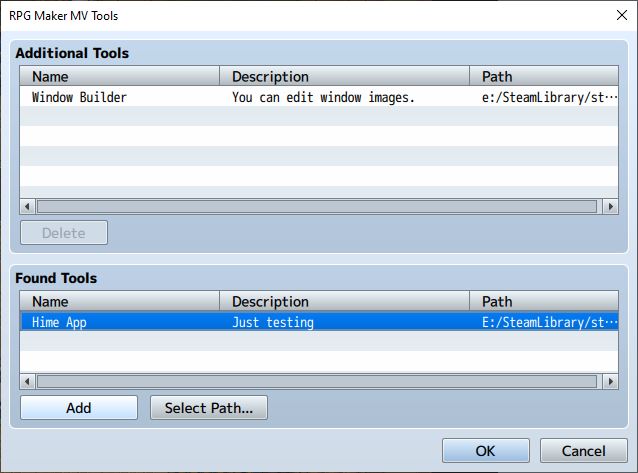
Now, when you go and add it to the editor, it’ll find your tool with the details you entered
And finally, once you confirm, it will appear in your editor, like the official MV tools!
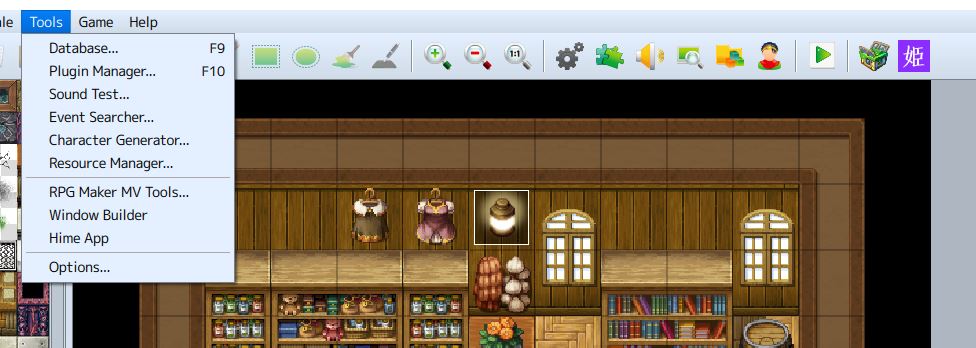
The hime app itself does nothing because it’s just an empty file called “WindowBuilder.exe”, but you can actually add any executable app to RPG Maker MV as long as it has the identification folder, and the exe is a valid name
For example, I went and added
notepad++ to it, which is my text editor of choice that I use for all my MV plugin development and other programming
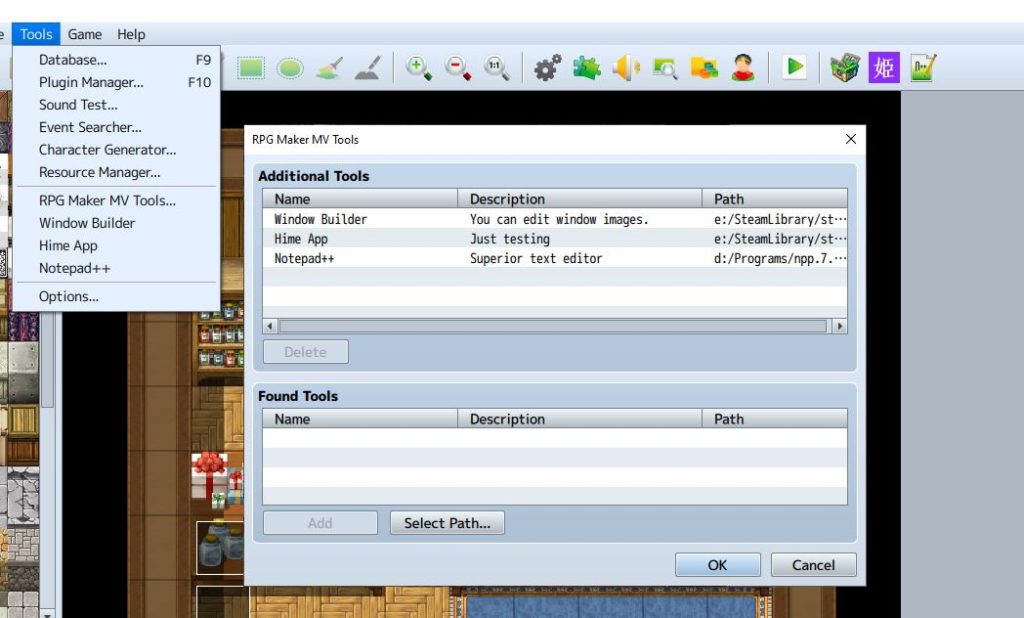
When you click on the notepad++ icon, the editor will launch notepad++, and it will actually open something
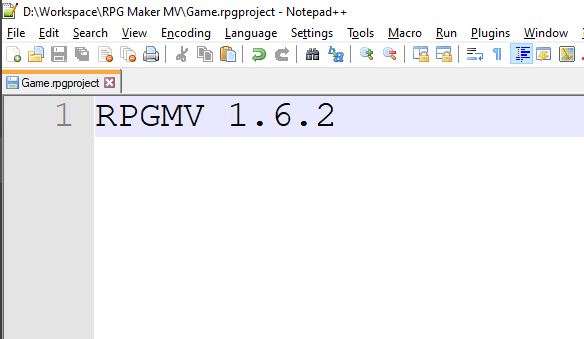
This is the Game.rpgproject file which sits in the base directory of your project folder! So basically RPG Maker MV sends the path to your project file to the application, which you can use to automatically load some data in the project for example.
Some Thoughts
So now you’ve learned how to create your own MV Tools. What can you do with it? Anything really. It’s just a regular application, so you can do whatever you can think of.
Of course, your application ideally should be able to run externally, but integrating it with the editor means that users who may not be as tech-savvy will be able to run your tool on their current project without having to go and open it from outside of the editor, which might not seem like that big of a deal but could be useful.
本贴来自国际rpgmaker官方论坛作者:Tsukihime处,因国际论坛即将永久关站,为了存档多年珍贵资料,署名转载到本论坛存档,由于官方帖子为英文原帖,需要中文翻译请点击论坛顶部切换语言为中文就可以将帖子翻译成中文浏览,方便大家随时查看,原文地址:
https://forums.rpgmakerweb.com/threads/creating-your-own-mv-tools.124663/ 简体中文
简体中文
 English(英语)
 日本語(日语)
 Deutsch(德语)
 Русский язык(俄语)
 بالعربية(阿拉伯语)
 Türkçe(土耳其语)
 Português(葡萄牙语)
 ภาษาไทย(泰国语)
 한어(朝鲜语/韩语)
 Français(法语)

 聊天机器人
聊天机器人




 窥视卡
窥视卡 雷达卡
雷达卡



 发表于 2026-7-11 08:26:48
 提升卡
提升卡 置顶卡
置顶卡 沉默卡
沉默卡 喧嚣卡
喧嚣卡 变色卡
变色卡 千斤顶
千斤顶 照妖镜
照妖镜