Extra Contributions by other members:
Nolonar made a Plugin version, go to this
POST
Tale made
- Setting for picture frame around display at center position, this POST
- Test Example for RPG Maker MZ, this POST
- Another Plugin version, this POST
-------------------------------------
Full Disclaimer: I am a newbie when it comes to programing, but this method works for me so far. If there are plugin compatibility problems that come from this, I wouldn't know how to fix it. Sorry
-------------
Hi guys, this has been a nitpick that I seen all the time. So, you have your standard RPGmaker sized window, or any different sized window, and when you open it in full screen mode, it looks like this if the screen doesn't match your game size. Now, some of us don't really mind having black bars on the side, but sometimes it just doesn't look that nice with your game.
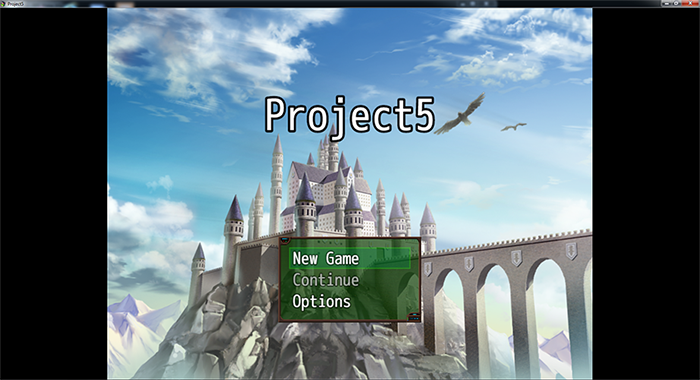
So how bout we decorate it with a picture?
As a programing noob, I can assure you its easy,
follow these 4 steps, and you can replace the black box with something else!

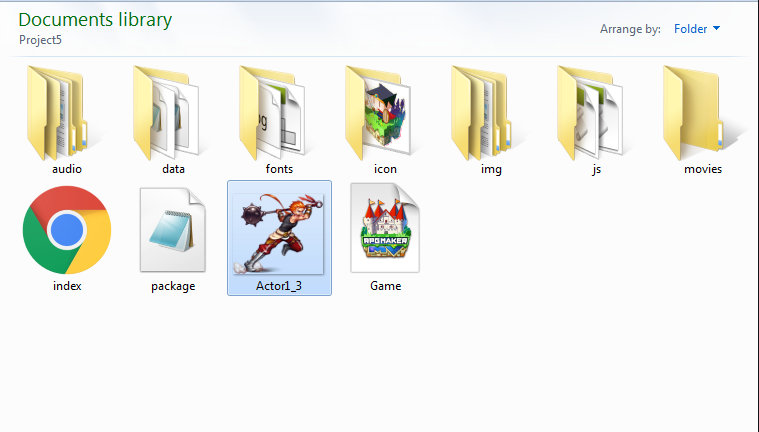
First, you will need to put your picture in the
same folder as your
Index file. Like this:
(Important: remember the name of your image!)
Next, open up the
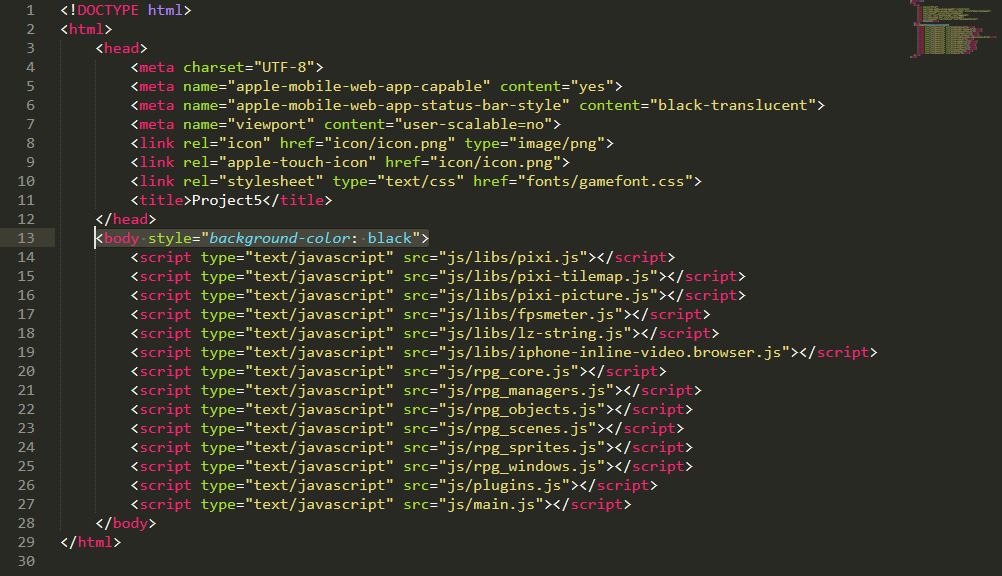
Index file in your game folder with a text reader, like Notepad or Sublime Text. It should look something like this.
Can you see the highlighted 13th line? This is what controls what the black bars look like. If you change the 'black' into 'green' the bars with become green instead!
But we don't want to just change the color, we want to put Actor1_3's image in the black bar. So we will replace it with this code with the new one.
Code:
<body style="background-image: url('InsertPictureNameHere.png')">
Since our picture name is Actor1_3, we replace the name so it will become like the example below. Remember, the picture has to be in the same folder as the Index file.
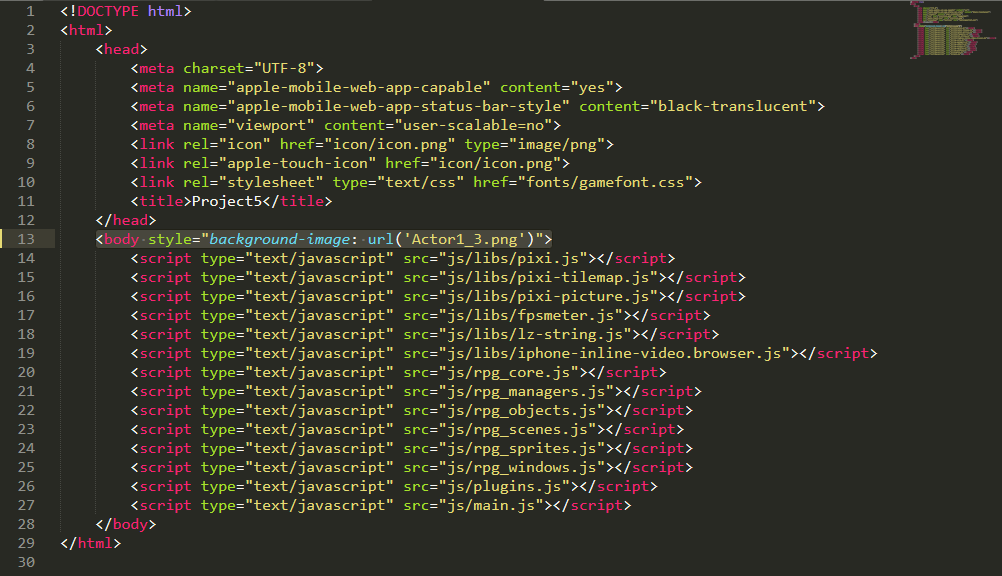
Save, and enjoy your new NOT black bars on full screen mode, it works in both testplay and deployed. The image auto repeats as you can see from the first example, so you can use a small image no problem. I hope someone finds this useful!
For a non repeating background use this code instead and put the file name where it needs to be.
Code:
<body style="background-image: url('InsertPictureNameHere.png'); background-repeat: no-repeat;">
本贴来自国际rpgmaker官方论坛作者:dragoonwys处,因国际论坛即将永久关站,为了存档多年珍贵资料,署名转载到本论坛存档,由于官方帖子为英文原帖,需要中文翻译请点击论坛顶部切换语言为中文就可以将帖子翻译成中文浏览,方便大家随时查看,原文地址:
https://forums.rpgmakerweb.com/threads/decorating-the-black-bars-in-full-screen-mode-with-a-picture-works-with-mv-mz.129386/
 简体中文
简体中文
 English(英语)
 日本語(日语)
 Deutsch(德语)
 Русский язык(俄语)
 بالعربية(阿拉伯语)
 Türkçe(土耳其语)
 Português(葡萄牙语)
 ภาษาไทย(泰国语)
 한어(朝鲜语/韩语)
 Français(法语)





 Decorating the black bars in Full Screen mode with a picture (Works with MV/MZ)-2.jpg