Hello all. if you want to create ''realistic'' water or at least better looking... here is how and what to download...
you will need GALV_LayerGraphics
https://galvs-scripts.com/2015/10/30/mv-layer-graphics/
Download these png images...
NAME first darker image- water (second image) water1 water2 water3 water4 water5 water6 water7
Spoiler: PNG pictures
Add images in ''Layer'' folder

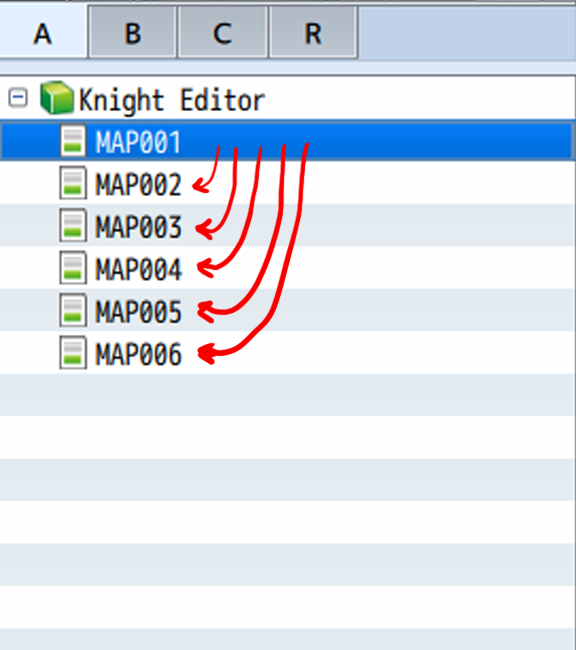
This what you need to do... make event map 001 transferee to map 002.

You need to start from first map
to create all layers for other map when you visit them.
i always start from empty map 001 so put all your (plugin commands) in first map you start your game... and immediately transferee player to 002 or other maps 003 004
and there you go you have good looking water. so you create map on top of it...
What is MAPID? you chose where in map you will see Layer Graphics
you see it above me MAP001 MAP002 MAP003. so MAPID below in Plugin command would be 1 2 or 3
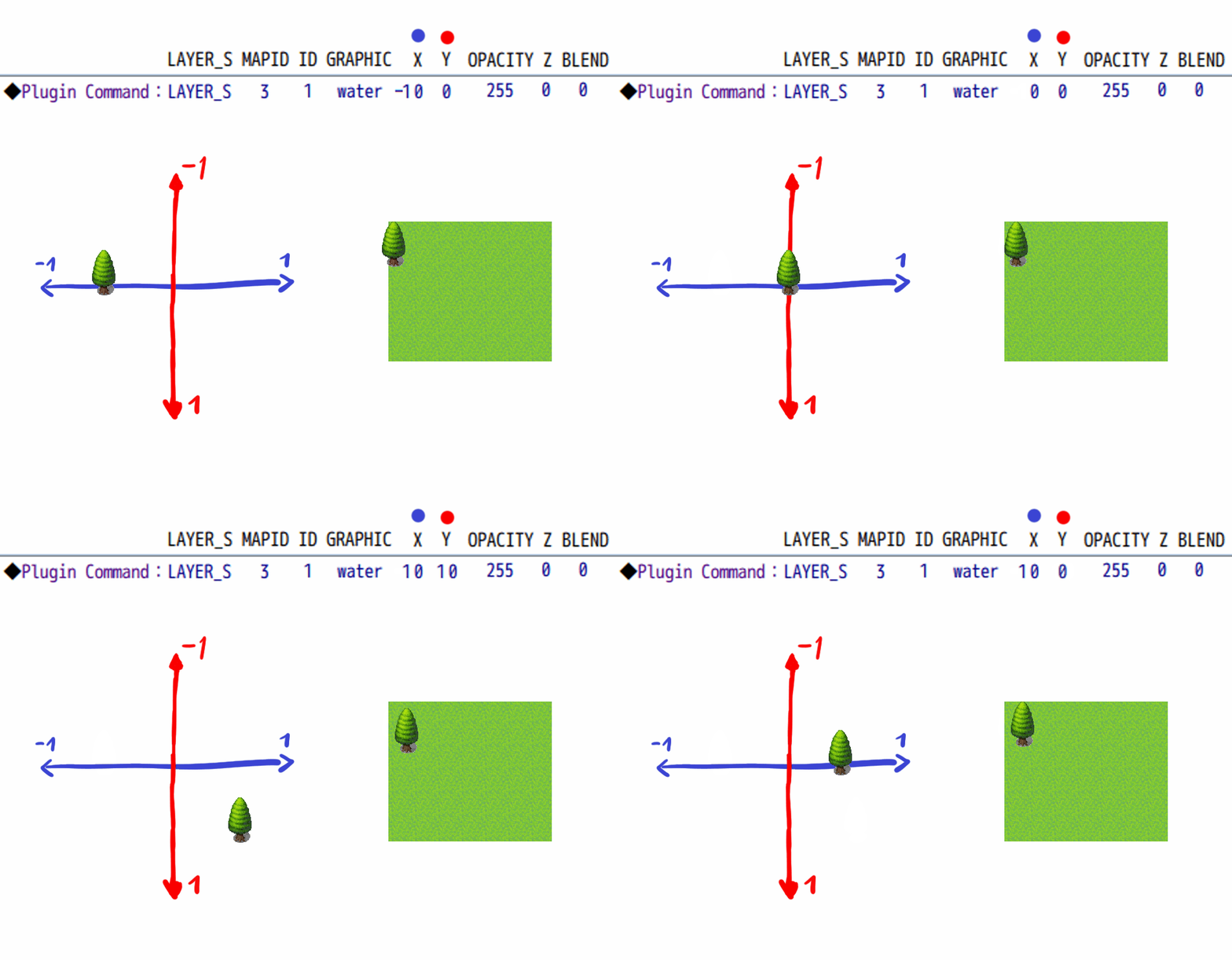
How to move objects around X Y works in GALV layer graphics? well its pretty simple. X Y have +- coordinates and move on map by 1 pixel so if you want to move image across map you have to put numbers sometimes 1452x 1894y to get correct value. but its accurate. hope you see. it always start left upper corner like tree in the grass if its X Y 0 0
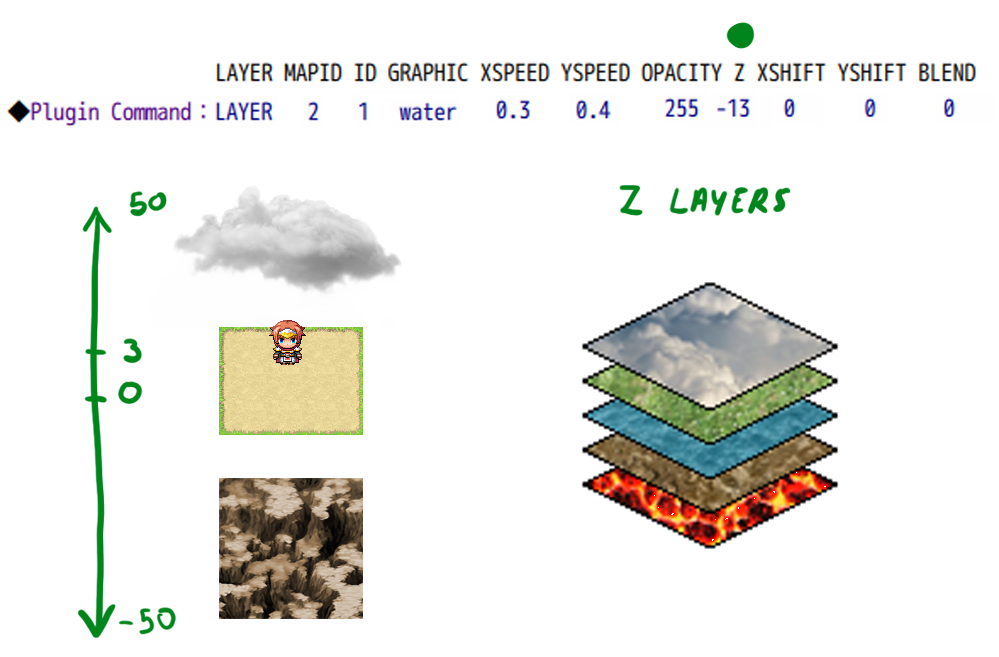
Layers and parallax very easy to explain...
50 to 4 would be cloud layers
3 2 1 ground layers
0 is last ground layer
-1 to -50 bottom layers water lava etc...
Z layers cover all map plain.
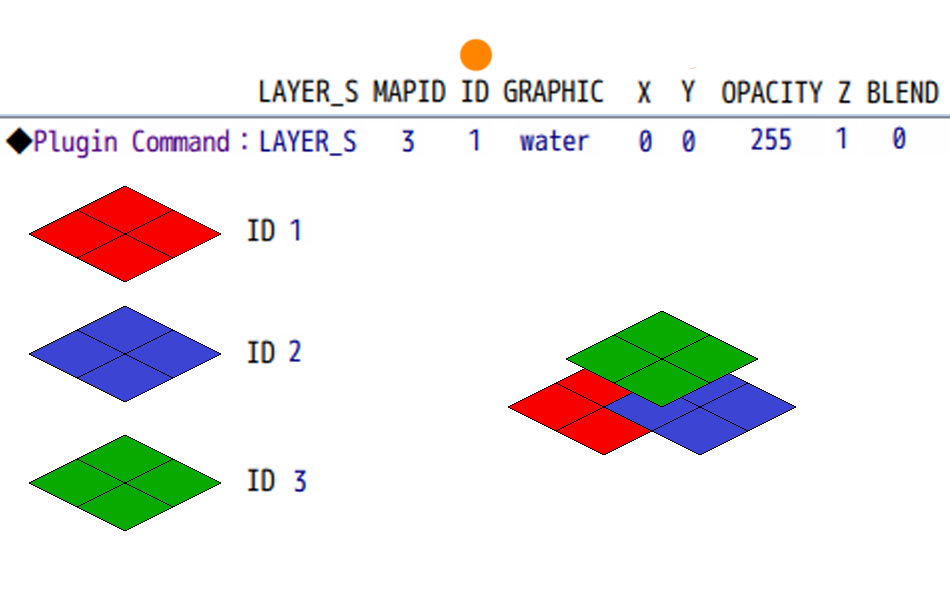
ID is object is bottom or top. its important
you need (ID 1) red. will be bottom (ID 2) blue. middle and (ID 3) green. top (ID 4) even more higher and so on... it works like layer on top of layer. higher the number higher ID
Galv was genius making this script
ID cover same Z layer
with correct Z layers and ID you can create underwater. hope you see in the video how layers go from top to bottom creating illusion of depth (how i put things on map, i use YEP_GridFreeDoodads+KNT_Editor RPG MV)
https://www.youtube.com/embed/Px_Hfmb2ljo
so plugin command would look like this ID 1 2 3 4 5 6 7 8 Z layers -14 -13 -12 -11 -10 -9 -8 -7
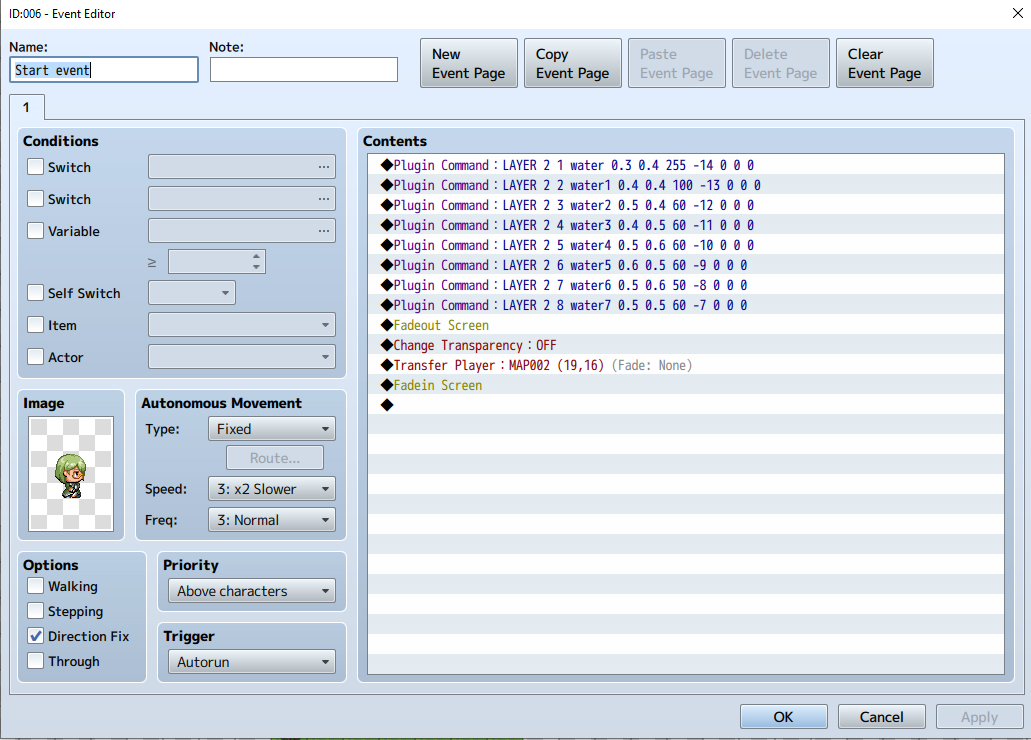
hope you understand if not let me know i will put more explanation
本贴来自国际rpgmaker官方论坛作者:Ziorke处,因国际论坛即将永久关站,为了存档多年珍贵资料,署名转载到本论坛存档,由于官方帖子为英文原帖,需要中文翻译请点击论坛顶部切换语言为中文就可以将帖子翻译成中文浏览,方便大家随时查看,原文地址:
https://forums.rpgmakerweb.com/threads/realistic-water-rpg-maker-mv.163410/ 简体中文
简体中文
 English(英语)
 日本語(日语)
 Deutsch(德语)
 Русский язык(俄语)
 بالعربية(阿拉伯语)
 Türkçe(土耳其语)
 Português(葡萄牙语)
 ภาษาไทย(泰国语)
 한어(朝鲜语/韩语)
 Français(法语)





 Realistic water RPG maker MV: Realistic water RPG maker MV-12.jpg