How to Change your Icon set in MV
If you would like to replace your default iconset with a different or larger one, this is how to do it.(one way, at least).
First find an iconset that you would like to use.
Next, download it to your pc.
The file may say something like:
Joe's Big Bad Iconset
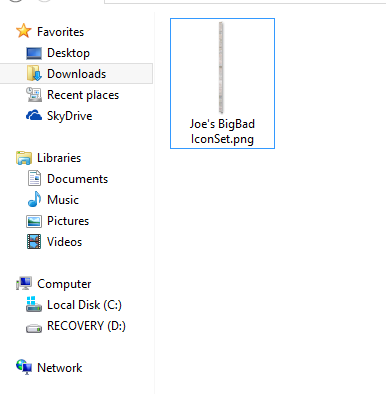
If you import it like this, it will not work.
You will have to change the name of the downloaded file to:
IconSet (case sensitive)
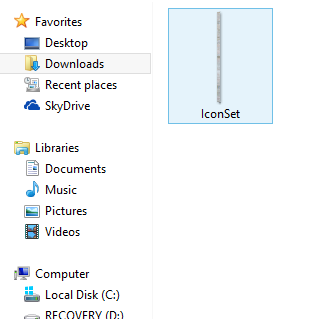
In
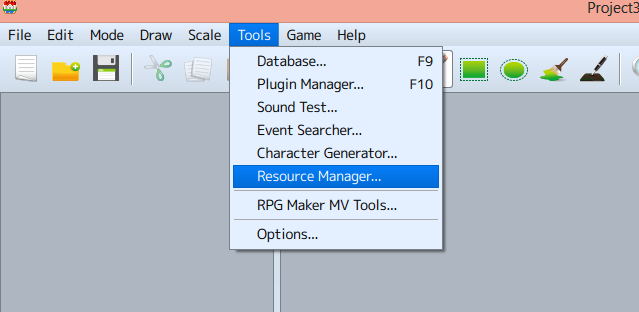
Tools go to
Resource Manager
Click on img/system
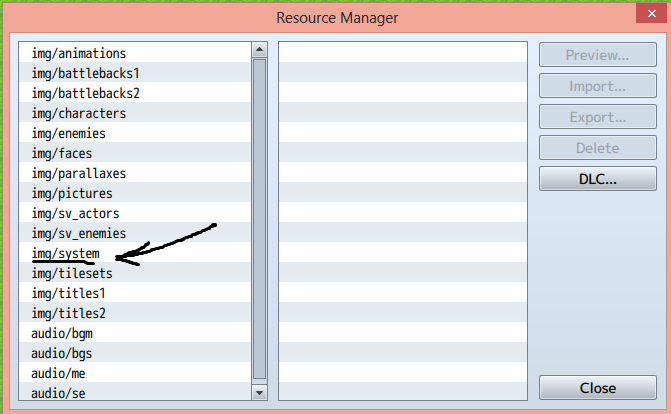 Click
Click on IconSet.png
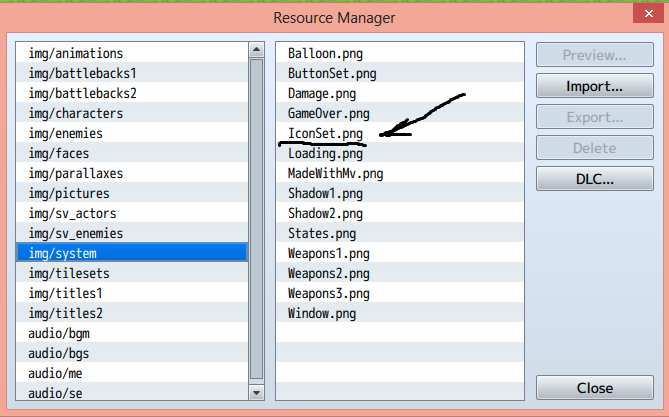 Click
Click Delete
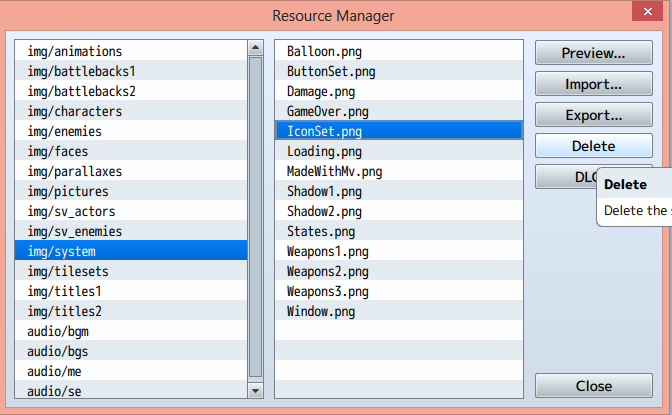 This will delete the default iconset.
Do not
This will delete the default iconset.
Do not import the new one without deleting the old one first.
Now click on Import .
Find your
new Iconset and
double click it.
The new iconset will now appear where the old one was and work perfectly.
本贴来自国际rpgmaker官方论坛作者:dnel57处,因国际论坛即将永久关站,为了存档多年珍贵资料,署名转载到本论坛存档,由于官方帖子为英文原帖,需要中文翻译请点击论坛顶部切换语言为中文就可以将帖子翻译成中文浏览,方便大家随时查看,原文地址:
https://forums.rpgmakerweb.com/threads/how-to-change-your-iconset-in-mv.115804/
 简体中文
简体中文
 English(英语)
 日本語(日语)
 Deutsch(德语)
 Русский язык(俄语)
 بالعربية(阿拉伯语)
 Türkçe(土耳其语)
 Português(葡萄牙语)
 ภาษาไทย(泰国语)
 한어(朝鲜语/韩语)
 Français(法语)





 How to Change your IconSet in MV: How to Change your IconSet in MV-3.jpg