I'm using Google Translate, so it may be a strange translation.
Please point it out.
I will teach you the ultimate techniques for those who want to reduce the use of plugins, variables, and switches as much as possible.
These techniques are the same as for plugins.
There's no need to use them when you can't think of a use for them.
Preparation
Create a common event like the one below.
JavaScript:
const character = this.character(0); character._interpreter = null; character._trigger = null;
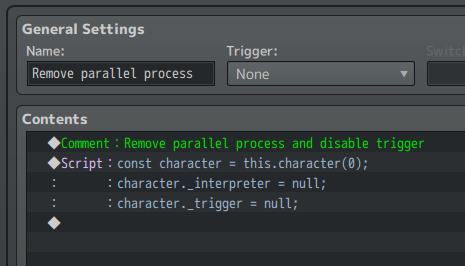
Parallel process event that runs only once
Execute the parallel process only once immediately after the conditions are met.
procedure:
1. Set the trigger to "Parallel".
2. Enter the events you want to execute.
3. Enter the common event "Remove parallel process" at the end of the contents.
Example: An event where the weather changes depending on the value when a variable is changed.
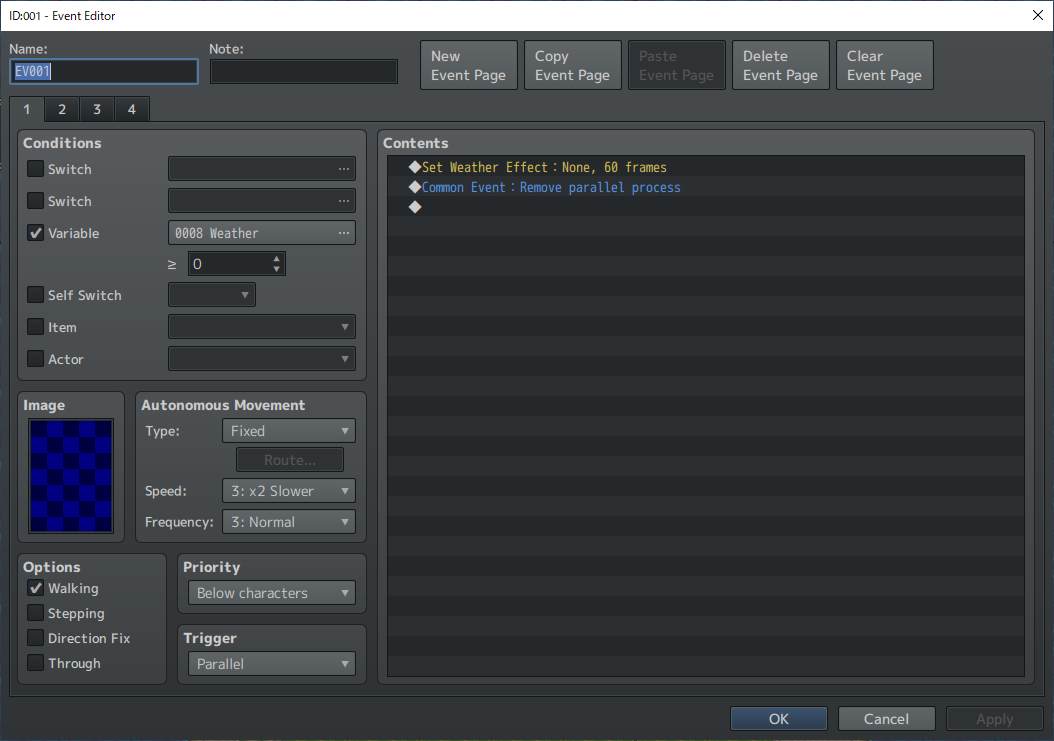
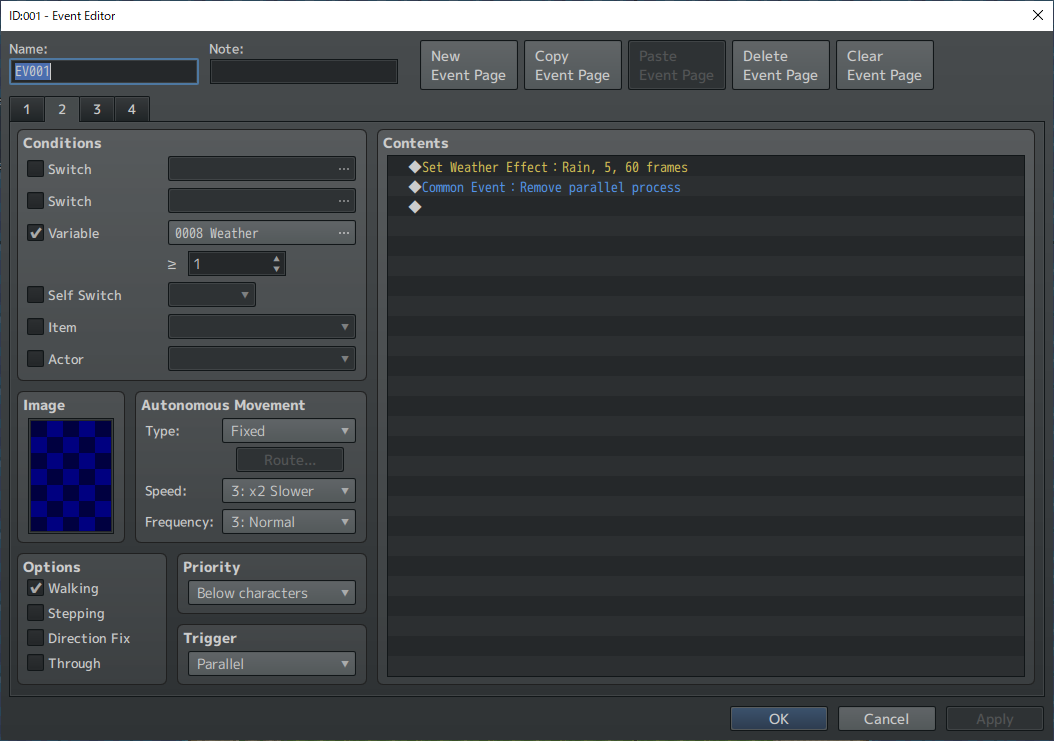
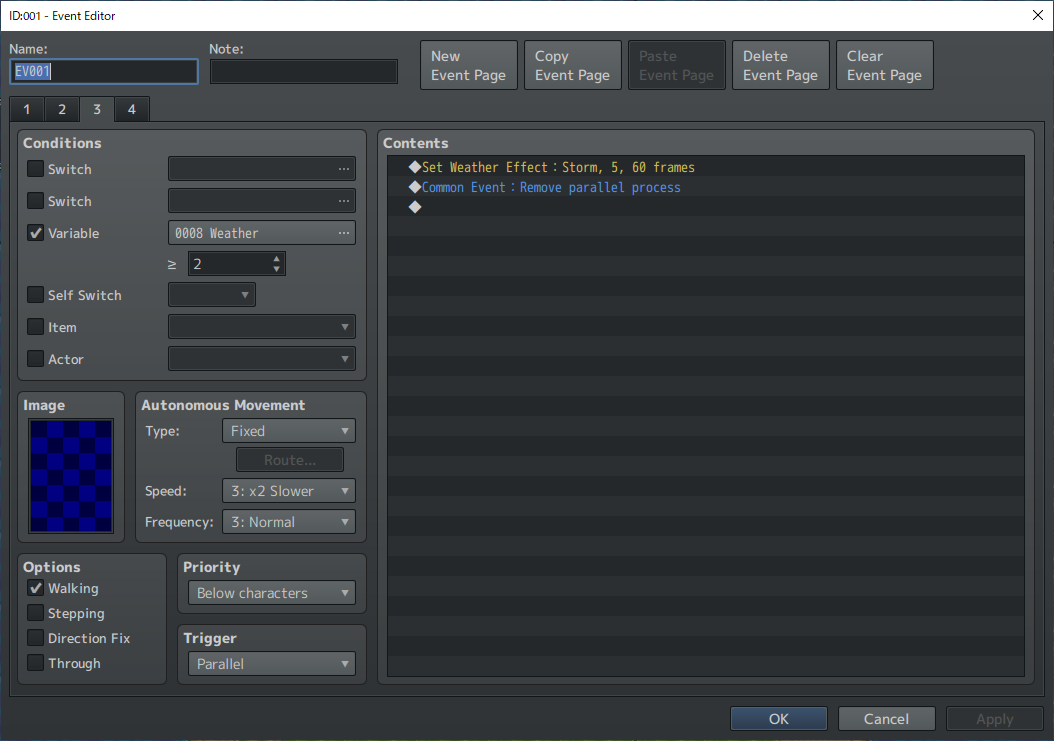
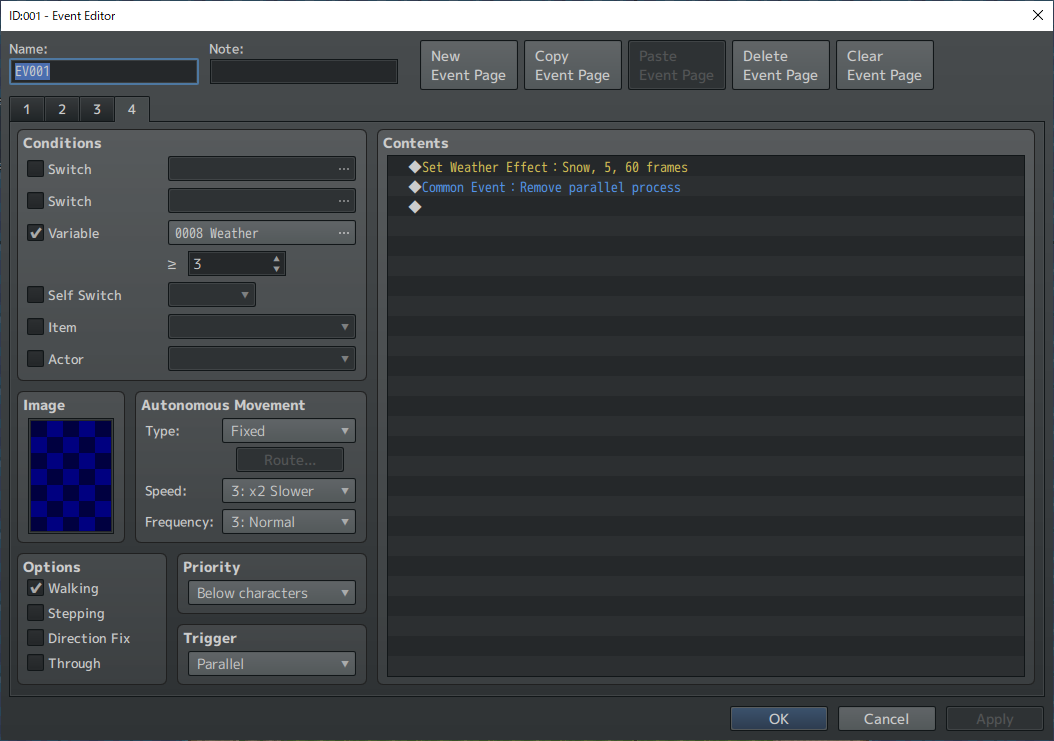
Event that allows other trigger to run after a parallel process runs only once
Use this when you want to prepare for an event that meets the conditions.
procedure:
1. Set the trigger to "Parallel".
2. Create a conditional branch.
JavaScript:
this.character(0)._trigger === 4
3. Enter the commands to use for preparation.
4. Enter the common event "Remove parallel process".
5. Override trigger.
JavaScript:
this.character(0)._trigger = 0;
The numbers on the right side can be 0 to 3, and each corresponds to "Action Button" to "Autorun".
6. Enter "Exit Event Processing."
7. Enter the events to run after preparation.
Example: Translucent person
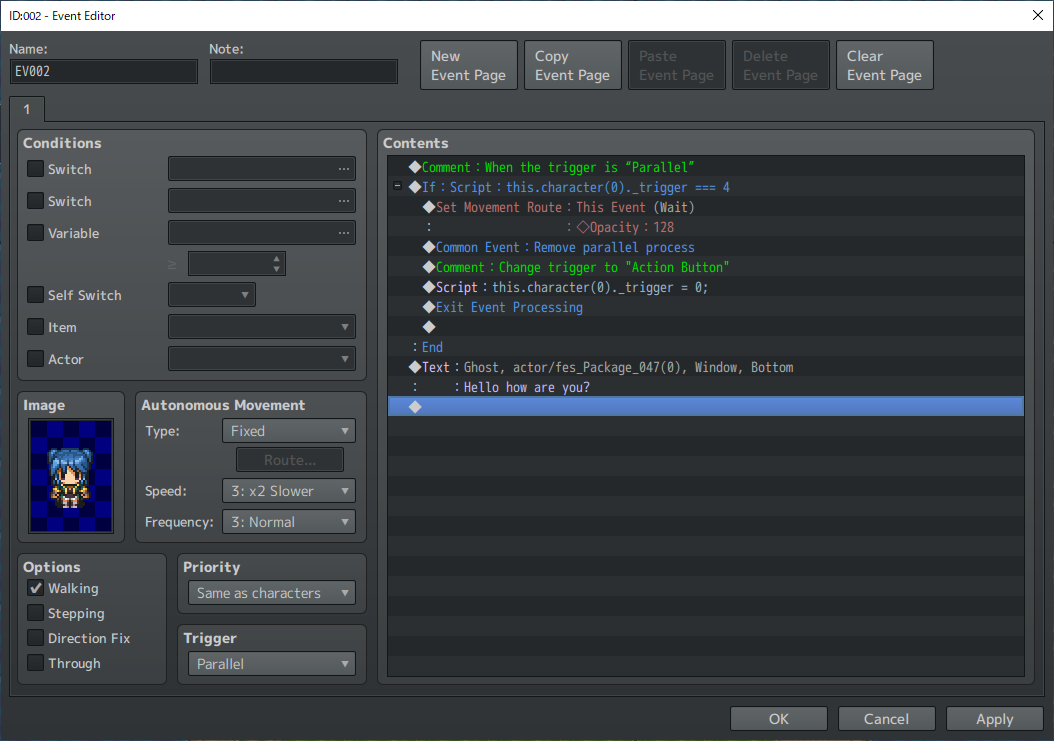
Two triggers
You can create events that can be talked to while running parallel processes.
procedure:
1. Set the trigger to "Parallel".
2. Create a conditional branch.
JavaScript:
this.character(0)._trigger === 4
3. Override trigger.
JavaScript:
this.character(0)._trigger = 0;
The numbers on the right side can be 0 to 3, and each corresponds to "Action Button" to "Autorun".
4. Enter “Loop”.
5. Input the events used for parallel process.
6. Enter “Wait”.
7. Input events without parallel process.
Example: A person who always displays a balloon except when an event is running
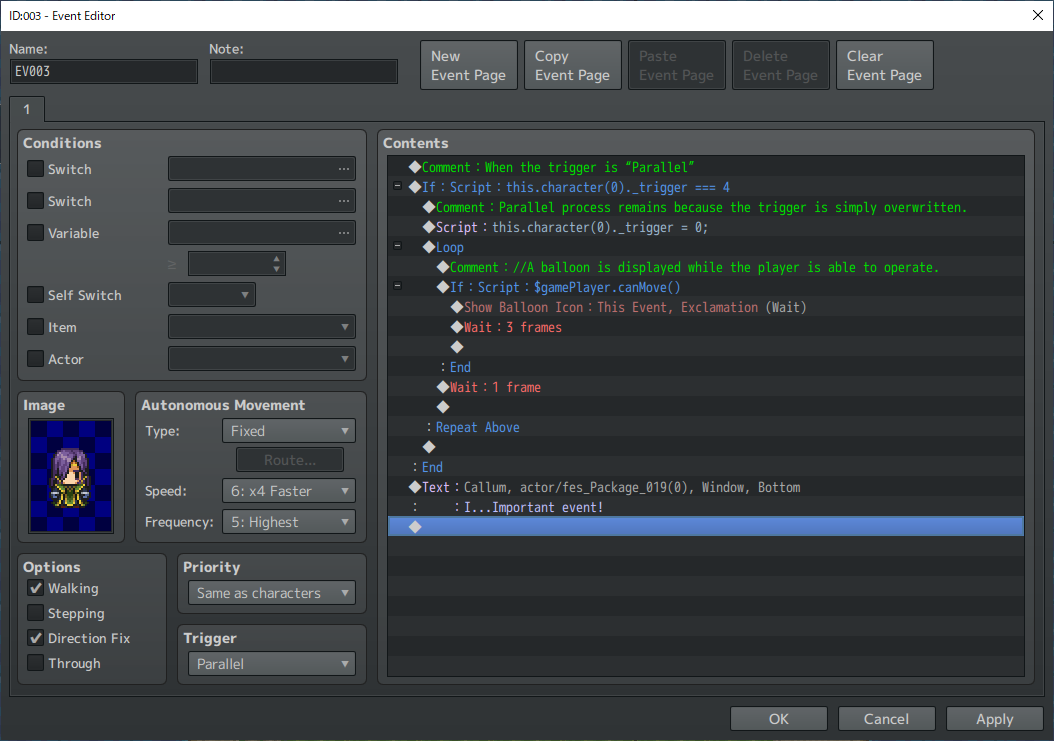 I've only shown a few simple examples, so there may be many other uses that I can't imagine!
本贴来自国际rpgmaker官方论坛作者:Awayamatana处,因国际论坛即将永久关站,为了存档多年珍贵资料,署名转载到本论坛存档,由于官方帖子为英文原帖,需要中文翻译请点击论坛顶部切换语言为中文就可以将帖子翻译成中文浏览,方便大家随时查看,原文地址:
https://forums.rpgmakerweb.com/threads/special-use-of-parallel-process-no-plugin-required.163989/
 简体中文
简体中文
 English(英语)
 日本語(日语)
 Deutsch(德语)
 Русский язык(俄语)
 بالعربية(阿拉伯语)
 Türkçe(土耳其语)
 Português(葡萄牙语)
 ภาษาไทย(泰国语)
 한어(朝鲜语/韩语)
 Français(法语)





 Special use of parallel process (no plugin required)-3.jpg