Pasp's Glitch Effects v1.0
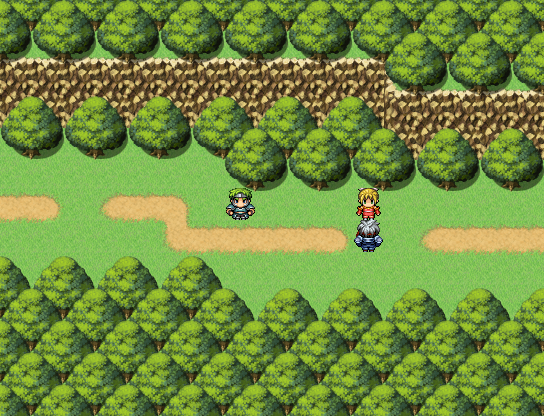

This script can be used to create a "glitching" effect over the current screen, with the option to add a sound effect as well.
Instructions:
Place script below Materials and above Main
Use the script call "show_glitch" when you want to have a glitching effect. "show_glitch" can be used with the defaults, or with the arguments intensity, duration, volume, and pitch in that order.
For example:
Ruby:
This will create a glitch effect with a maximum pixel shift of 10 pixels that lasts for 20 frames, with a sound effect volume of 100 and sound effect pitch of 50.
The default values are intensity = 5, duration = 3, volume = 100, and pitch = 100.
User Settings:
The user can set the ID for a switch to turn the glitch sound effect on and off using GLITCH_AUDIO_SWITCH. Setting the switch ID to 0 will disable glitch sound effects.
The sound effect file name is set using the variable AUDIO_FILE. The sound effect must be in the SE folder.
The sound effect pitch and volume can also be randomly tweaked when RANDOM_PITCH and RANDOM_VOL are set to true, for extra glitchiness.
History:
June 10, 2026: v1.0 release
Terms:
Can be used in free and commercial games or modified however you like, but please credit!
Code:
Spoiler Ruby:
Pastebin link
本贴来自国际rpgmaker官方论坛作者:Pasp处,因国际论坛即将永久关站,为了存档多年珍贵资料,署名转载到本论坛存档,由于官方帖子为英文原帖,需要中文翻译请点击论坛顶部切换语言为中文就可以将帖子翻译成中文浏览,方便大家随时查看,原文地址:
https://forums.rpgmakerweb.com/threads/glitch-effects-v1-0.183987/ 简体中文
简体中文
 English(英语)
 日本語(日语)
 Deutsch(德语)
 Русский язык(俄语)
 بالعربية(阿拉伯语)
 Türkçe(土耳其语)
 Português(葡萄牙语)
 ภาษาไทย(泰国语)
 한어(朝鲜语/韩语)
 Français(法语)





 Glitch Effects v1.0: Glitch Effects v1.0-1.jpg