Introduction
Weather Extensions to default RMMV weather system. And with a little configuring you can add fully customized and automated weather system!
This is what this plugin does:
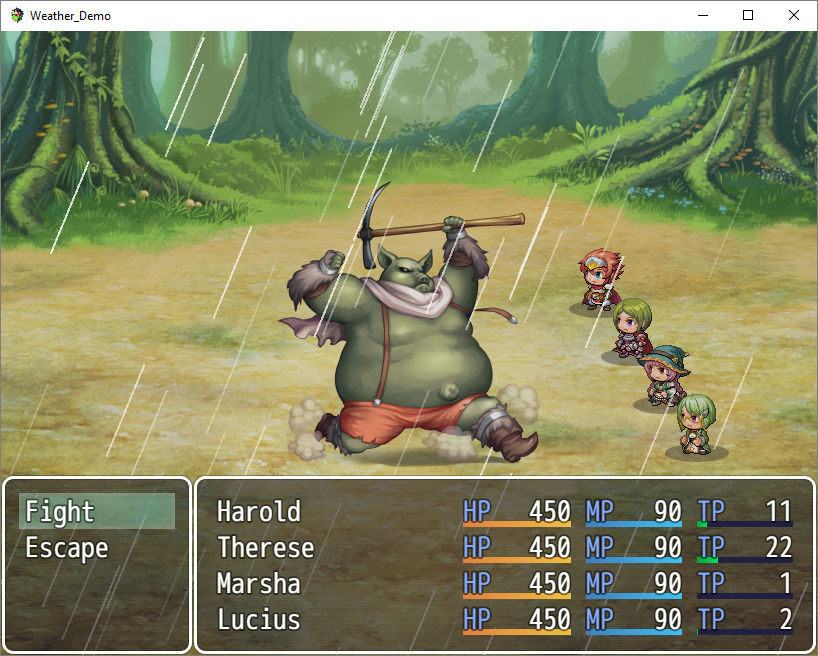
- Weather can be inherited to battle scene
- Storm, blizzard and rain may have BGS (volume varied by power)
- Dynamic lightnings to storm (on desired power via auto pan / pitch)
- Weather BGS is DEDICATED, so it won't interfere other BGS
- Choose if you want to use 'OcRam enhanced' weather effects!
Spoiler: Battle Scene
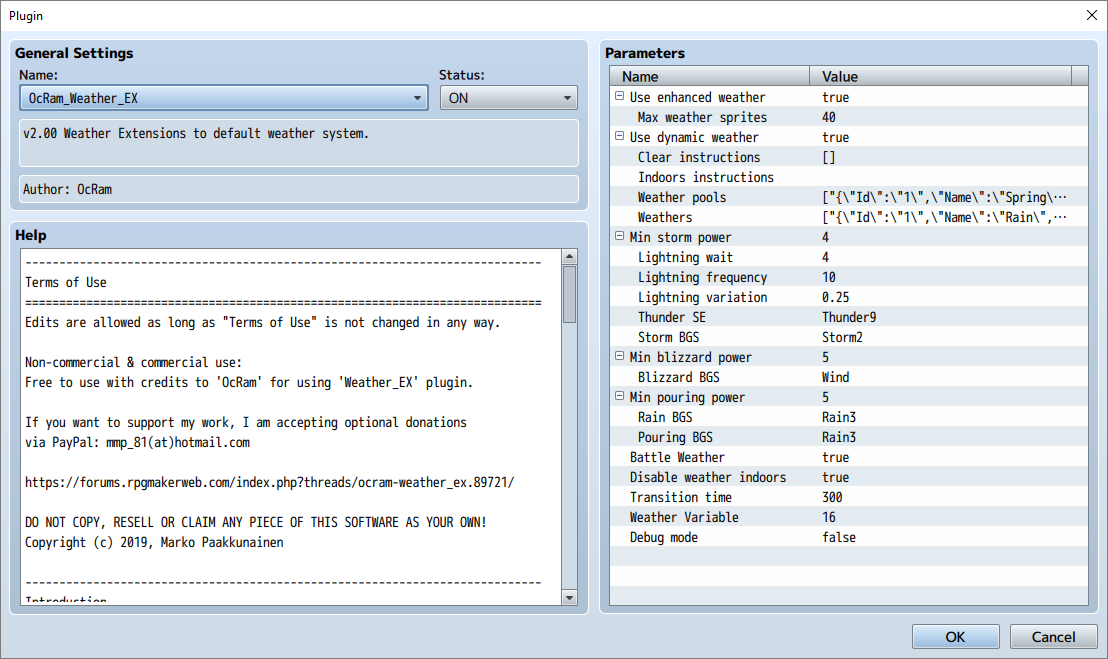
Spoiler: Parameters
Spoiler: Making custom automated weather system!
Credits to PandaMaru for seasonal tree tilesets!
STEP 1: Setup weather pools!
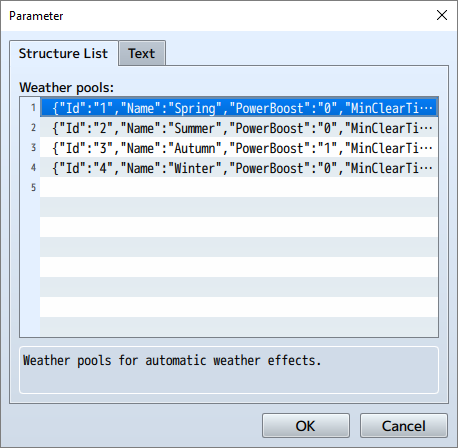
(It's important that pool ID is UNIQUE!)
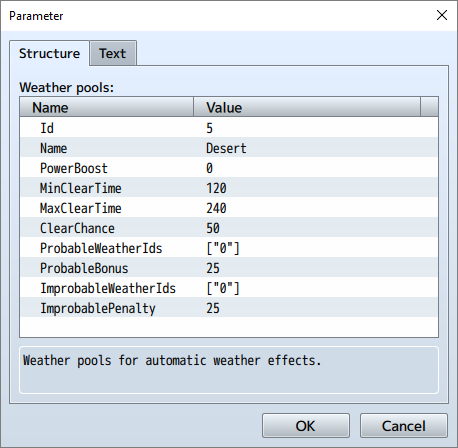
STEP 2: Setup weather objects!
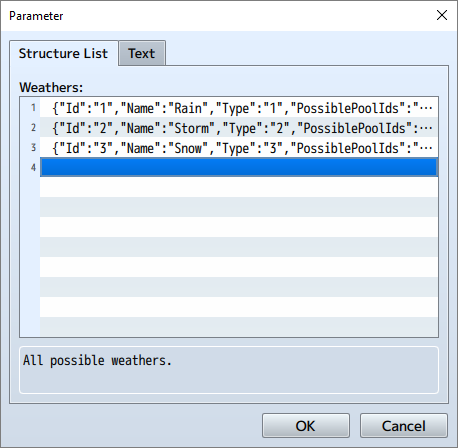
(It's important that weather ID is UNIQUE!)
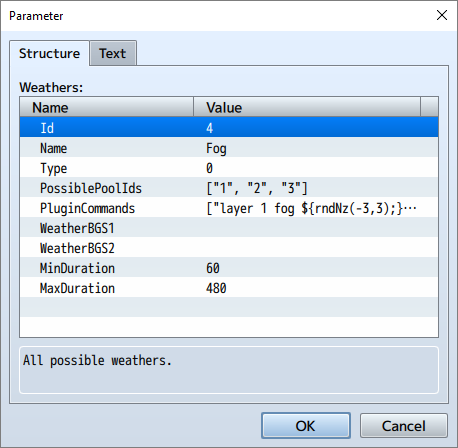
You may use plugin commands in any weather! It's important to remember reverse any plugin commands in ALL weathers.
Spoiler: 'Lunatic' commands
You may use JS in all plugin commands. To do this just wrap your JS code like this ${myJSCode();}!
Example below:
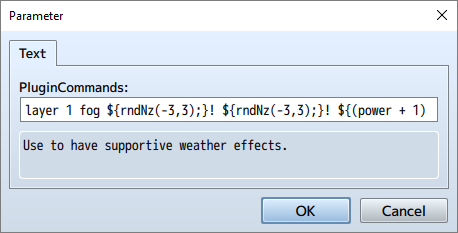
layer 1 fog ${rndNz(-3,3);}! ${rndNz(-3,3);}! ${(power + 1) / 10;}! true 2 repeat:x,y
Above line is plugin command to add FOG layer in OcRam_Layers -plugin!
layer [Z-index] [Bitmap_name] [x_speed] [y_speed] [opacity] [bound_to_map] [fade_per_frame] [repeat]
power = current weather power values (1-9)
STEP 3: Plugin command reverse instructions
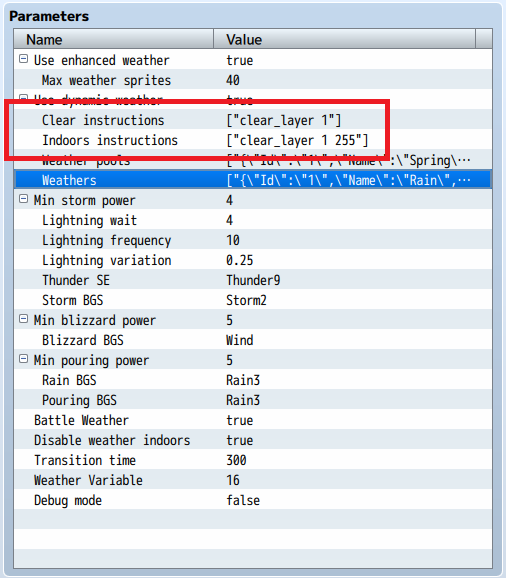
To reverse plugin commands use "Clear instructions" (should be 'faded' effect) and "Indoors instructions" (should be instant effect).
STEP 4: Write tileset / map meta tags
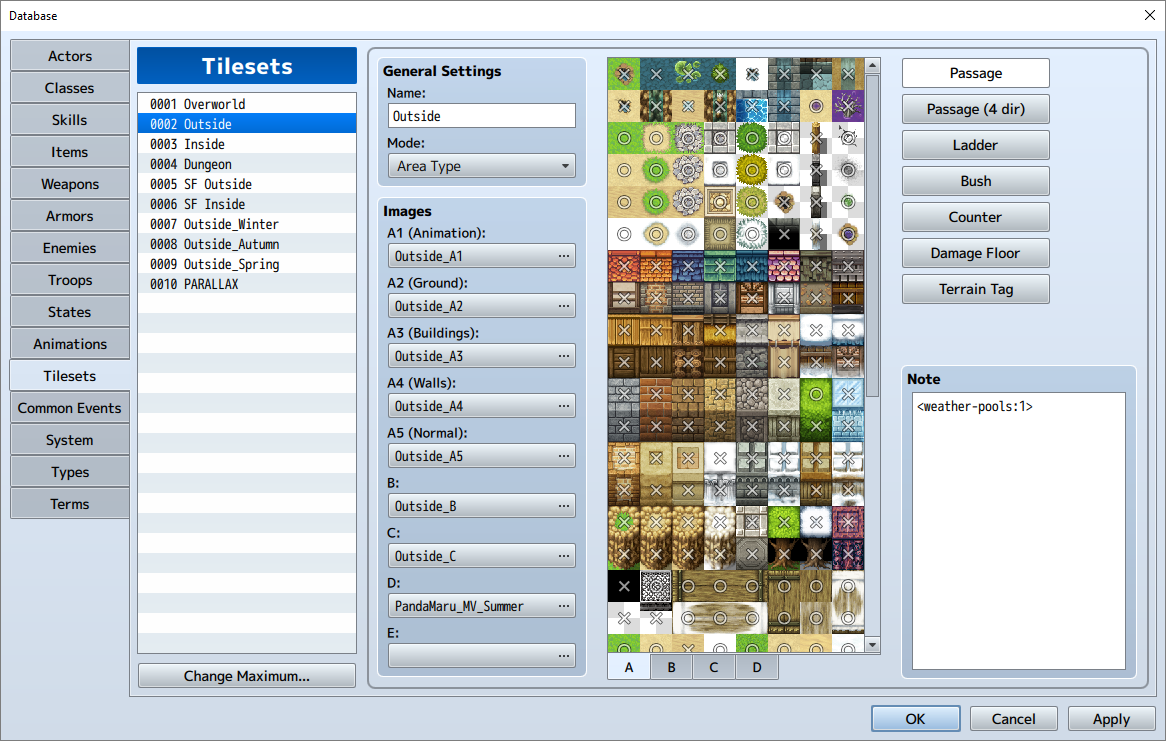
Above example tells plugin that this tileset uses weather pool Id 1 and all weathers linked to it! You may use several pools at the same time! Example <weather-pools:1,2,3>
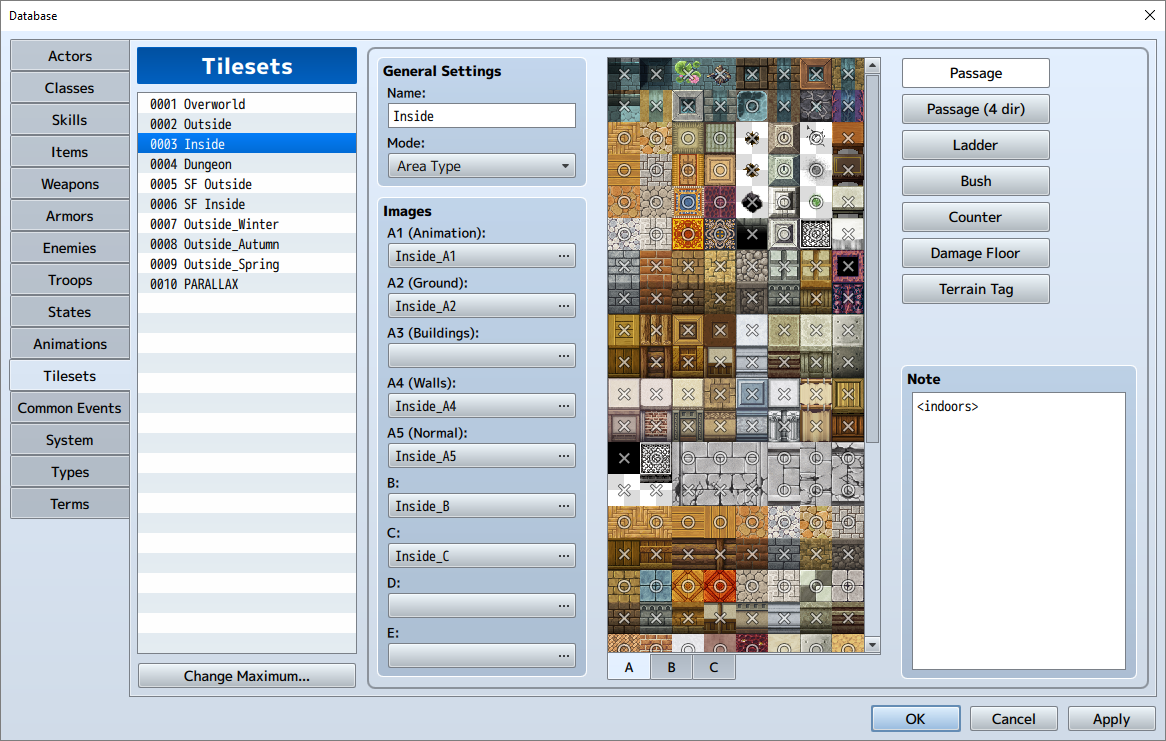
Above example tells plugin that this tileset should be treated as INDOORS map (doesn't rain here example)! You may also mute weather TOTALLY by adding <no_lightnings> tag!
Please read: Terms of Use
Latest version:Download from here
All my plugins:Check 'em out!
My (long-term) Project

本贴来自国际rpgmaker官方论坛作者:OcRam处,因国际论坛即将永久关站,为了存档多年珍贵资料,署名转载到本论坛存档,由于官方帖子为英文原帖,需要中文翻译请点击论坛顶部切换语言为中文就可以将帖子翻译成中文浏览,方便大家随时查看,原文地址:
https://forums.rpgmakerweb.com/threads/ocram-weather-system-mz-mv.89721/
 OcRam_Clock_Weather_Images.zip (25.4 KB)
  简体中文
简体中文
 English(英语)
 日本語(日语)
 Deutsch(德语)
 Русский язык(俄语)
 بالعربية(阿拉伯语)
 Türkçe(土耳其语)
 Português(葡萄牙语)
 ภาษาไทย(泰国语)
 한어(朝鲜语/韩语)
 Français(法语)





 OcRam - Weather System (MZ/MV)-7.jpg