Orange Overlay + Animated Parallax Add-on

With permission from Hudell and thanks to Chaucer for the plugin fix, here's an updated version of Orange Overlay. This version fixes the broken plugin commands people were experiencing when trying to change parallaxes via events.
Instructions from the original
thread.
Hudell said:
Introduction
You can use this plugin to add overlay images to your maps
You can keep the images either on the img/parallaxes folder
Or (if you set the Organized Folders param to true) on separate folders like this:
Code:
All image filenames must end with the number of the map that they are used on.
Map notetags:
<all> : Display all overlays
<ground> : Display ground overlay
<par> : Display parallax overlay
<light> : Display light overlay
<shadow> : Display shadow overlay
<fogName:filename> : Display the specified fog image
<fogOpacity:number> : Change the opacity level of the fog image (0 to 255)
<fogBlend:number> : Changes the blend type of the fog image
<fogDuration:number> : Changes the duration of the opacity transition
<xMove:number> : Changes the horizontal speed of the fog
<yMove:number> : Changes the vertical speed of the fog
You can use variables numbers on the notetags by adding a $ symbol before the value
Plugin Commands
Overlay layertype filename
Possible layer types: ground, light, shadow, par.
Overlay fog filename opacity xMove yMove blendmode duration
Changes the fog params to the ones specified in this command.
Blendmode and duration are optional
Examples:
Overlay fog fog1 100 10 0 0 20
This will display the file fo1 with opacity 100 and move horizontally 10px at a time, with a transition of 20 frames
Overlay fadeout duration
Do a fadeout effect on the current fog. This command will disable the fog switch at the end of the fadeout effect.
Overlay addfog filename ID Opacity xMove yMove BlendType Z
Adds an extra fog layer. BlendType and Z values are optional
Overlay removefog ID
Removes an extra fog that was added with the addfog command
License
Free to use on any game.
Click to expand...
Animated Parallax Add-on - Plugin DL - (Updated 12Aug17) - Thanks @Krimer for the latest update!
Rejoice parallax mappers! You can now have animated water!
This plugin adds to the Orange Overlay plugin, and allows you to animate overlay images.
==============================================================================
INSTRUCTIONS :
==============================================================================
Naming Images :
When naming the animated images, please include _ followed by the index of the image, please take note that the index will always start on 0 and NOT 1, so please name images accordingly
( example : example_1, example_2, example_3, etc.. ).
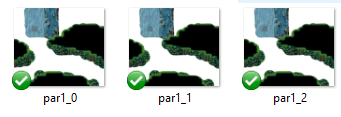
Example of how the 3 frame images would be set up in your parallax folder.
par(layertype),
1(map#),
_0(frame#).
Changing animated layers:
When changing a layer that is animated via plugin command(example: Overlay ground ground1-v1 ), do NOT include _0, as this plugin will do so on it's own.
Map Note Tags:
Code:
(ex. <animate_parallax: 3, 10 > -- This will animate the par layer with 3 image frames at a speed of 10fps.)
keys:
f = the amount of frames( or images ), that will be used.
s = the amount of frames that must pass before changing frames.
Plugin Commands:
Code:
Description : tell a layer to start animating.
(ex.) animate_layer ground 3 10
Code:
Description : change the speed of a given layers animation.
Code:
Description : tell a layer to stop animating.
keys:
f = the amount of images used in the animation.
l = the name of the layer( ground, parallax, shadow, light ).
s = the amount of frames that must pass before changing frames.
----------------------------------------------------------------------------------------------------------------------------
Bugfixes: Please post all bugs you encounter in the thread. I'll try to keep this plugin updated and bug free.
----------------------------------------------------------------------------------------------------------------------------
Terms of Use
Orange Overlay
Credit: Hudell and Chaucer
Same rights as original-Free to use on any game
Tsukitsune Animated Overlay Add-on
Do not share on any other site without permission
Free for use on any game
Edits are allowed
and please support my project <3

本贴来自国际rpgmaker官方论坛作者:Tsukitsune处,因国际论坛即将永久关站,为了存档多年珍贵资料,署名转载到本论坛存档,由于官方帖子为英文原帖,需要中文翻译请点击论坛顶部切换语言为中文就可以将帖子翻译成中文浏览,方便大家随时查看,原文地址:
https://forums.rpgmakerweb.com/threads/orange-overlay-v1-1-4-animated-parallax-add-on-updated-7jul17.80917/
 简体中文
简体中文
 English(英语)
 日本語(日语)
 Deutsch(德语)
 Русский язык(俄语)
 بالعربية(阿拉伯语)
 Türkçe(土耳其语)
 Português(葡萄牙语)
 ภาษาไทย(泰国语)
 한어(朝鲜语/韩语)
 Français(法语)





 Orange Overlay v1.1.4 + Animated Parallax Add-On (Updated 7Jul17)-2.png