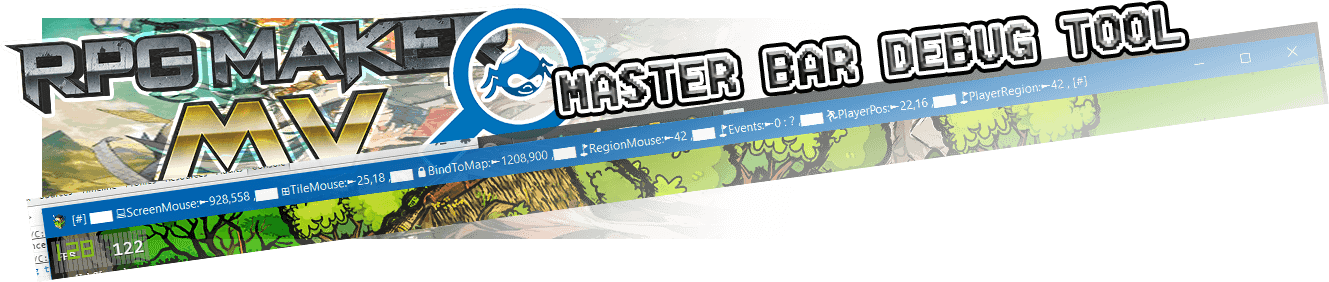
 Master More Debug Tool
Introduction
Master More Debug Tool
Introduction
Display a quantity of cool debugging information directly in the windows bar.
I had made the plugin for me at the base, but I share it.
The idea is are allowing to have all the most sought after information in the title bar.
You can debug all most important feature and advance in your project very quickly.
Each features cants be enabled or disables depending you game developments need and work.
Very powerful for a projects using a lot of pictures.
Have fun
Cool Features you can turn On/Off
- Debug the live screen xy mouse
- Debug the canvas tileset xy with mouse
- Debug the reel XY for easy use BindPicturesToMap plugin
- Debug region id with mouse
- Debug EventID and Name with mouse
- Debug the player position on map
- Debug the regions on player
- Debug Total live event on map
- Debug Memory megabyte Performance with chromium API, flag need(--enable-precise-memory-info)
- You can Edit the Ms Refesh rate for the tool Debug (Depending on CPU)
- You can active fun visual Unicode icon in bar
- Work in the Title scene and with menu
- you can Hide the title in the bar to get more space for debug feature
- Debug Live Games Variables in bar (v.1.2)
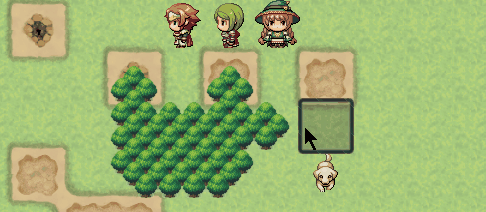
- Debug arrow square passability(v.1.3)
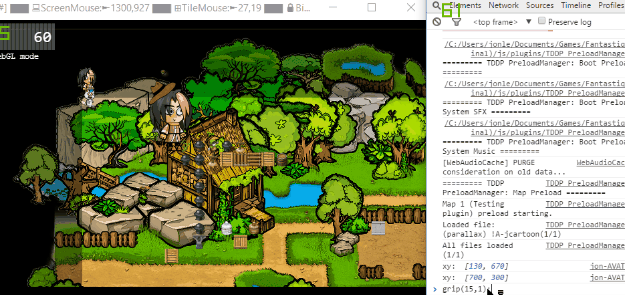
- Grip a picture to mouse and easily get x,y for Debug. Use this function grip(Pid,target); in console (v.1.4.1)
- ADD CPU usage % in Winbar (v.1.5)
Preview


How to Use
- download and install in Plugin directory
- Push the plugin at the end of plugin list
- Mark true/false to active feature
- enjoy
How to Use feature: Square Arrows, passability Debug?
- add the picture Debug-Rec.png in the picture folder \img\pictures
- Make sure you have the plugin TDDP_BindPicturesToMap
- Set a picture ID in the plugin option to active the feature
Preview Square Arrows Debug
How to Use feature: Grab picture to mouse ?
- Open the console debug (F8)
- insert this function with the id of the picture and the target : grip(ID, target);
- Code:
Preview Grab picture to mouse
Download
v.1.0 : initial release
v.1.1 : Fix forget console Log and Code formatting
v.1.2 : Add Live Rmmv variable feature
v.1.3 : Add arrow square and debug passability
v.1.4 : Add Grab picture to mouse in console
V.1.4.1: Fix BUG when skip title
V.1.5 : Add CPU% usage feature
download:
https://mega.nz/#!NEQU2KJL!tcdsdbDI3ELcrC41N7rn8D3pOppmiVB6UzM-B4Cny58
Your comments are welcome.
Terms of use
MIT
if you have sugest improve code, i will credit you, thank to share.
本贴来自国际rpgmaker官方论坛作者:Jonforum处,因国际论坛即将永久关站,为了存档多年珍贵资料,署名转载到本论坛存档,由于官方帖子为英文原帖,需要中文翻译请点击论坛顶部切换语言为中文就可以将帖子翻译成中文浏览,方便大家随时查看,原文地址:
https://forums.rpgmakerweb.com/threads/master-more-debug-tool-v-1-5.74843/ 简体中文
简体中文
 English(英语)
 日本語(日语)
 Deutsch(德语)
 Русский язык(俄语)
 بالعربية(阿拉伯语)
 Türkçe(土耳其语)
 Português(葡萄牙语)
 ภาษาไทย(泰国语)
 한어(朝鲜语/韩语)
 Français(法语)





 Master More Debug Tool v.1.5: Master More Debug Tool v.1.5-1.jpg