Shaz_TileChangerMZ.js
by Shaz (original plugin) and SeaPhoenix (edits for MZ)
Prologue
@Shaz has a great plugin to copy tiles and change tiles for MV, and I got their approval to port this plugin to MZ. The main edits are for compatibility, especially in terms of the plugin commands, and simplified map notes.
The text describing the plugin is mostly reproduced from the original thread:
https://forums.rpgmakerweb.com/index.php?threads/tile-changer-copy-tiles-and-change-tiles.90437/
Introduction
This plugin allows you to copy a block of tiles from another map to the current map, copy a block of tiles from one spot on the current map to another, or to change individual tiles to a specific tile Id.
How to use
Add to your plugin folder (call it Shaz_TileChangerMZ.js) and enable in the plugin manager.
Set up the notes on the current map
only if you want to copy tiles from other maps.
Use the plugin commands to copy or change tiles.
Map notes must be in the following format (note: this is slightly different from the original plugin):
Example 1: If you want to copy tiles from Map 5
JavaScript:
Example 2: If you want to copy tiles from Maps 5, 10 and 12
JavaScript:
Plugin Commands
Copy Tiles: Copy tiles from a different map, or from the same map. You can copy either a single tile or a rectangular block (you specify the source's upper left x and y, and the lower right x and y). You can copy all layers (including shadow and region), or choose which layers you want to copy.
Change Tile: Change one tile at a specific location and layer. No auto-formatting of autotiles happens.
When using the plugin commands, you can enter either a number or a script call for the coordinates, z-layer, and mapId.
For example, if you want to change a tile where the coordinates are determined by variables 10 and 11, set the x-coordinate to $gameVariables.value(10) and the y-coordinate to $gameVariables.value(11).
Note: To find the Tile Id, see this very helpful thread by
@Llareian:
https://forums.rpgmakerweb.com/index.php?threads/how-to-determine-your-tileid.91129/
Credit
Shaz and SeaPhoenix
Terms
Free for use in non-commercial and commercial games.
Do not post elsewhere - link back to this page.
Notes
This plugin changes/copies the tile Id, not the image. So your other maps should use the same tileset, or at least have the the tiles that you want to copy in the same position on both tilesets. Otherwise you could be trying to copy a vase with flowers from one map, and have it turn into a teddy bear on the other.
This plugin saves the tile changes. If you leave the map (to another map, the battle screen or a menu) and return, or save the game and reload, the tile changes will still be there.
Download
Copy and paste the following into a text editor and save as Shaz_TileChangerMZ.js.
Spoiler: Plugin
Examples (with screenshots):
Spoiler: Copying tiles from the same map
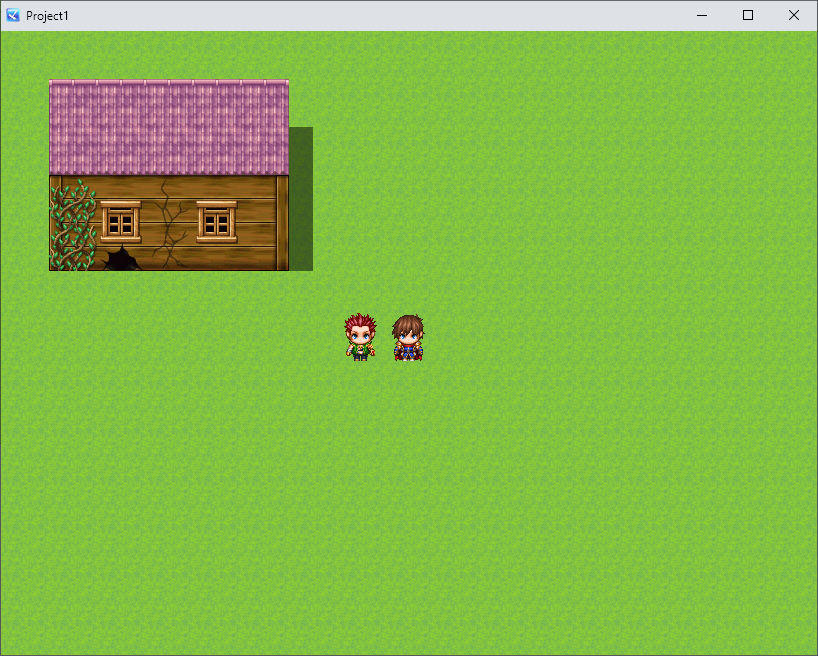
Original map:
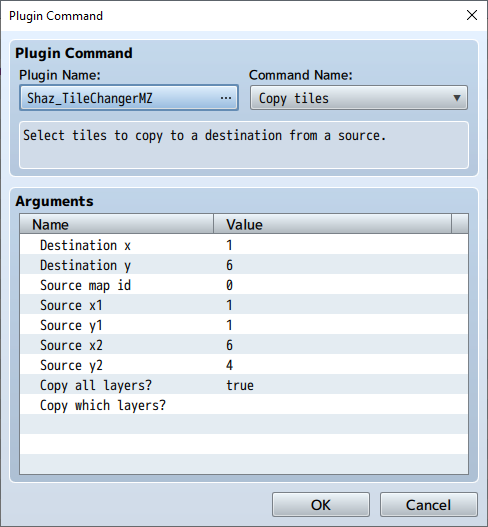
Using the plugin command (the source map id is 0, to indicate that it's the same map):
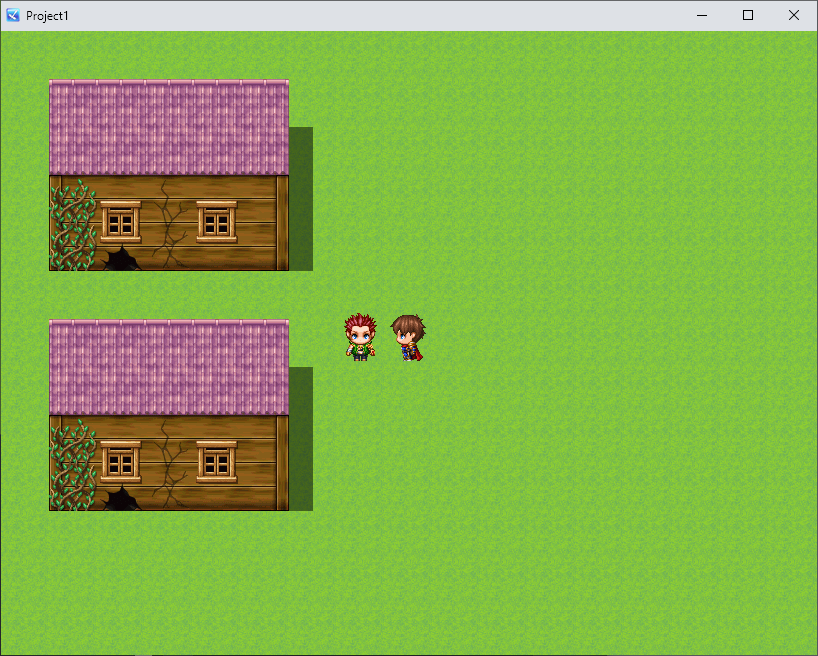
Result:
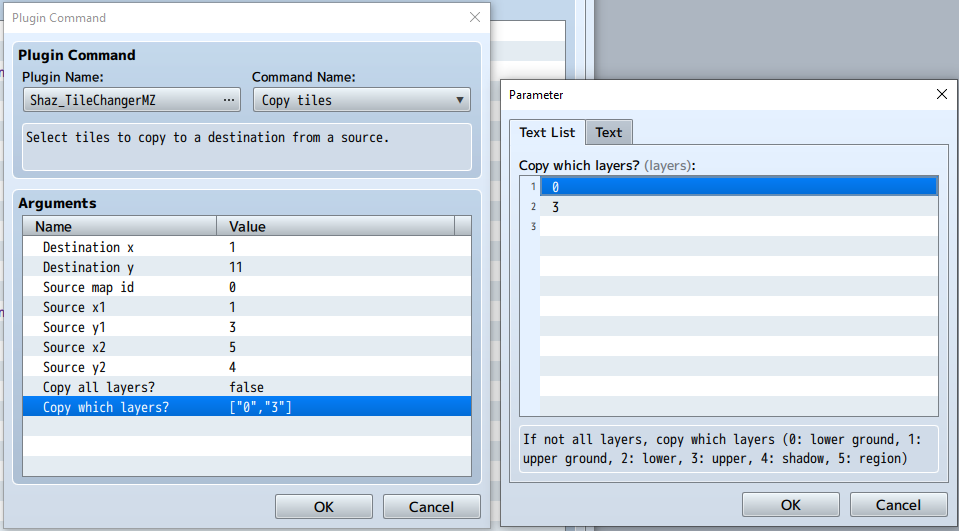
Spoiler: Copying tiles from the same map, layers 0 and 3 only
Original map is the same as in the previous example.
Using the plugin command:
Result:
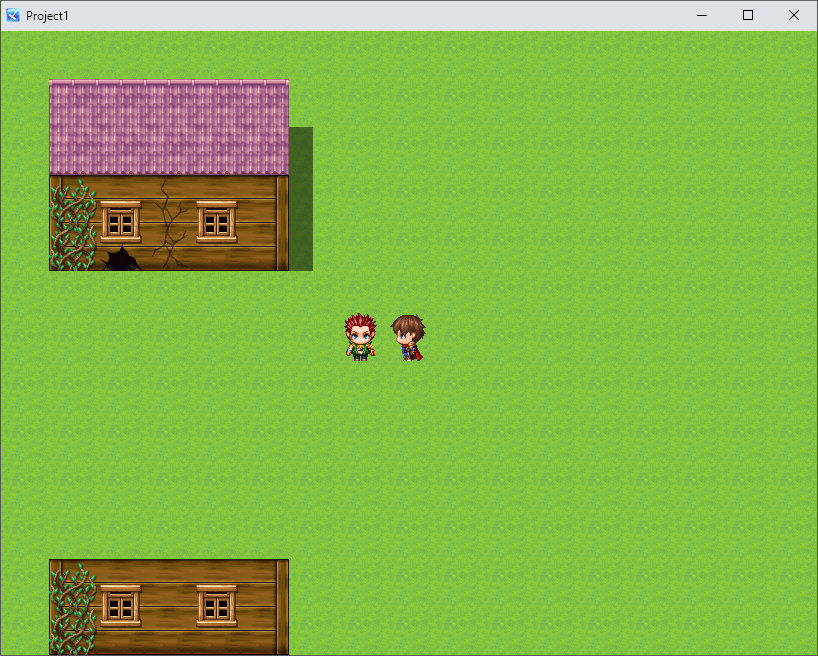
Spoiler: Copying tiles from different map, using variables
Original map is the same as in the first example.
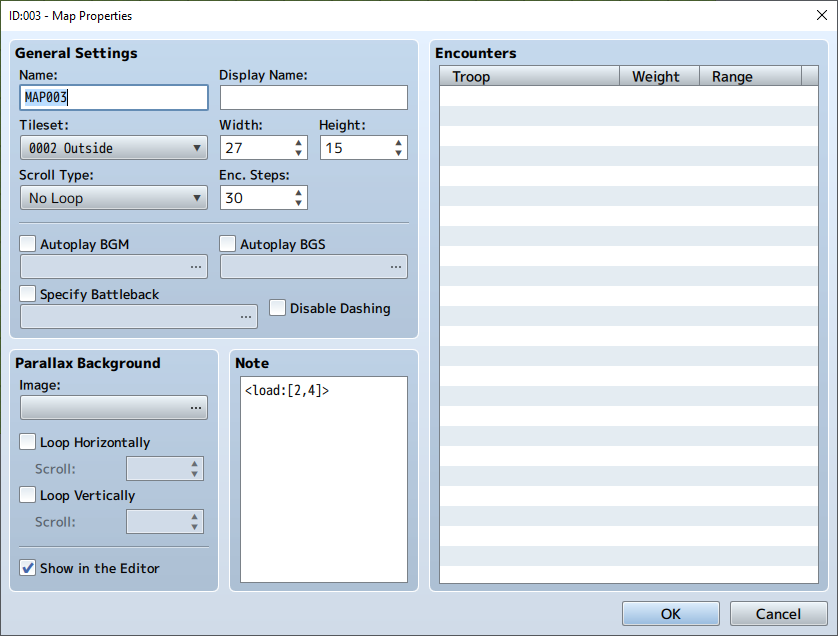
Map notes (we're currently on map 3, and we may copy from maps 2 and 4):
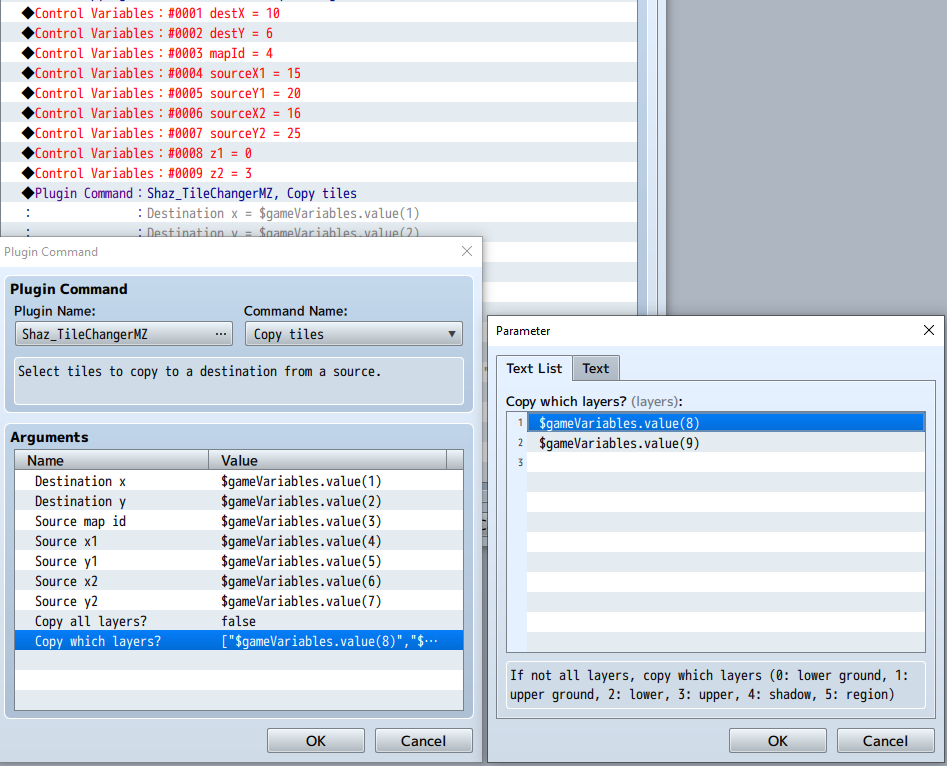
Set the variables first, then use the plugin command:
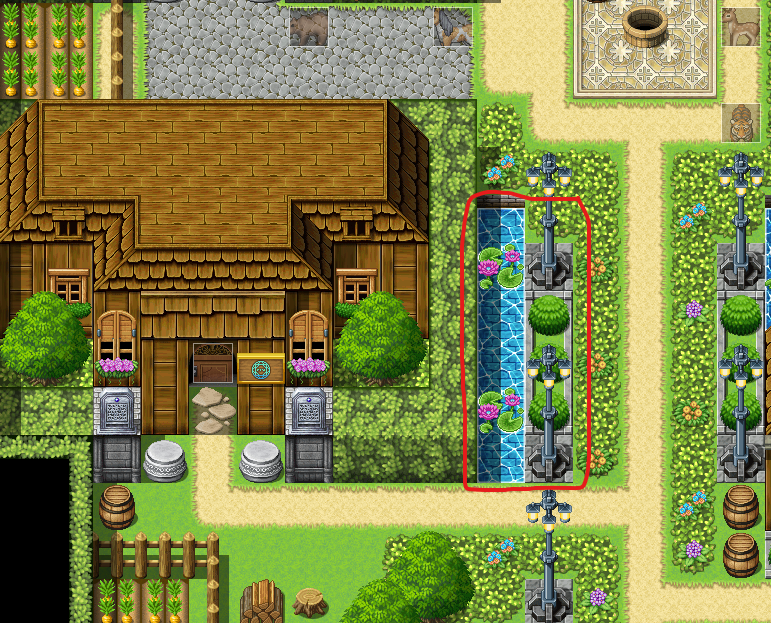
Source (map 4, with the rectangular block that's being copied outlined in red):
Result:
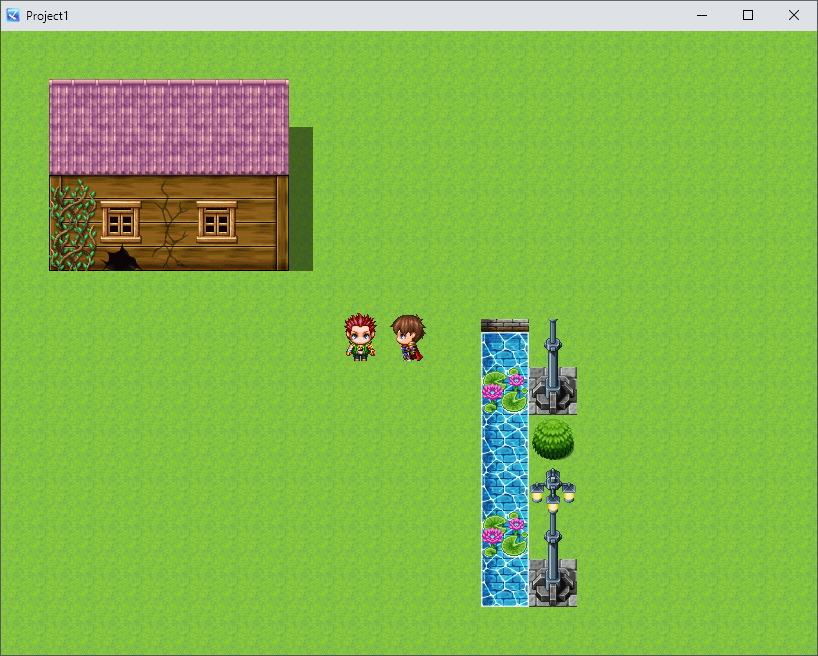
Spoiler: Changing 1 tile
Original map is the same as in the first screenshot.
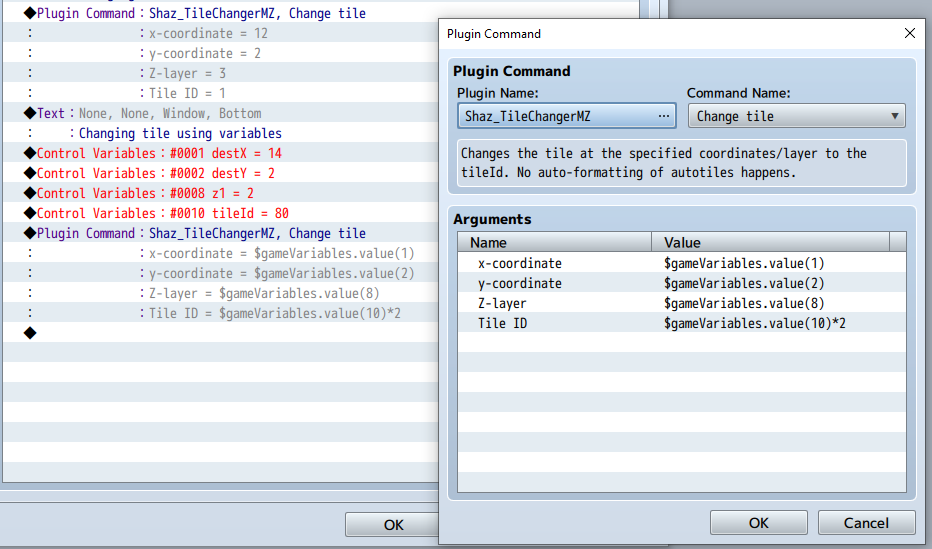
The first plugin command shown below on the left is a tile change at x = 12, y = 2 to the tile id 1 on layer 3.
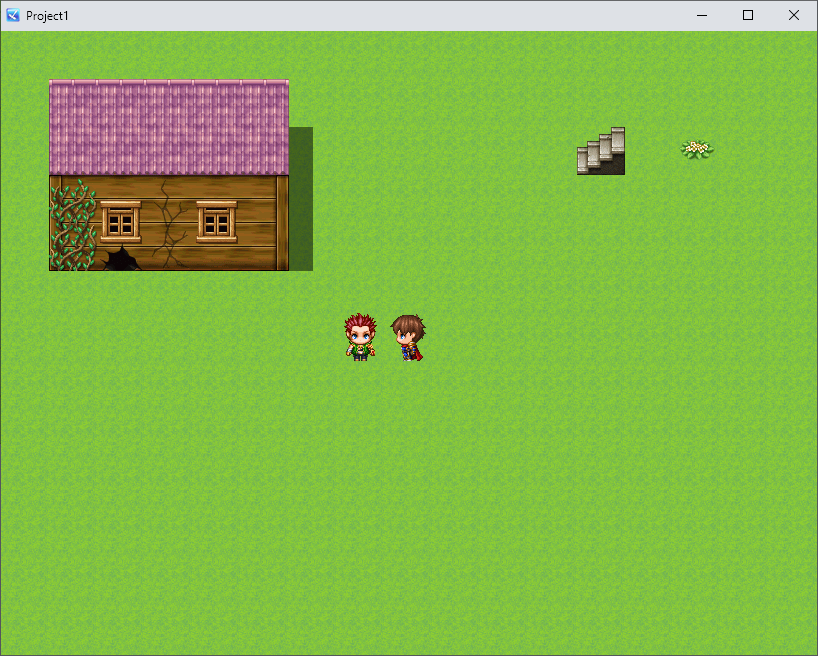
The second plugin command (with the details on the right), shows a tile change at x = 14, y = 2 to the tile id 80*2 = 160 on layer 2, using script calls.
Result:
本贴来自国际rpgmaker官方论坛作者:SeaPhoenix处,因国际论坛即将永久关站,为了存档多年珍贵资料,署名转载到本论坛存档,由于官方帖子为英文原帖,需要中文翻译请点击论坛顶部切换语言为中文就可以将帖子翻译成中文浏览,方便大家随时查看,原文地址:
https://forums.rpgmakerweb.com/threads/tile-changer-shazs-plugin-for-mv-ported-to-mz.162070/ 简体中文
简体中文
 English(英语)
 日本語(日语)
 Deutsch(德语)
 Русский язык(俄语)
 بالعربية(阿拉伯语)
 Türkçe(土耳其语)
 Português(葡萄牙语)
 ภาษาไทย(泰国语)
 한어(朝鲜语/韩语)
 Français(法语)





 Tile Changer (Shaz's plugin for MV ported to MZ)-3.jpg