Title: Mouse System Version: 1.2.0 PRO version: 1.5.0 Author: DKPlugins Description:Allows you to change the mouse cursor, activate events by clicking, hovering, etc.
Compatibility:
RPG Maker MV: 1.5+
RPG Maker MZ: 1.0+
Features:
Use a custom cursor.
Show icon when hovering over an event.
Change cursor when hovering over an event.
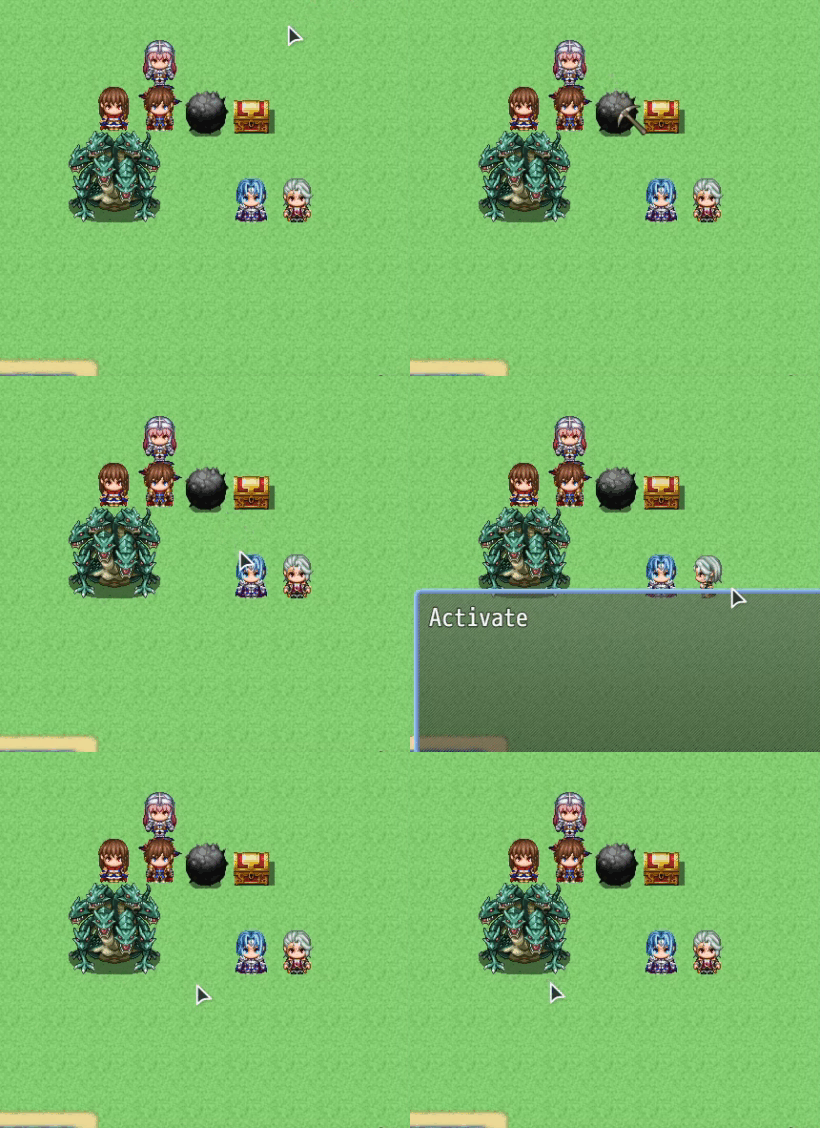
Activate the event by clicking or hovering the mouse.
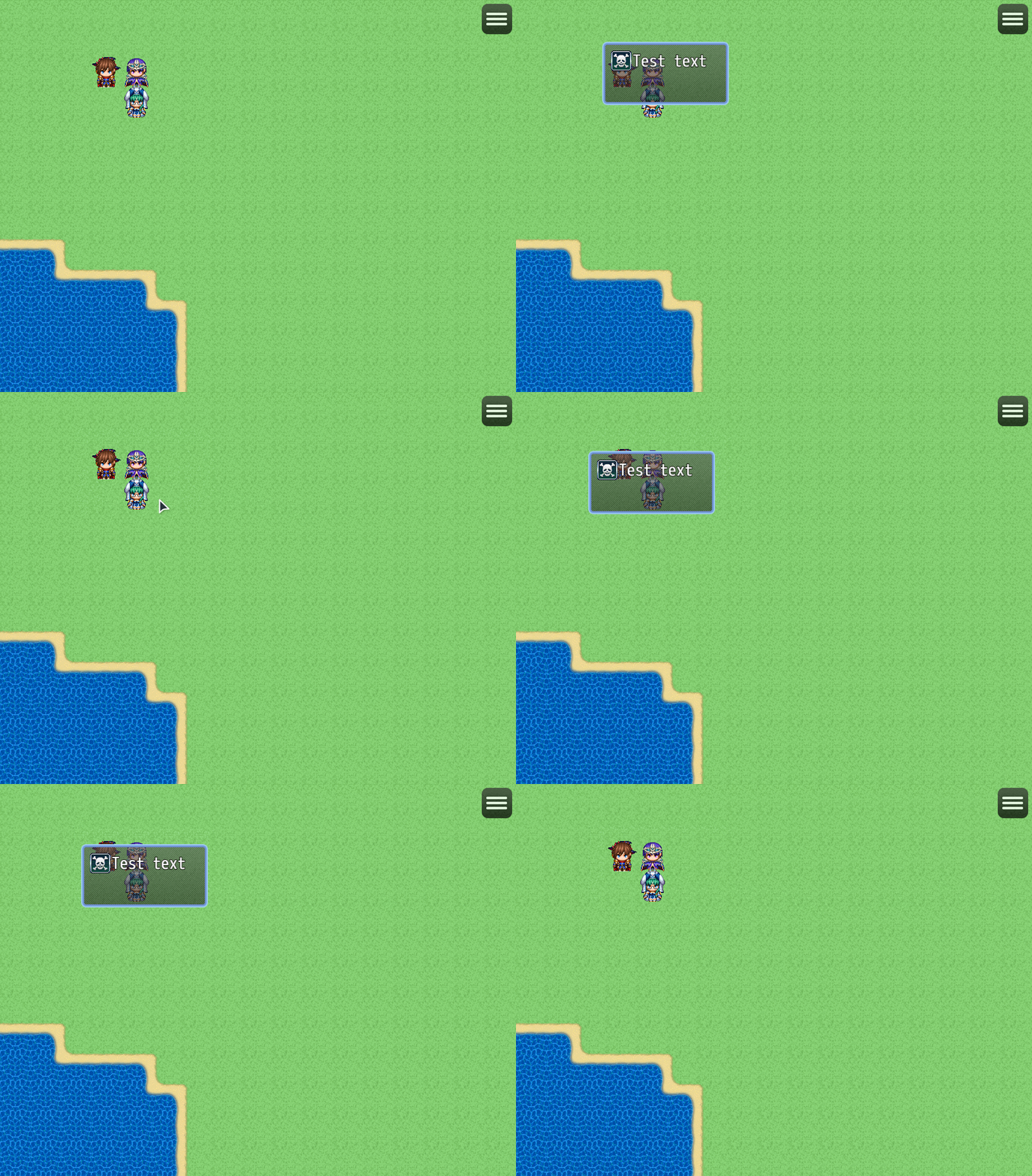
[PRO] Display a window, text or image when hovering over an event.
Change “Destination sprite”. You can change the appearance of the destination sprite (shape, color, animation). In the [PRO] version, you can also use your own image or text.
Instruction:
Spoiler: instruction
Use event comments to customize the display on mouse hover.
1. Show icon when hovering over an event*
<hover_icon: iconIndex>
Replace iconIndex with the icon number or synonym (don't forget to customize them!)
Example: <hover_icon: 4>
Example: <hover_icon: talk>
You can also use the eval function to specify the icon using Javascript!
Example: <hover_icon: eval($gameVariables.value(1))>
2. Start an event by clicking on it
<click_activate>
3. Activate an event on mouse hover
<hover_activate>
4. Replace cursor graphics when hovering over an event*
<custom_cursor: filename>
Replace filename with the name of the cursor file from the "img/system/" folder
5. Display image from "img/pictures/" folder*
<hover_image: filename>
Replace filename with the image filename
Example: <hover_image: Actor1_1>
You can also use the eval function to specify the image using Javascript!
Example: <hover_image: eval($gameVariables.value(1))>
6. Display window with text*
<hover_window: [width|height|text]>
width - Window width
height - Window height
text - text
Example: <hover_window: [120|60|\i[2]Text]>
You can also use the eval function to specify the text using Javascript!
Example: <hover_window: [120|60|eval($gameVariables.value(1))]>
7. Display text*
<hover_text: text>
Example: <hover_text: Test>
You can also use the eval function to specify the text using Javascript!
Example: <hover_text: eval($gameVariables.value(1))>
* Note:
Starting from version 1.3.0, it became possible to set conditions for display using Javascript,
which are checked during mouse hover.
Use an end tag to tell the plugin to check for a condition, which is written between 2 tags.
Example: for icon 10, the condition is set that it will be displayed when switch 1 is on:
<hover_icon: 10>
$gameSwitches.value(1)
</hover_icon>
Example: for a window the condition is set that it will be displayed if the variable 1 is greater than 10:
<hover_window: [100|72|Text]>
$gameVariables.value(1) > 10
</hover_window>
Example: for the image, the condition is set that it will be displayed if the variable 1 is equal to 5:
<hover_image: Actor1_2>
$gameVariables.value(1) === 5
</hover_image>
Example: for the text, the condition is set that it will be displayed if switch 1 is on:
<hover_text: Text>
$gameSwitches.value(1)
</hover_text>
You can combine several of these comments to customize different data for different conditions.
If you specify several of these settings, then the very first one that satisfies the condition will be used!
Preview:
Spoiler: gif
Hover window [PRO]:
Spoiler: gif
Destination sprite (text and image) [PRO]:
Spoiler: gif
"Help" languages: English, Russian
Terms of use
You can:
-To use the plugin for your non-commercial projects
-Change code of the plugin
You cannot:
-Delete or change any information about the plugin
-Distribute the plugin and its modifications
Details on obtaining a commercial license on my website
 简体中文
简体中文
 English(英语)
 日本語(日语)
 Deutsch(德语)
 Русский язык(俄语)
 بالعربية(阿拉伯语)
 Türkçe(土耳其语)
 Português(葡萄牙语)
 ภาษาไทย(泰国语)
 한어(朝鲜语/韩语)
 Français(法语)

 聊天机器人
聊天机器人




 窥视卡
窥视卡 雷达卡
雷达卡



 发表于 2026-7-28 17:25:03



 提升卡
提升卡 置顶卡
置顶卡 沉默卡
沉默卡 喧嚣卡
喧嚣卡 变色卡
变色卡 千斤顶
千斤顶 照妖镜
照妖镜