For the latest updates please visit my blog. This is merely an introduction topic.
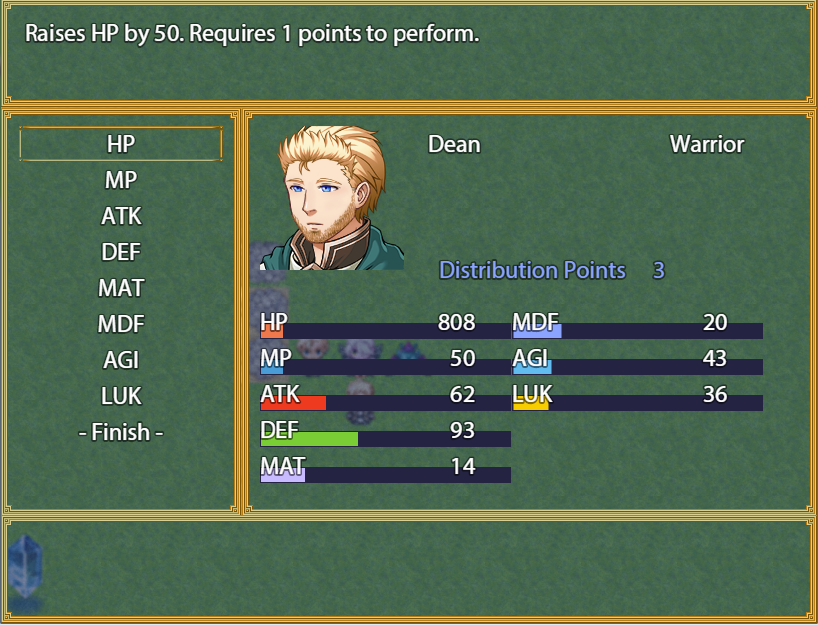
So here's my take on this popular system. With this plugin your actors gain Points upon levelling up that can be spent to increase your heroes' params. This is essentially Plug & Play but you should definitely take a look at all the plugin parameters. Instructions on how to use this plugin with Yanfly's Menu Manager can be found inside my plugin's help file.
For now there are two notetags that can be used in the noteboxes of Actors and Classes:
<Initial Points: x>
This notetag makes the Actor/Class start with x Distribution Points.
This notetag will ignore the default setting from the plugin parameters.
Actor notetags take priority over Class notetags.
<Level Points: x>
This notetag makes the Actor/Class gain x Distribution Points upon levelling up.
This notetag will ignore the default setting from the plugin parameters.
Actor notetags take priority over Class notetags.
SpoilerEdit: While I do recommend a screen height of at least 768 for the stat distribution scene to look exactly like on the picture above, this plugin still works if your screen height is smaller. The scene will look like this:
Terms of Use, Download and some more words on Usage can all be found on my blog.
 简体中文
简体中文
 English(英语)
 日本語(日语)
 Deutsch(德语)
 Русский язык(俄语)
 بالعربية(阿拉伯语)
 Türkçe(土耳其语)
 Português(葡萄牙语)
 ภาษาไทย(泰国语)
 한어(朝鲜语/韩语)
 Français(法语)

 聊天机器人
聊天机器人




 窥视卡
窥视卡 雷达卡
雷达卡



 发表于 2026-7-27 17:15:58

 提升卡
提升卡 置顶卡
置顶卡 沉默卡
沉默卡 喧嚣卡
喧嚣卡 变色卡
变色卡 千斤顶
千斤顶 照妖镜
照妖镜