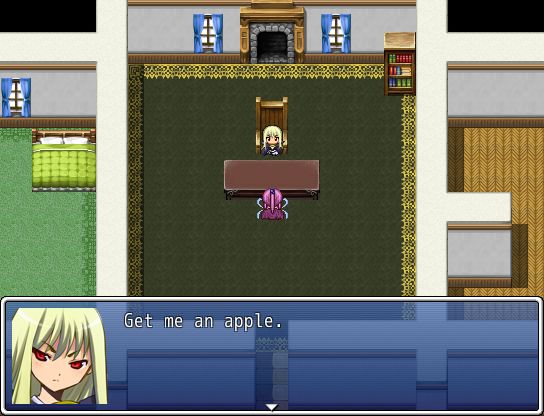
In this tutorial we look at how eventing can be used to create a quest giver that gives a random quest and doesn’t let you take another quest unless the previous quest has been completed (or abandoned).
 Goal
Goal
We want to create an NPC such that
- The first time you talk to it, it will offer one of several quests, randomly
- When you have accepted the quest, the next time you talk to the NPC, it will ask whether you have completed the task
- When the task is complete, you may then go back and obtain another random quest
And the cycle repeats itself.
Deciding on some Quests
Let’s pick some quests to offer.
- Buy an Apple from the market in town.
- Clean up the yard (fight some slime in the yard)
- Find an item in the cave outside of town.
For simplicity, I have chosen to work with three quests.
Randomly Selecting a Quest
In order to randomly select a quest to offer, we will use the “Control Variables” command to store a random number between 1 and 3 into a variable. This variable will be used to control how other events will behave depending on which quest we are on.
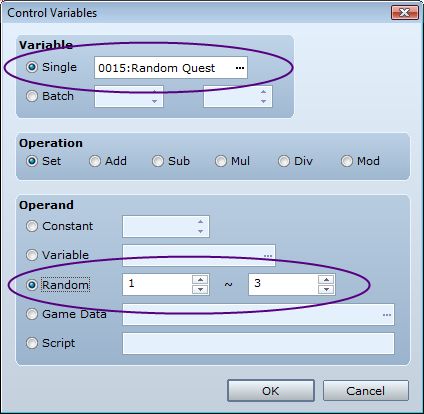
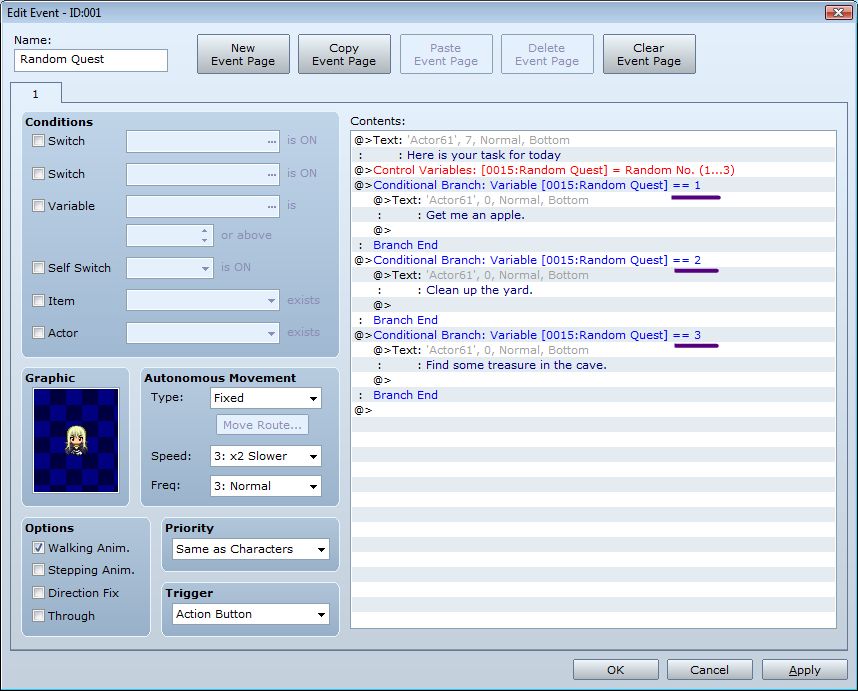
This takes care of the randomization part. The rest is a matter of filling out your event with conditional branches depending on which number was randomly chosen.
 Beginning a Quest
Once you have taken a quest, the game needs to know that you are on a quest. There are two easy ways to do this:
- Use a switch. If the switch is ON, then you are on a quest. If the switch is OFF, then you are not on a quest.
- Use the same variable that you used to store the random number. We can say that when the value is 0, then we are not on a quest.
It is up to you which one you prefer to use; some people find a switch easier to understand, while others understand that quest 0 means no quest or something like that. Of course, if you plan to use the number 0 to mean something else later, then it might be safer to use a switch.
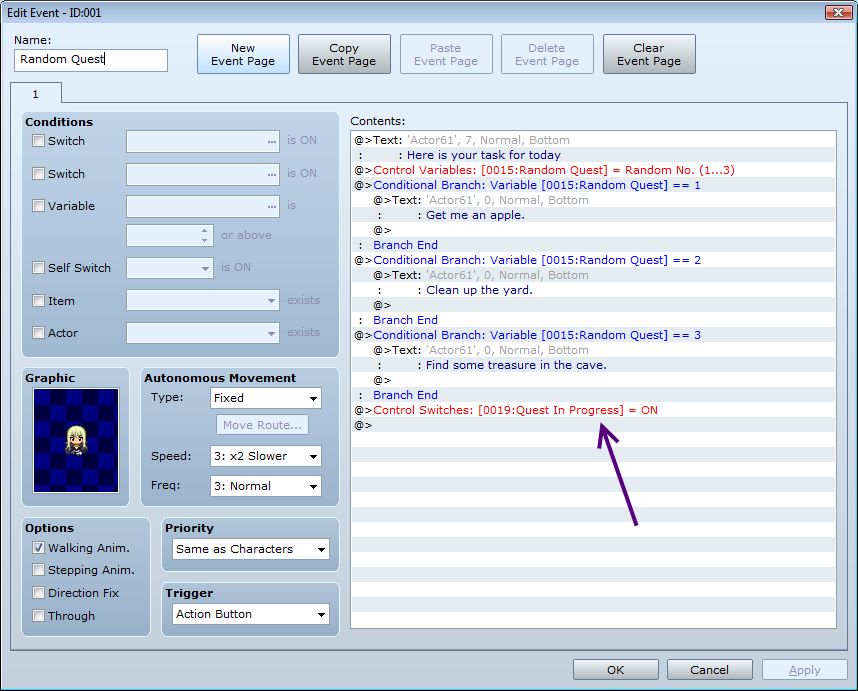
I will go with the switch approach. Once you have received your quest, we turn on our “Quest In Progress” switch:
 Completing a Quest
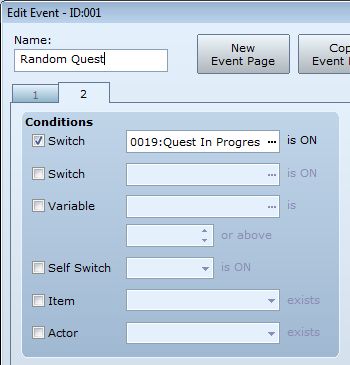
Now that you have taken a quest, we want the NPC to interact with us differently. We can use the same NPC for this by creating a second event page and adding a “Switch” page condition that requires our “Quest In Progress” switch to be ON.
Because we have three possible quests, and the objectives for each quest are different, we would need to use conditional branches again to handle each case separately.
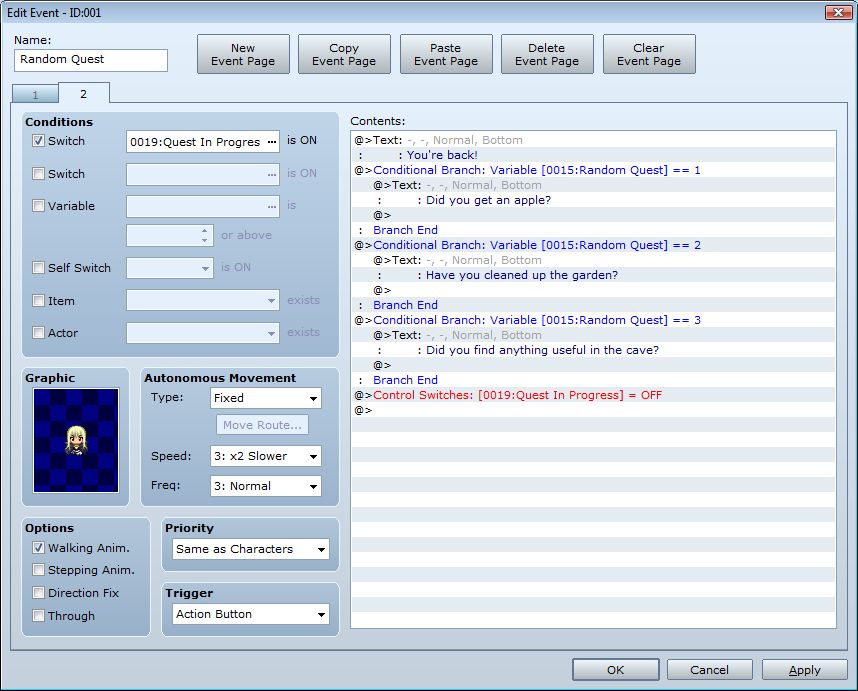
And finally, if the quest has been completed, we will turn off our “Quest In Progress” switch so that we can receive another random quest from the NPC.
And that’s it!
What’s Next?
The event I have shown is a very simple skeleton that simply shows messages to demonstrate there is something going on. You should be able to test the event a few times to verify that it gives you a random task most of the time.
Although I have only chosen three quests, you may have a very large quest bank to choose from. The principle remains the same: use a variable to keep track of which quest you are on for this NPC and perhaps use a switch to specify whether this NPC will offer any quests or not.
Spread the Word
If you liked the post and feel that others could benefit from it, consider tweeting it or sharing it on whichever social media channels that you use. You can also follow
@HimeWorks on Twitter or like my
Facebook page to get the latest updates or suggest topics that you would like to read about. I also create videos showcasing various RPG Maker techniques on my
Youtube channel.
Originally posted at
HimeWorks.
本贴来自国际rpgmaker官方论坛作者:Tsukihime处,因国际论坛即将永久关站,为了存档多年珍贵资料,署名转载到本论坛存档,由于官方帖子为英文原帖,需要中文翻译请点击论坛顶部切换语言为中文就可以将帖子翻译成中文浏览,方便大家随时查看,原文地址:
https://forums.rpgmakerweb.com/threads/using-events-to-give-a-random-quest.37988/ 简体中文
简体中文
 English(英语)
 日本語(日语)
 Deutsch(德语)
 Русский язык(俄语)
 بالعربية(阿拉伯语)
 Türkçe(土耳其语)
 Português(葡萄牙语)
 ภาษาไทย(泰国语)
 한어(朝鲜语/韩语)
 Français(法语)

 聊天机器人
聊天机器人




 窥视卡
窥视卡 雷达卡
雷达卡



 发表于 2026-7-12 07:46:30
 提升卡
提升卡 置顶卡
置顶卡 沉默卡
沉默卡 喧嚣卡
喧嚣卡 变色卡
变色卡 千斤顶
千斤顶 照妖镜
照妖镜