Overlay mapping is a mapping technique where you "overlay" your map with other graphics to create multi-layered maps. Maps are typically decomposed into several different layers depending on their height with respect to objects on the map. For example, you might have a layer for the floor which the player and other characters stand on, and a ceiling, which will appear above the characters.
This article discusses how you can use "overlay mapping" to achieve a visual effect where the contents of a room are hidden until you have stepped into the room itself.
Overview
Suppose we walk into an Inn, and all we see is the lobby and the hallway. All of the rooms are currently hidden.
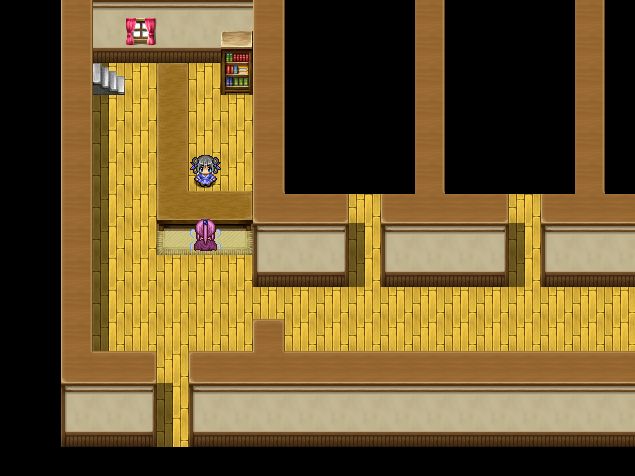
After we have checked in, we go ahead and explore the rooms. Upon entering one of the rooms, the contents are revealed!
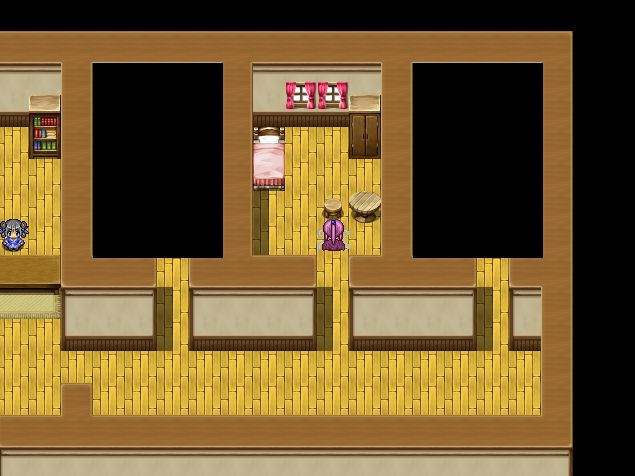
You may already have an idea how this might be implemented. I will show you how this can be done using only pictures that you can draw yourself using any image editor such as Photoshop, along with a support script.
Here's a video showing what we want to achieve:
Starting with the Map
The easiest way to do overlay mapping is to have a copy of your map in your image editor. There are many ways to take a picture of your map. One way is to use the
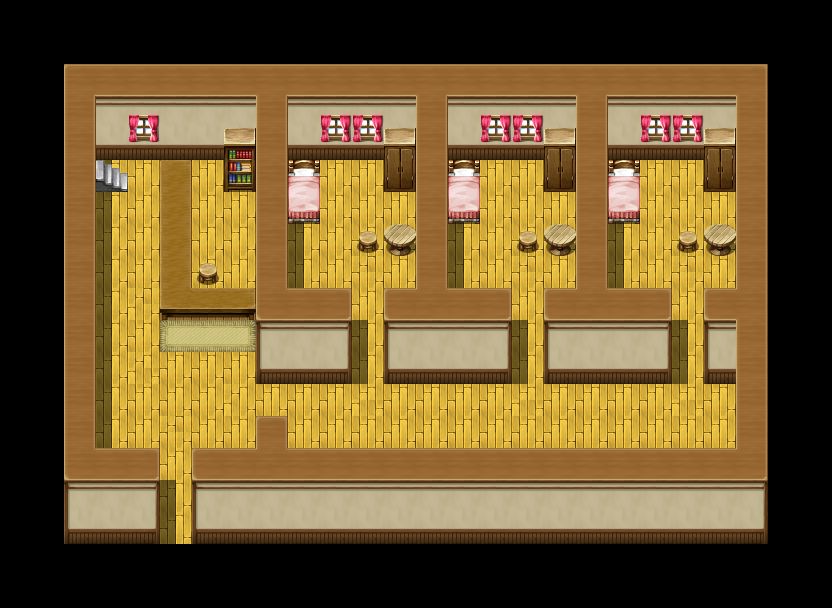
Map Screenshot script. So I start by taking a picture of the map that I want to work with:
 Drawing the Covers
You can see that there is nothing special about the map. There are no black tiles covering each room. I would like to have a black cover over the room, so I go and create a rectangle that will fit the size of the room:

Very simple picture: just a black rectangle. If you place this over one of the rooms, it should cover it up completely.
Setting up your Pictures
We have one black cover, and we want to cover each of the three rooms. We will need to figure out where the picture should be positioned.
We go back to the RM editor and look at our map. The three squares I've drawn are the spots where the upper-left corner of each of the pictures should be positioned
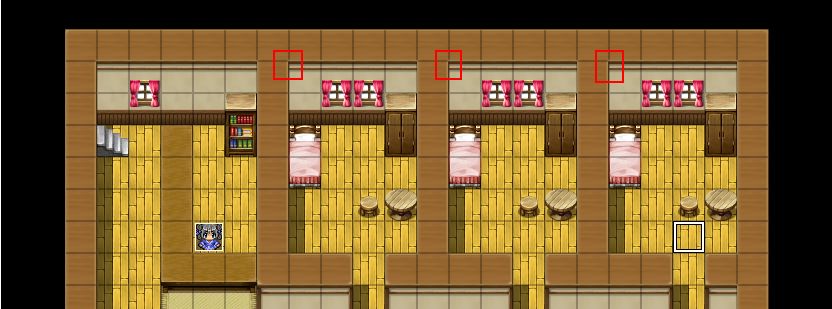
Highlighting the square whose upper-left corner is that point in the editor, it will tell me the location of that position in tile coordinates.
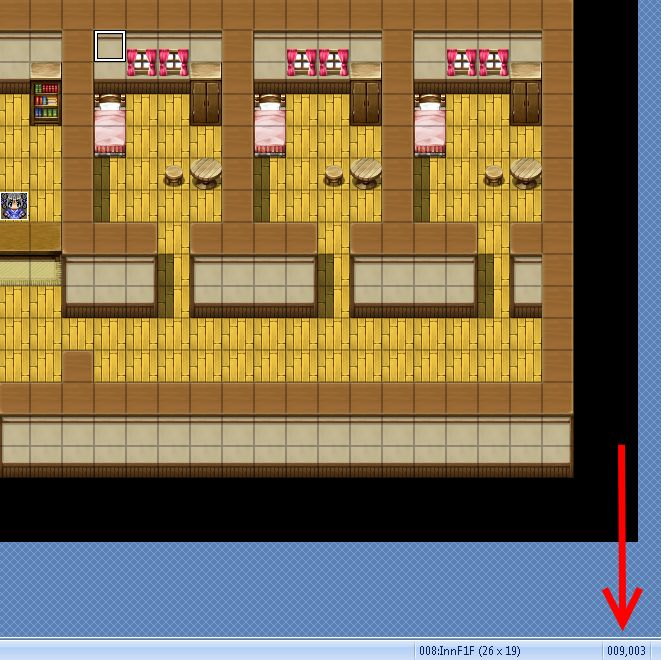
Doing the same for the other two squares, I have (14, 3) and (19, 3). These will be used when I'm actually displaying the picture in the game.
Displaying a Picture on the Map
Now, we want to display our covers at the coordinates we have identified from above. One problem with the default engine is that pictures are "anchored" to the game screen, and the game screen by default follows the player around. This means that the picture will follow you around, rather than sticking to our specified coordinate.
If you have ever worked with pictures in RPG Maker, you will know what I'm talking about. If not, try it out.
To solve this problem, we introduce a script called "
Picture Anchors". As the name suggests, it allows us to customize the picture's anchor. Instead of anchoring to the screen, we want to anchor it to the map.
Read the rest at
HimeWorks!
本贴来自国际rpgmaker官方论坛作者:Tsukihime处,因国际论坛即将永久关站,为了存档多年珍贵资料,署名转载到本论坛存档,由于官方帖子为英文原帖,需要中文翻译请点击论坛顶部切换语言为中文就可以将帖子翻译成中文浏览,方便大家随时查看,原文地址:
https://forums.rpgmakerweb.com/threads/hiding-and-showing-rooms-with-overlay-mapping.34258/ 简体中文
简体中文
 English(英语)
 日本語(日语)
 Deutsch(德语)
 Русский язык(俄语)
 بالعربية(阿拉伯语)
 Türkçe(土耳其语)
 Português(葡萄牙语)
 ภาษาไทย(泰国语)
 한어(朝鲜语/韩语)
 Français(法语)

 聊天机器人
聊天机器人




 窥视卡
窥视卡 雷达卡
雷达卡



 发表于 2026-7-11 13:05:55
 提升卡
提升卡 置顶卡
置顶卡 沉默卡
沉默卡 喧嚣卡
喧嚣卡 变色卡
变色卡 千斤顶
千斤顶 照妖镜
照妖镜