For this tutorial you need:
-a graphic program like Gimp, Photoshop or Paint.net
-for the drawing parts a graphic tablet is highly recommended
You probably encountered this before, you mapped your area, you got your story set up and now you need some additional enemies to bring some more life into this setting, as for random encounters or special creatures.
Now, the default graphics cover a wide range, but of course they can’t have everything. But with some edit skills they actually carry you a long way!
Let us say, we have a forest section and we are not happy with the monster population yet, what can we do?
Example: Wolf Pack
One of the most common encounters for a forest area would be a wolf pack, and here we already have some things we can work with:
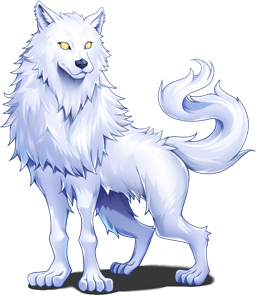
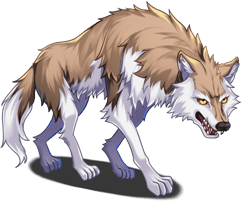
For the first thing, those two don’t match in size and color, and since I think the right works better for a forest, this is my reference.
So what I want to do here, is to make two recolors of a slightly smaller version of that wolf:
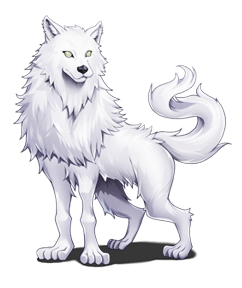
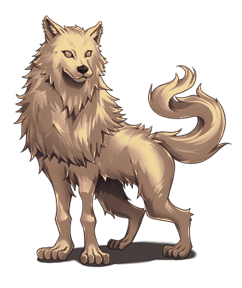
Now I stack these two AND the original colored but also resized graphic into one file and give each of them a layer mask. Make sure the shadow is erased on all layer masks but the original one!
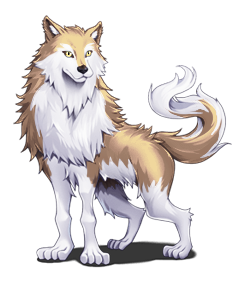
In my case, my “top” layer was the brown recolor, with the layer mask erasing everything but the brown highlights in the fur.
The second layer was the all white recolor, with “holes” for the eyes and the original wolf for the eyes and the shadow on the bottom.
Here I also added pupils and a little extra white in the eye for some better fit.
If you work with Paint.net, you don’t have layer masks on default, in that case, or if you are not comfortable using them (whatever suits your workflow!) you can get the same result by using an eraser or cutting out the parts. In that case I recommend duplicating said layers and hide them, so you still have the base in case you make a mistake!
Now I have a base for even more options, simply by mixing and matching parts!
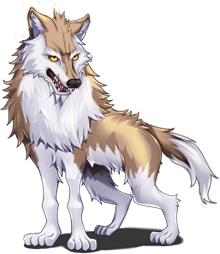
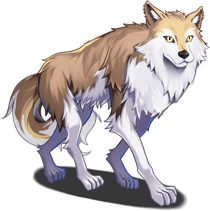
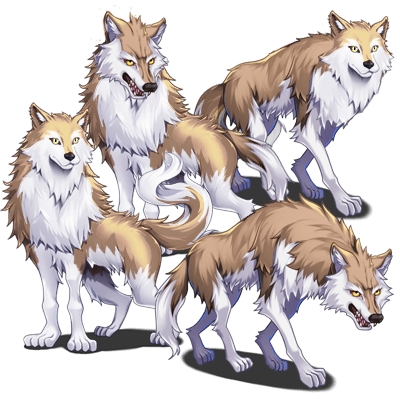
By simply swapping heads and tails I ended up with 4 similar but different wolf battlers that make up a nice pack for a random encounter!
Another possibility to fill up our forest set is by making other battlers match the environment. Example: Have the statue match the theme
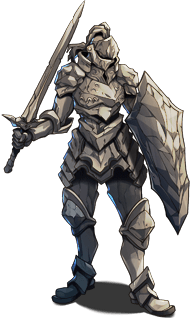
They could inhabitat all different environments and with some moss they match a forest, with some darker rock and lava strains they are perfect for fire caves and with some ice they make up great guardians of frozen temples.
Forest:
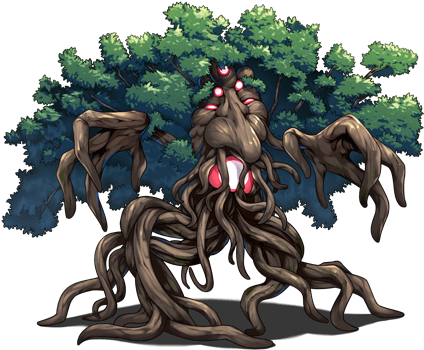
The tree is my “best friend” here, as he can bring the fluffy mossy leaves I need!
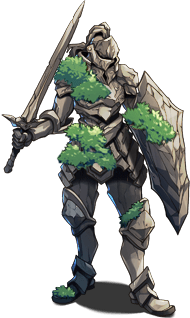
Just a few steps of copy and paste later, the stone knight looks a lot more like he belongs to a forest.
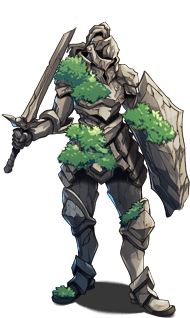
If you go for such changes, you can always try to embrace the theme a little more - that makes your edit fit in your region even better and makes it more distinct from the original or edits you made for other sections.
In this case, old overgrown statue was the theme. Given that it is already standing in the forest for a while, it is very fitting to make it even more worn down and broken by removing parts and adding cracks. Both can be achieved by a little eraser work and a very thin pencil to fix the outlines and to add the cracks.
You can do similar things as: adding lava strains for a fire environment, changing the stone type for different settings,... whatever makes the statue look more like it belongs to this biome!
Other ways how to simply make your range of battlers more diverse:
Recolor the battler to match other biomes:
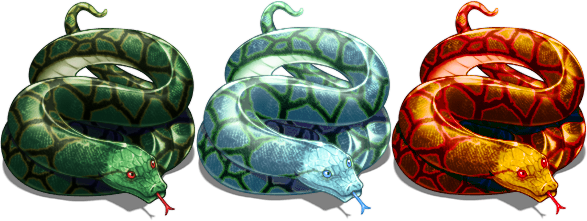
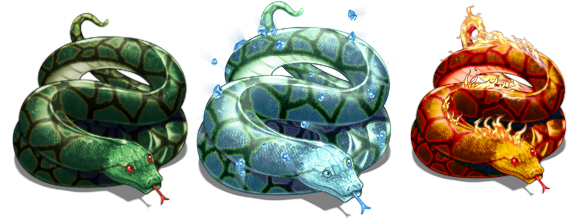
By switching the color scheme, your “boa” can turn into “frost snake” or “fire boa”. Just play around with all the coloring options your program of choice has to offer!
You can also change the size to indicate “dangerousness”. Many of the default battlers are already pretty large for what they are, so you can easily scale them down a little.
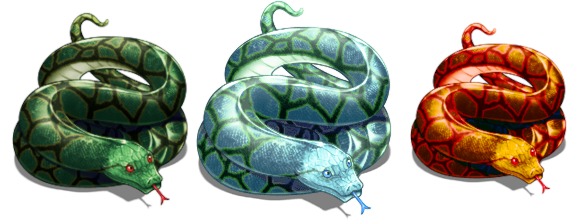
This little change easily shows which of the three is the strongest one!
Those changes do not have to be made for different biomes though, you can also use the size and color change to differ between several similar monsters in one habitat!
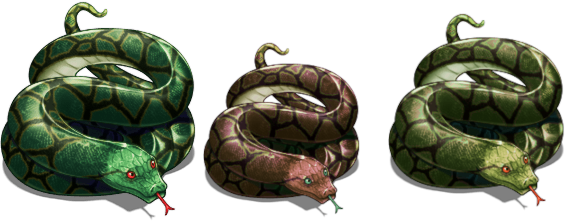
Those three beauties could all live in the same jungle, each with their own skill set, and the original colored one being the sturdiest of them.
Tip: not only do such recolor and size change variation help you have a lot of monsters without having to gather that many graphics, you also can get the matching sprites by recoloring if you have one for the “original” battler. For those who want to go with on map encounters this can help a lot!
You can also spice those variations up by adding bits and pieces from other battlers:
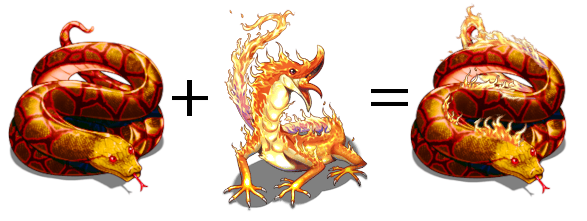
Another great option are added bits from animations (here Ice1 from RMMV):
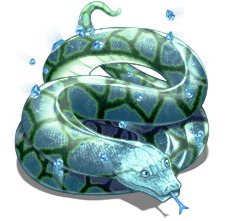
And with those three alterations you have three snakes that are more than simple recolors but not that much more work!
本贴来自国际rpgmaker官方论坛作者:Avery处,因国际论坛即将永久关站,为了存档多年珍贵资料,署名转载到本论坛存档,由于官方帖子为英文原帖,需要中文翻译请点击论坛顶部切换语言为中文就可以将帖子翻译成中文浏览,方便大家随时查看,原文地址:
https://forums.rpgmakerweb.com/threads/battler-edits-and-variations.156619/ 简体中文
简体中文
 English(英语)
 日本語(日语)
 Deutsch(德语)
 Русский язык(俄语)
 بالعربية(阿拉伯语)
 Türkçe(土耳其语)
 Português(葡萄牙语)
 ภาษาไทย(泰国语)
 한어(朝鲜语/韩语)
 Français(法语)

 聊天机器人
聊天机器人




 窥视卡
窥视卡 雷达卡
雷达卡



 发表于 2026-7-7 20:31:40
 提升卡
提升卡 置顶卡
置顶卡 沉默卡
沉默卡 喧嚣卡
喧嚣卡 变色卡
变色卡 千斤顶
千斤顶 照妖镜
照妖镜