(Note: This tutorial was originally posted on
HimeWorks and may not be up-to-date)
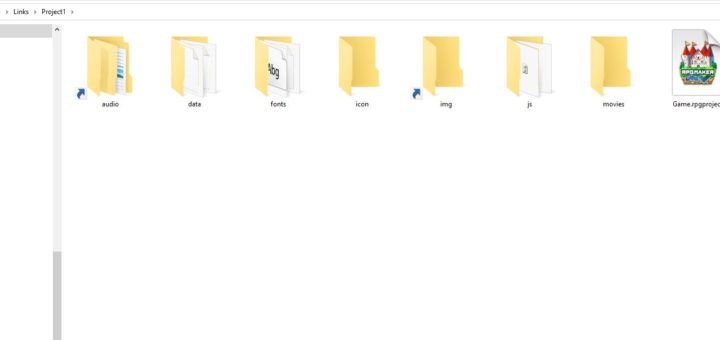
I write plugins that support both MV and MZ at the same time, mostly for personal convenience so that I don't need to maintain two different releases when it's basically the same code except maybe one has a little extra MZ-specific logic like registering a plugin command or something.
But for the most part, the majority of plugins I've been looking at are basically the exact same code.
So the question is, would it be possible to have the exact same folder structure for one project...but the contents of the project point to another project?
Example
For example, let's say I have two projects as follows
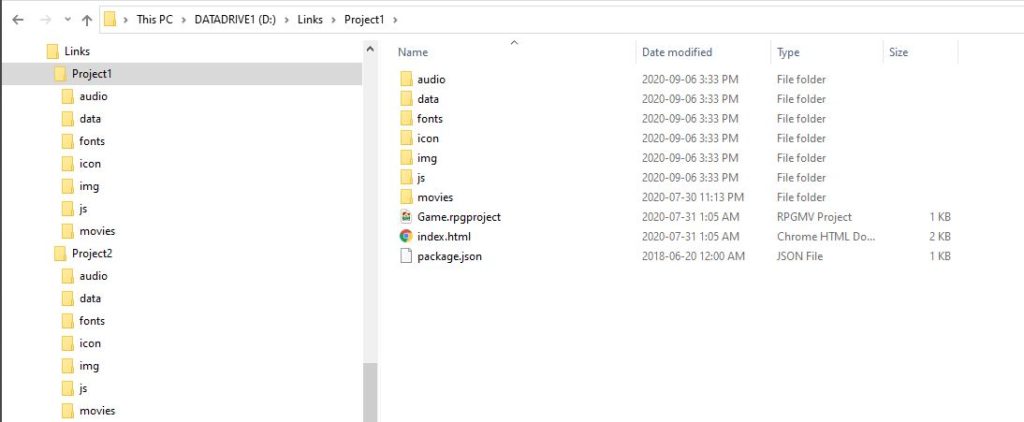
So there's Project1 and then there's Project2. Two different projects, same folder structure.
Now in Project1, I have a Community_Basic plugin and a TitleSkip plugin.
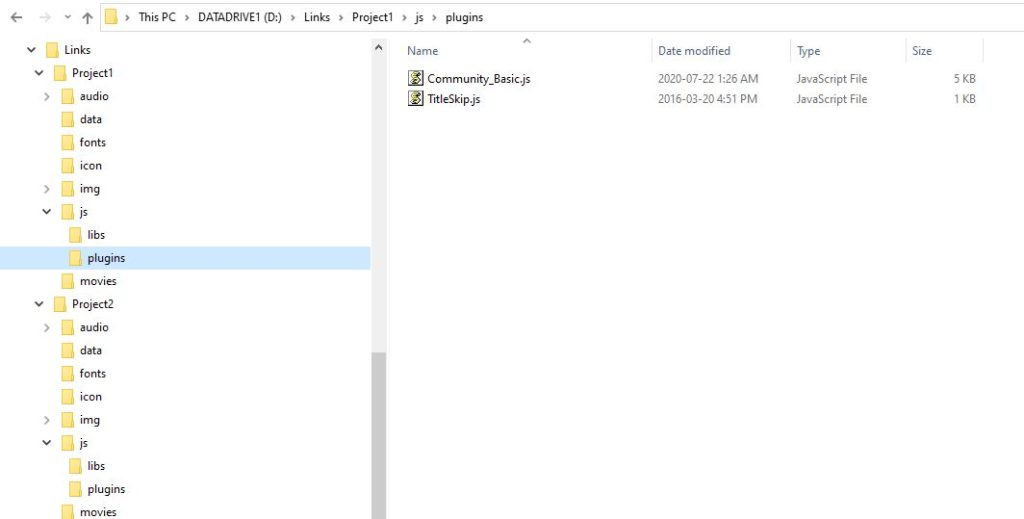
With Project1 open in the editor, when I go and add my plugins, I see the plugins, as expected. Nothing special, just usual RM things.
In Project2, I have some different plugins, called "cool_stuff" and "other_thing".
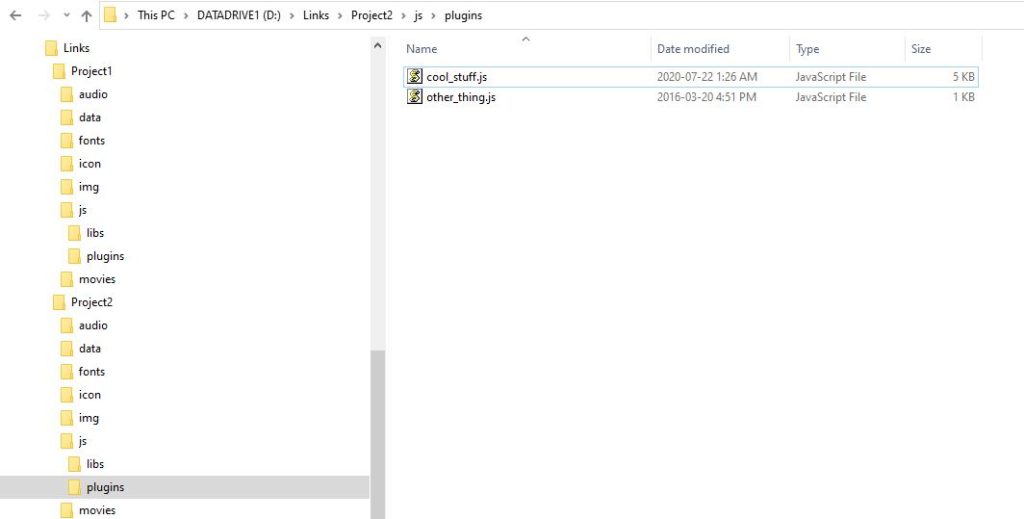
Now what if I wanted to use the cool_stuff and the other_thing in both projects?
How about a Shortcut?
So you might be familiar with shortcuts. You put a shortcut to a folder on your desktop so that you can quickly access a specific folder somewhere on your computer. We can try to create a shortcut by right-clicking and creating a shortcut, then calling it "plugins"
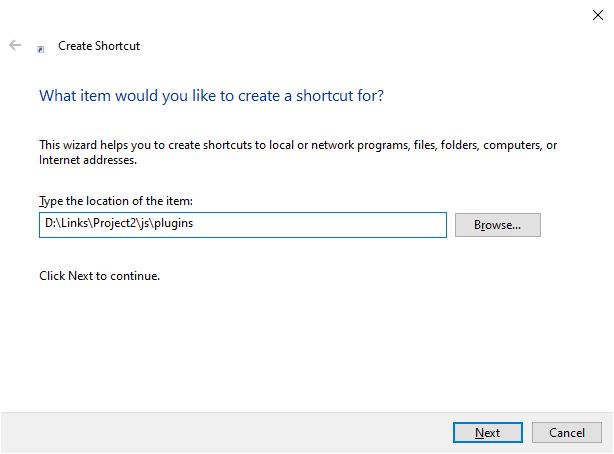
But it doesn't do anything. This is because it just creates a link that your computer uses to go to another file or folder.
 Enter Symbolic Links
So most operating systems have something called
symbolic links which is kind of like a shortcut...but a more powerful shortcut. There's a tool called "
symlinker" which allows you to create symbolic links (or other types of links) using a GUI interface, which is nice if you don't want to deal with command-line. Or you can just use command-line directly. For this tutorial I will just use that program.
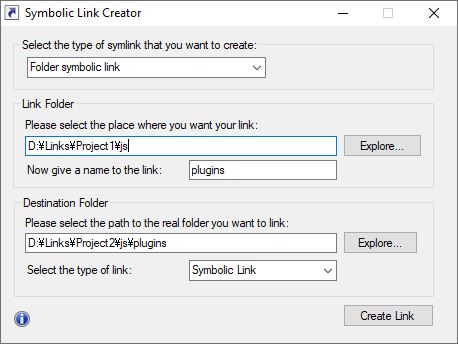
So I create a folder symbolic link inside
Project1 called "plugins" which refers to the plugins folder in
Project2.
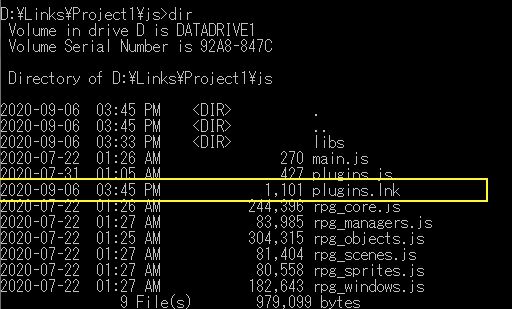
This results in a plugins folder in
Project1 that looks like a shortcut, and when you click on it, it will jump to the plugins folder in
Project2
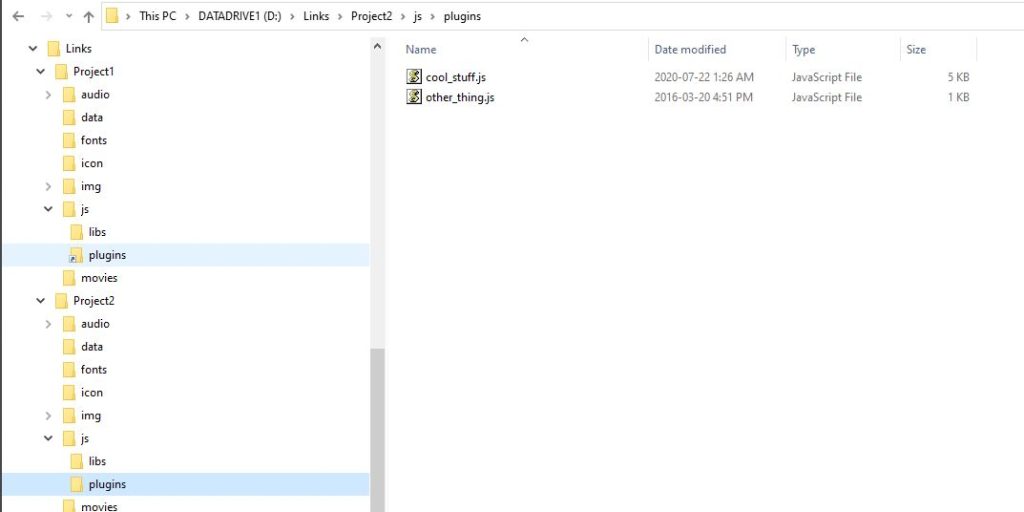
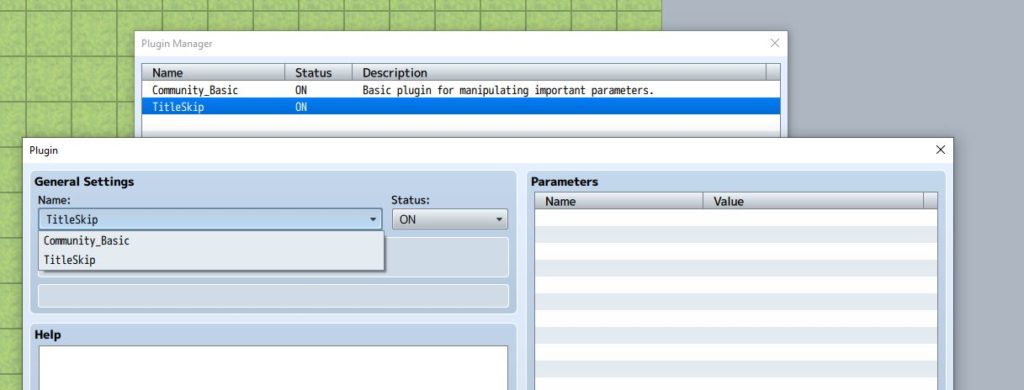
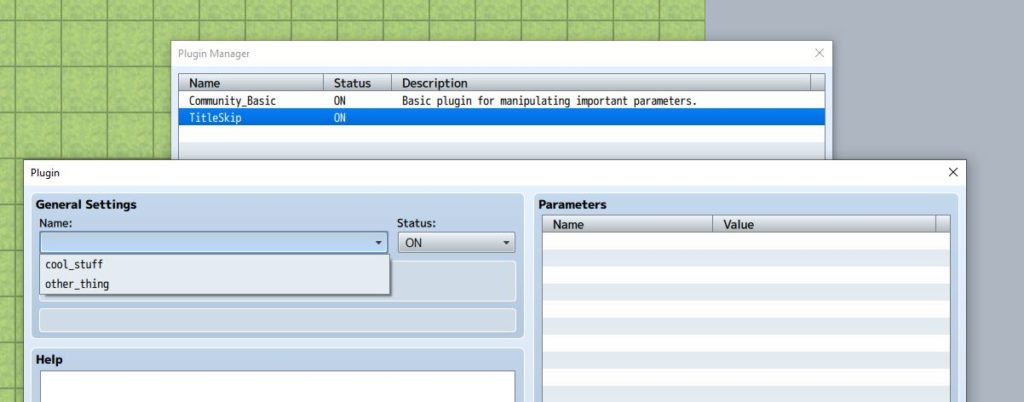
However the biggest difference is, suddenly the editor is pulling the plugin data from
Project2's plugins folder instead! If you look at the screenshot, I still have
Project1's original plugin settings...but when I try to add new ones, it shows a different set.
 In Summary
Now I can manage all of my plugins for two different projects in the same folder, and the changes I make to one project, will automatically be reflected in the other project because they're all pointing to the same files.
This technique could be used for other resources as well, such as audio, images, and so on. Since MV and MZ use basically have the same specifications, I can just have one copy of all my resources and share them between different projects!
This can be a useful technique depending on your needs. For most devs it probably won't be too useful, but if you're in a specific situation where you wanted to test in different environments, it save a lot of effort.
本贴来自国际rpgmaker官方论坛作者:Tsukihime处,因国际论坛即将永久关站,为了存档多年珍贵资料,署名转载到本论坛存档,由于官方帖子为英文原帖,需要中文翻译请点击论坛顶部切换语言为中文就可以将帖子翻译成中文浏览,方便大家随时查看,原文地址:
https://forums.rpgmakerweb.com/threads/managing-cross-project-resources-using-symbolic-links.126882/ 简体中文
简体中文
 English(英语)
 日本語(日语)
 Deutsch(德语)
 Русский язык(俄语)
 بالعربية(阿拉伯语)
 Türkçe(土耳其语)
 Português(葡萄牙语)
 ภาษาไทย(泰国语)
 한어(朝鲜语/韩语)
 Français(法语)

 聊天机器人
聊天机器人




 窥视卡
窥视卡 雷达卡
雷达卡



 发表于 2026-7-6 21:05:13
 提升卡
提升卡 置顶卡
置顶卡 沉默卡
沉默卡 喧嚣卡
喧嚣卡 变色卡
变色卡 千斤顶
千斤顶 照妖镜
照妖镜