Animated Enemies - v1.15.51 / v1.16.3a
Rexal
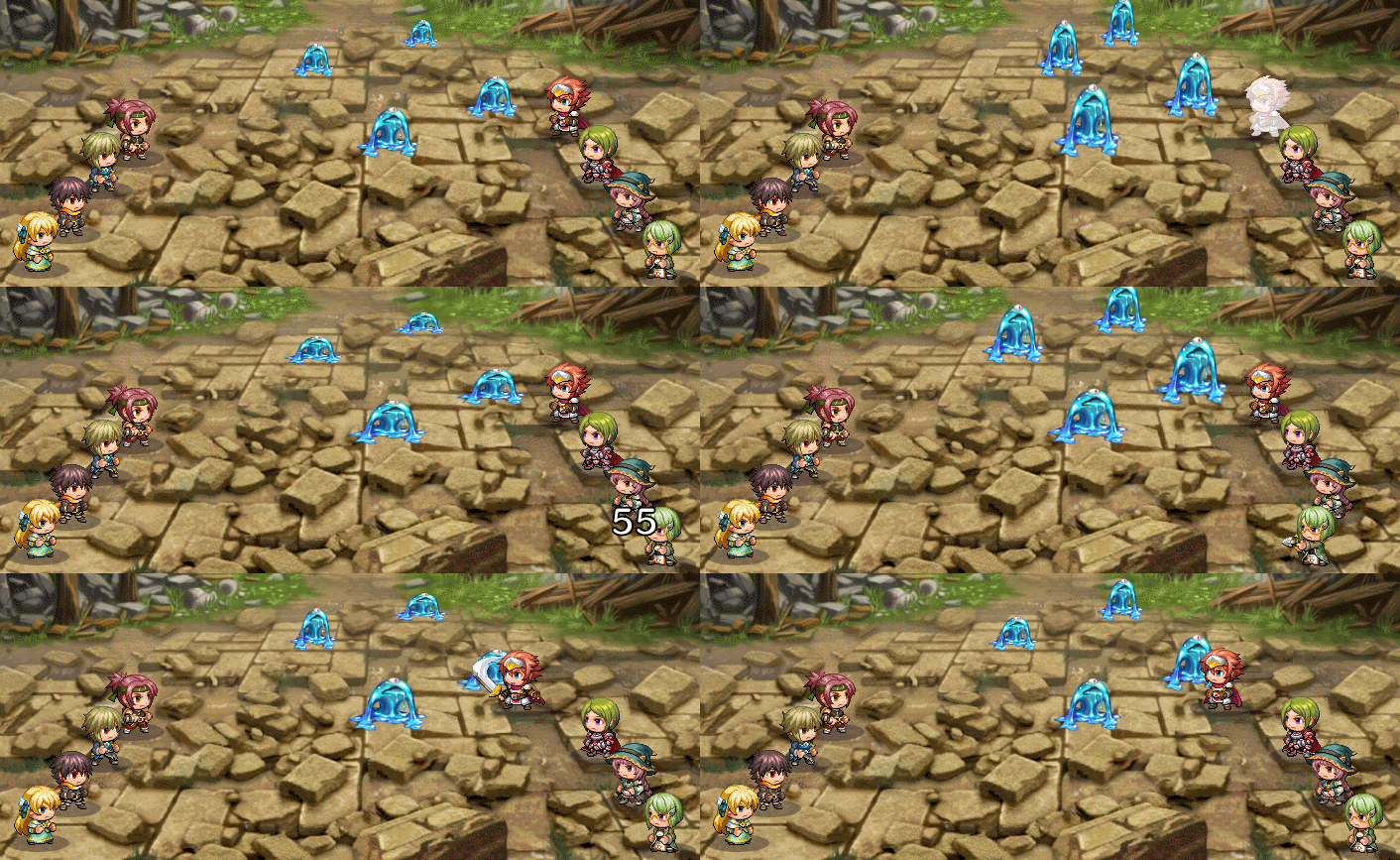
Intro - Tired of boring static enemies? Mix it up with some ANIMATED ENEMIES.
What's new:
Spoiler- Added the SV Sprite tag which lets you specify the image you want to use, removing the admittedly silly requirement where you had to have a matching sprite.
- Potentially fixed issues with sprite flipping.
- Enemies are no longer synchronized when they breathe or float.
- Enemies are able to actually properly equip weapons now.
- Enemies without weapons will now be barehanded instead of using the first weapon in the database.
- Caused a weird bug with my Visual Equipment plugin where EVERYTHING is flipped, though I'm pretty sure that's not this plugin's fault.
Github Repository -
Here
Previous StableRelease(v1.15) -
Here
Latest Release (1.16a) -
Here
Demo(for all my plugins) -
Here
Features
- Works in both Front and Side views.
- Enemies are animated and can use SV actor sprites.
- Define what enemy isn't animated.
- SV Battlers are automatically flipped so they're facing the heroes.
- SV Battlers obey your hue settings.
- SV Battlers can use weapons.
- Static Battlers have a customizable breathing effect.
- Static Battlers can have floating animation similar to rm2k3.
- Enemies can be scaled.
Note: Even though it's called SV, it'll still work in the front view. That's just what MV calls that type of battle sprite, so that's what I call it since I don't have a better name for it.
Parameters
Spoiler
Debug - Will write to the console if true. This is so that you can see if everything's working correctly.
No Movement - If set to true, this prevents enemies from moving whenever they perform an action. Can potentially be overridden by another plugin.
Enemies Celebrate - If set to true, SV enemies will play their victory animation when you're defeated.
Static Enemies Breathe - If set to true, regular enemies have a breathing effect.
AGI Effects Breathing - If set to true, enemies that have a higher agi stat will breathe faster.
Scale Statics by Distance - If set to true, this will shrink enemies by how far they are from the bottom of the screen.
SV Enemies Collapse - If set to true, SV enemies will always play the default collapse animations.
Damage Slows Down Breathing - If set to true, enemies will breathe slower the more damage they take.
Note tags
Spoiler
General Enemy Tags
Enemy Scale: amount
multiplies the size of the enemy by this amount.
Example: Enemy Scale: 1.5
SV Battler Tags
[sV Animated] - LEGACY
Makes the enemy use an SV Actor.
You must have an image in img/sv_actors that matches the name of the one you used for the enemy in the database!
SV Sprite: sprite
Makes the enemy use the specified SV Battler. You do
NOT need to have a matching image with this tag.
[Collapse]
Lets the SV Enemy use collapse animations regardless of parameter settings.
[No Collapse]
Prevents the SV Enemy from using collapse animations regardless of parameter settings.
In other words, if you set the enemy's image to Bat, the sv_actors folder needs to have an image named Bat inside it, otherwise it throws an error.
SV Motion: motion
Specifies the SV Motion an enemy uses when attacking. If this tag isn't used, it uses thrust.
Example:
SV Motion: swing
SV Weapon: id
Equips the enemy with this weapon.
Example:
SV Weapon: 4
Static Battler Tags
[breathless]
Prevents the enemy from playing the breathing animation.
Breath Control: speedScale,xScale,yScale
Sets the speed of the sine wave(for the breathing effect) and how much it's
allowed to stretch width-wise and height-wise.
You'll have to play around with the values a bit until it looks right. The
example below is the default settings.
Example:
Breath Control: 50,5,25
[Float]
Makes enemies have a floating effect similar to rm2k3's.
Future Plans -
- Extend the note tags to allow further customization.- Segmented Battlers
- Some way or another create a proper hybrid of Sprite_Actor and Sprite_Enemy...
Terms of Use - Free for commercial and non-commercial use.
Change Log
v1.16a
- General Improvements.
- Added the SV Sprite tag which lets you specify the image you want to use.
- Potentially fixed any issues with sprite flipping.
- Enemies no longer synchronously breathe.
- Changed the way weapons are handled to improve compatibility.
v1.15.5
-Added some stuff. =m=
v1.15.3
-Fixed Some stuff.
v1.15.1
-damage popups pop up again.
v1.15
-Massive rewrite that should fix a lotta issues.
v1.12.11
-Fixed the weapon positions. AGAIN
v1.12.1 -
-SV Battlers are now recognized as enemies.
-Changed the version naming scheme.
-SV Overlays should face the right way.
v1.12 -
- Note tags are no longer case-sensitive.
- Fixed the positioning officially.
- Fixed the floating issue.
- some other thing I forgot about.
v1.11.3 -
Fixed the weapons.
v1.11.1 -
- No comment.
v1.11 -
- Fixed the positioning...
v1.1 - Live and Reloaded
-Breathing slows down the less hp an enemy has. (orignally they just breathed less)
- Added an option that lets enemies scale down the further into the background they are.
- Fixed the weapons!
- Enemies can celebrate your demise.
- Fixed the Flash Target bug.
- SV Enemies can collapse.
- SV Enemies will properly appear.
- Enemies have a proper escape animation.
- Enemies are now properly positioned.
- You can now scale the enemies however you want.
- Fixed the mouse clicking completely.
v1.08.1 - Exit stage left
- Floating enemies no longer zip out of the screen if their x position is modified.
v1.08 - Fixed Breathing
- The breathing notetags work now! Yay!
- Added [Float], to make enemies have a floating effect.
v1.075
- Static enemies breathe now.
v1.05 Rollback - Yanfly Engine Patch
- Did something stupid and broke everything but it's all good now.
- Created a separate plugin for yanfly plugin compatibility.
- Still has the Flash Target bug.
v1.06 - Yanfly Compatibility Update
- Makes this more compatible with Yanfly's scripts.
- Still has the Flash Target bug.
v1.05b - Many fixes
- Fixed issue with enemies not playing the right animations when more than one enemy is on the screen.
- Misc. Fixes that I've forgotten about.
- Added SV Weapon, which lets you play a weapon animation(currently backwards). This is not yet compatible with my other script: Sprite Weapons Enhanced.
- Added a param that stops enemies from moving when performing an action for those who don't want that.
v1 - Initial Version
Make sure the main plugin is named animatedSVEnemies.js, otherwise the parameters won't be read and it won't animate the statics.
If you use Yanfly's scripts, use the YEP Animated Side-View Enemies instead.
Due to its nature, I have no idea how compatible this will be with other plugins.
You'll most likely have to put this at the bottom of the plugin list.
I'm working on improving compatibility.
本贴来自国际rpgmaker官方论坛作者:Rexal处,因国际论坛即将永久关站,为了存档多年珍贵资料,署名转载到本论坛存档,由于官方帖子为英文原帖,需要中文翻译请点击论坛顶部切换语言为中文就可以将帖子翻译成中文浏览,方便大家随时查看,原文地址:
https://forums.rpgmakerweb.com/threads/animated-enemies.47991/ 简体中文
简体中文
 English(英语)
 日本語(日语)
 Deutsch(德语)
 Русский язык(俄语)
 بالعربية(阿拉伯语)
 Türkçe(土耳其语)
 Português(葡萄牙语)
 ภาษาไทย(泰国语)
 한어(朝鲜语/韩语)
 Français(法语)

 聊天机器人
聊天机器人




 窥视卡
窥视卡 雷达卡
雷达卡



 发表于 2026-7-30 10:17:45
 提升卡
提升卡 置顶卡
置顶卡 沉默卡
沉默卡 喧嚣卡
喧嚣卡 变色卡
变色卡 千斤顶
千斤顶 照妖镜
照妖镜