Hey everyone~! I posted this mini tutorial on my devlog on Tumblr and thought I might as well share it here!
In this tutorial, I will show you how I animate my scenes by manipulating Movement Route commands. This allows for original ways of portraying story and cutscenes in your game, especially if you are not using busts, or if your sprite size is big enough to allow for animations to be shown.
This tutorial is for RPG Maker MV, since that is the software I am using, however I believe the concept should be the same in other RPG makers.
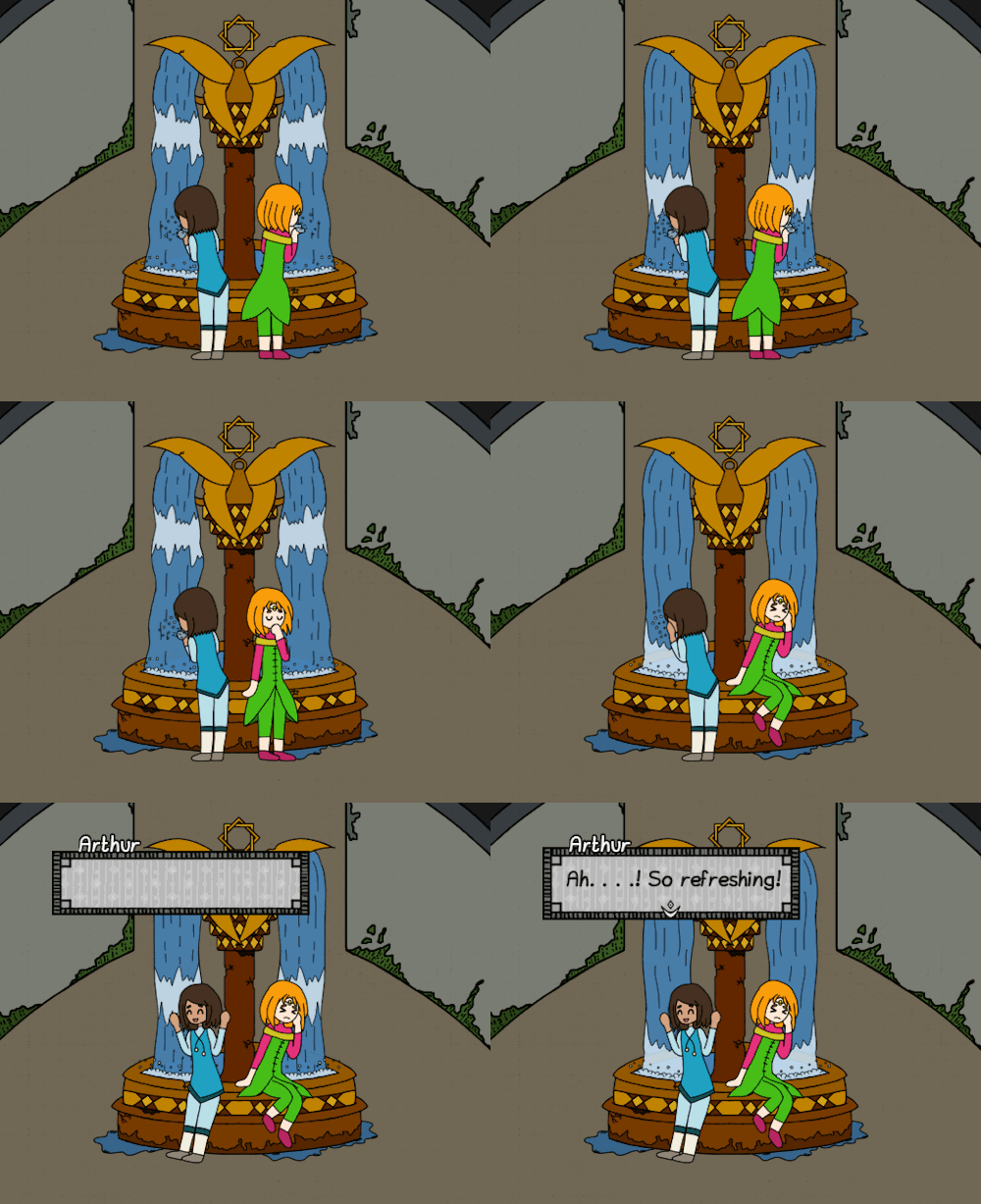
I’m going to work on this gif. In particular we’ll look at Starsio’s animation (the green clad character)
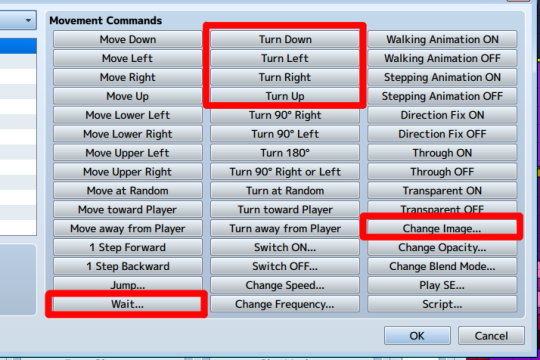
First off, the scene animation relies on a particular set of commands, in the Set Movement Route page:
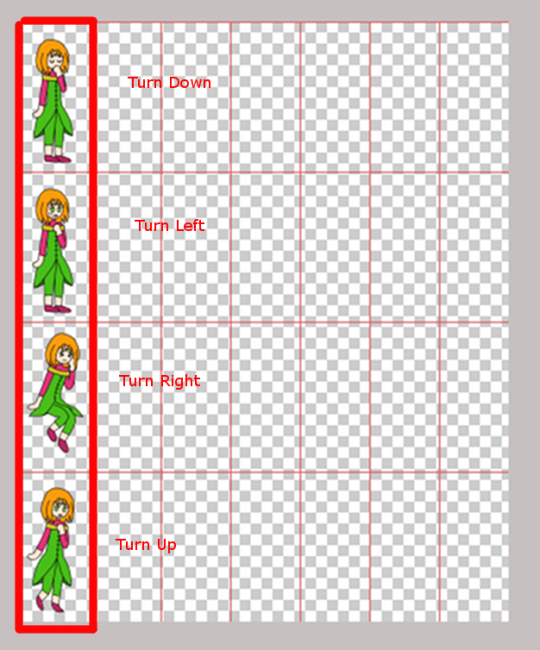
Second off, the animation frames for non-walking animations must be located on the first cell of every row in the sprite sheets.
Now, for Starsio, his animation is contained in three sprite sheets. I basically alternate between the Turn commands, Wait Command and Change Imageso as to show a continuous flow of frames. Like this:
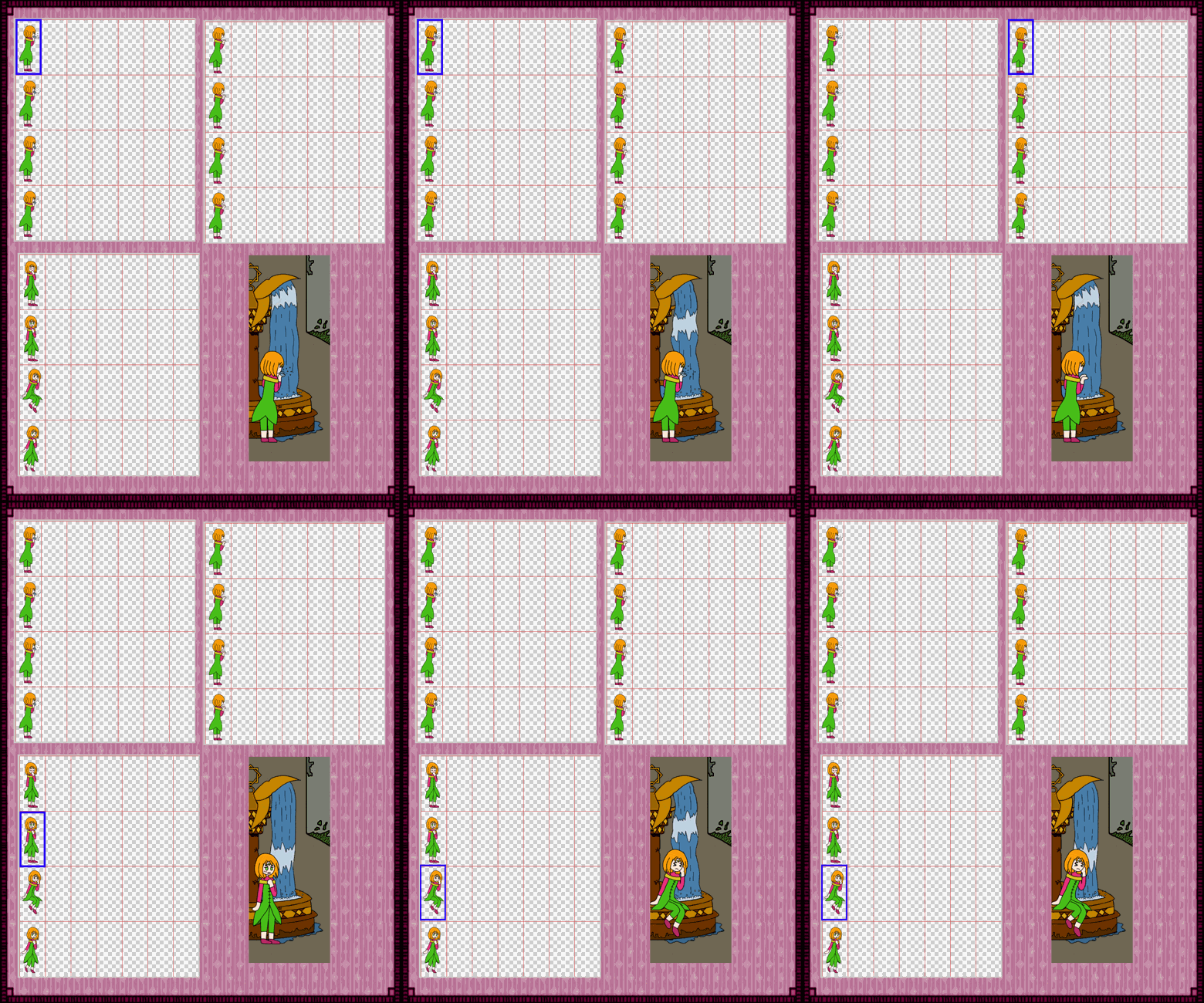
This is how a sample code looks like, here you can see that between the Turn commands, I place Wait commands to pace the frames transitions, and then I Change Image to switch the sprite sheets.

Final Tip - In RPG Maker MV, when you use Change Image, the new sprite sheet starts at the same location the old sprite sheet stops, so if your sprite sheet is at the Turn Left cell, and you Change Image, the new sprite will be at the Turn Left cell as well. You will need to pay attention to this when planning your scene animations.
I hope this tutorial was helpful and gave you ideas on how to make your scenes in RPG Maker

If you have questions about any specifics please let me know!
本贴来自国际rpgmaker官方论坛作者:Yoraee处,因国际论坛即将永久关站,为了存档多年珍贵资料,署名转载到本论坛存档,由于官方帖子为英文原帖,需要中文翻译请点击论坛顶部切换语言为中文就可以将帖子翻译成中文浏览,方便大家随时查看,原文地址:
https://forums.rpgmakerweb.com/threads/events-animation-tutorial-for-scenes.106671/ 简体中文
简体中文
 English(英语)
 日本語(日语)
 Deutsch(德语)
 Русский язык(俄语)
 بالعربية(阿拉伯语)
 Türkçe(土耳其语)
 Português(葡萄牙语)
 ภาษาไทย(泰国语)
 한어(朝鲜语/韩语)
 Français(法语)

 聊天机器人
聊天机器人




 窥视卡
窥视卡 雷达卡
雷达卡



 发表于
发表于  提升卡
提升卡 置顶卡
置顶卡 沉默卡
沉默卡 喧嚣卡
喧嚣卡 变色卡
变色卡 千斤顶
千斤顶 照妖镜
照妖镜