Introduction
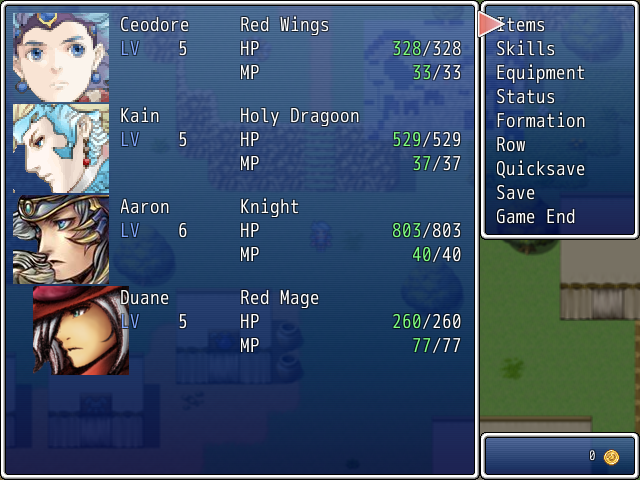
This script allows you to mimic the row system of the final fantasy series were characters in the front take and deal full damage while charcters in the back take and deal reduced physical damage.
What are Rows?
From the FF Wiki page on Rows:
http://finalfantasy.wikia.com/wiki/Row
“
Row (チェンジ, Chienji
?) is a recurring term that refers to a character’s position in
battle, which affects overall performance. A character can either fight in the
front row or the
back row. To date, most
Final Fantasy games allow the player to change the rows of a
party member freely. In most games, party members can switch rows in battle, but switch back after the battle has ended. Starting a battle as a
back attack reverses the characters’ row placement.
Fighting in the front row allows characters to deal regular damage to enemies, but in turn to receive regular damage from enemies as well. This is generally best for characters with high
HP and
Defense, such as the
Warrior or
Paladinjobs. Being in the back row will make characters inflict less damage with melee weapons, but receive less damage from enemies as well. This is best for characters with low HP and Defense, like
White Mages or
Summoners.
Monsters can also be in the back or front row, depending on the placement of their allies. They will experience the same increases/decreases to damage as the player’s characters do, although killing the front-row enemies typically moves back-row enemies forward.
Typically, there are exceptions to the above rules.
Magic of any kind almost universally is unaffected by row. Most games also have
ranged weapons that inflict normal damage regardless of row:
Bows,
Throwing items like Boomerangs and
Shurikens, and
Guns usually ignore row, along with other specialized weapons. Some games also have an ability known as Long Range or Reach that gives the equipped character the same power as if they were using a long-ranged weapon.”
Actor Notetags
<row: x> Sets the initial row of the actor to x (1 = front, 2 = back)
Skill/Item Notetags (EFFECTS ACTORS ONLY)
<change front> Makes the actor move to the front.
<change back> Makes the actor move to the back.
<change row> Makes the actor switch rows.
Skill Notetags
<affected by row> Factors the row into the damage formula automatically
Visual Effects
Right now this only has a visual effect with
Victor Engine – Actor Battlers. If you want it to have a visual effects with another script (i.e.
Yami Engine Symphony – Battle Engine Symphony) you can do one of two things:
- Try to add the effect yourself in the script (not recommended for non-scripters).
- Ask me and I will add functionality for that script to this script.
Script Download
http://crystalnoel42.wordpress.com/2013/07/05/crystal-engine-rows/
本贴来自国际rpgmaker官方论坛作者:Crystal Noel处,因国际论坛即将永久关站,为了存档多年珍贵资料,署名转载到本论坛存档,由于官方帖子为英文原帖,需要中文翻译请点击论坛顶部切换语言为中文就可以将帖子翻译成中文浏览,方便大家随时查看,原文地址:
https://forums.rpgmakerweb.com/threads/crystal-engine-rows.15025/  简体中文
简体中文
 English(英语)
 日本語(日语)
 Deutsch(德语)
 Русский язык(俄语)
 بالعربية(阿拉伯语)
 Türkçe(土耳其语)
 Português(葡萄牙语)
 ภาษาไทย(泰国语)
 한어(朝鲜语/韩语)
 Français(法语)

 聊天机器人
聊天机器人




 窥视卡
窥视卡 雷达卡
雷达卡



 发表于 2026-7-30 19:22:39
 提升卡
提升卡 置顶卡
置顶卡 沉默卡
沉默卡 喧嚣卡
喧嚣卡 变色卡
变色卡 千斤顶
千斤顶 照妖镜
照妖镜