When I first tried RPG Maker VXAce, I could not help but to wonder why there was no options for fog in the events like in RPG Maker XP. This is a simple tutorial to show how you can create fog for your maps using RPG Maker VXAce. Lets get started. You will need two things.
1.) A fog graphic that has been imported into your pictures folder for your project.
2.) A two paged Event that will display the fog.
I have supplied a fog graphic for you to use.
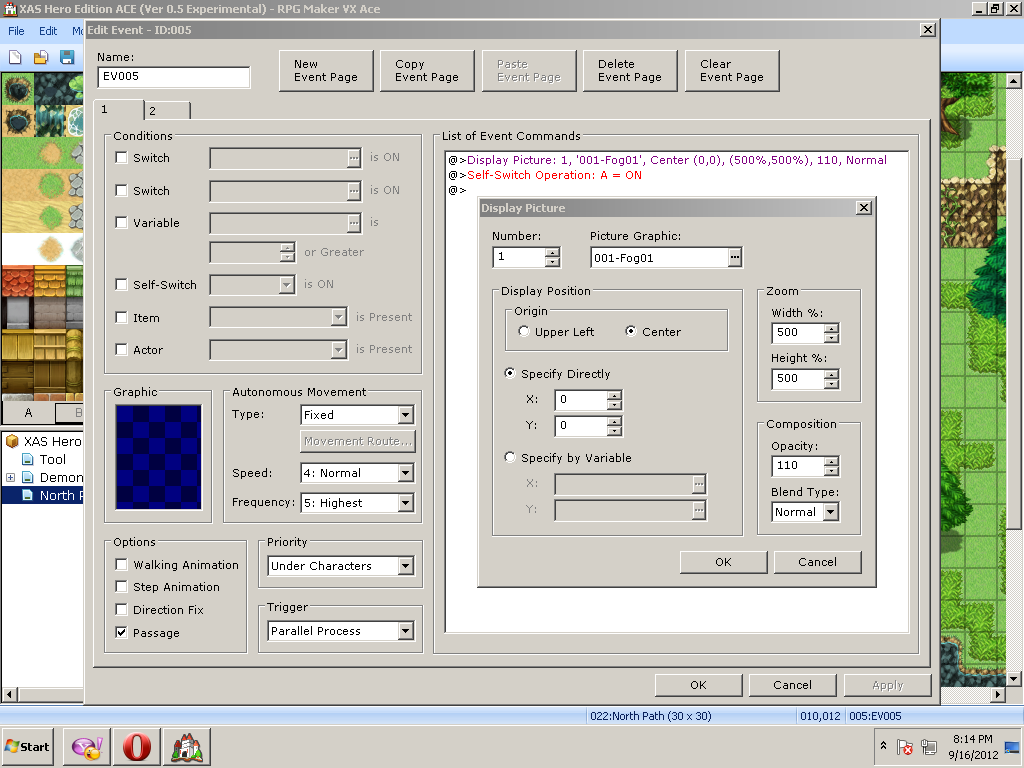
After you import your fog graphic to your pictures folder. Create a event on a map. As shown in the Example 1 Screen Shot. You will need to select "Display Picture". On the "Display Picture" options make sure select your fog graphic. Under the "Display Position" select the "Center Tab". Under "Zoom" Select 500 for width and 500 for height. Under "Composition" set the "Opacity" to 110 to give the fog that transparent look. Then create self switch A as well as a new page.
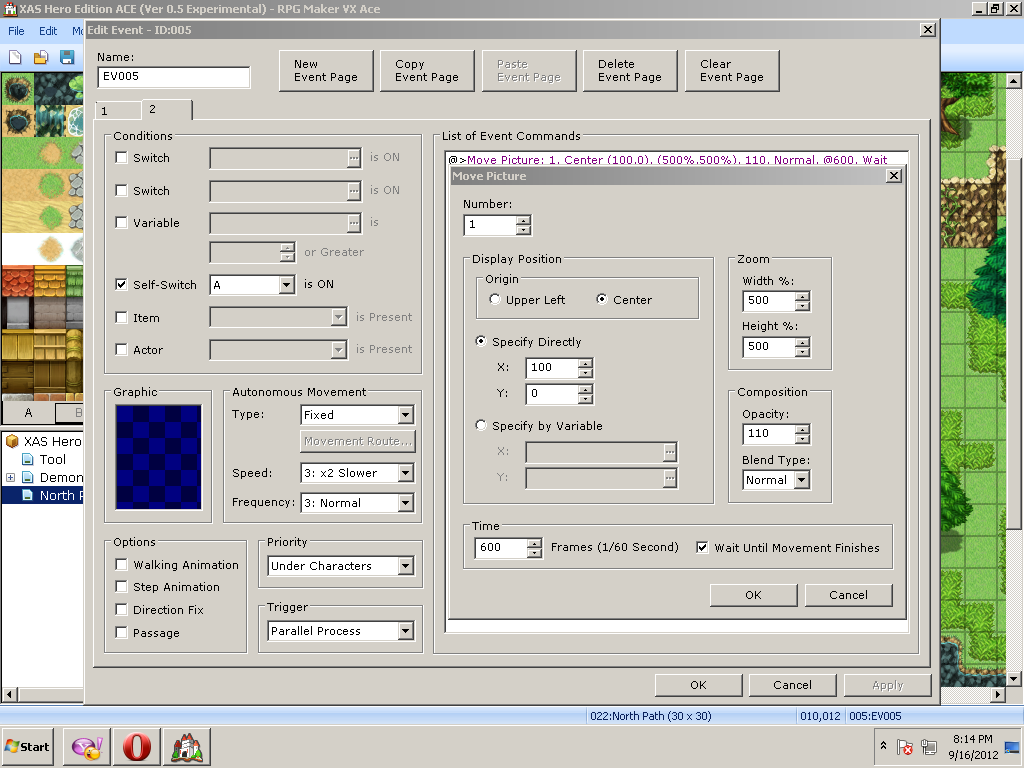
On your second page make sure self switch A is ON under the "Conditions" tab as shown in Example 2. The next event will involve moving the fog graphic. Under "Picture and Weather Effects" select "Move Picture". Under "Zoom" Select 500 for width and 500 for height. Under "Composition" set the "Opacity" to 110. Next under the "Specify Directly" option set "X" to 100 . Set the time to 600 frames then press okay.
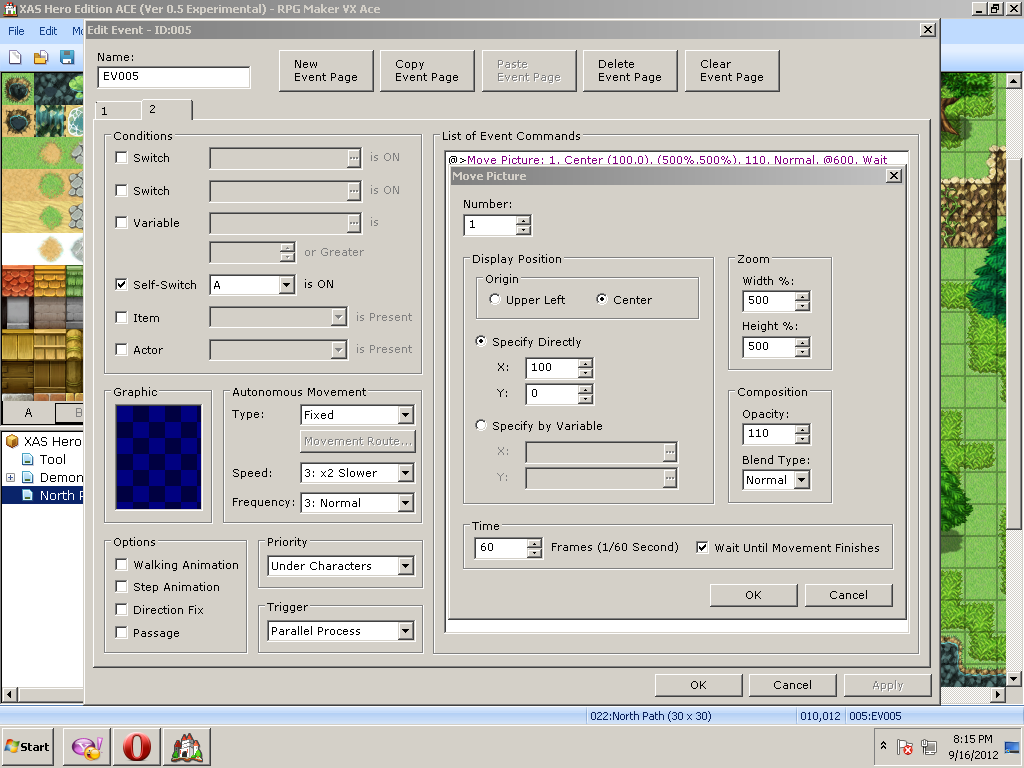
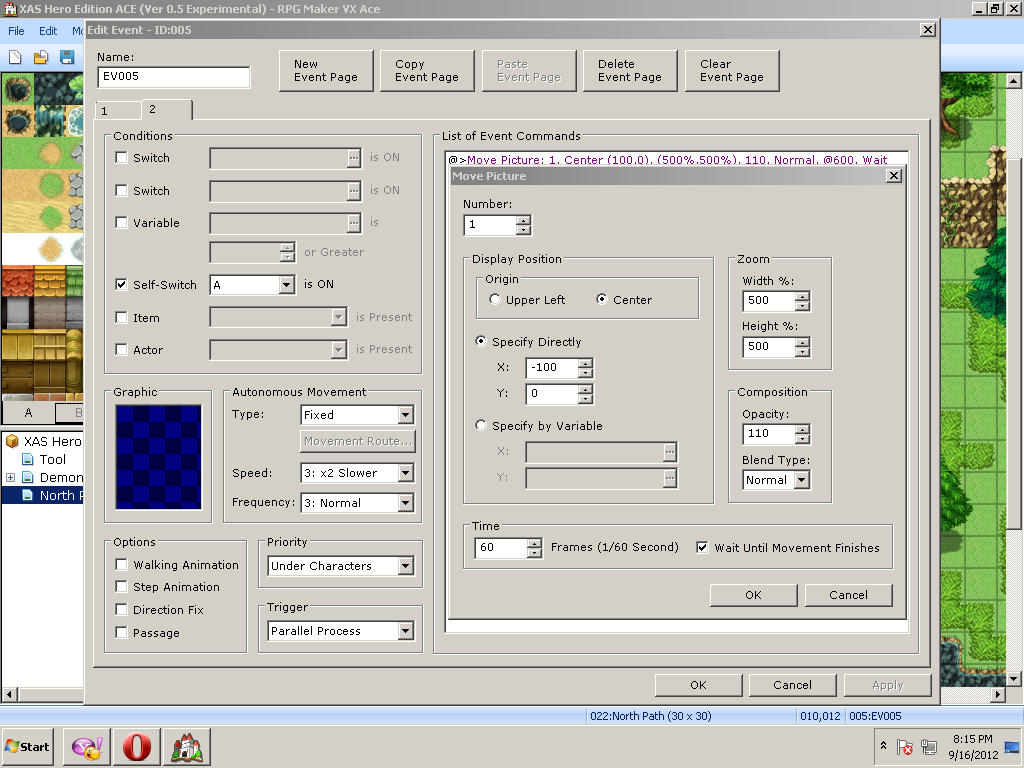
Now copy and past your "Move Picture" 3 times, you should have a total of 4 "Move Picture" functions on your second page. For your second "Move Picture" function change the "Time" to 60 instead of 600 frames as shown in Example 3. For your third "Move Picture" function change the "Time" to 600 and change the "X" coordinates to -100, this will cause the fog graphic to move back and forth.
And finally for your last "Move Picture" function just change "Time" to 60. On the Event Page under "Trigger" select Paralell Process so that the fog will loop, click okay and test.
You can change the zoom and opacity settings as well as the X and Y coordinates to give the fog a different look and feel. This concludes this tutorial, hope you enjoyed it and learned something new. Happy Gaming!
- Encrypted Knight



本贴来自国际rpgmaker官方论坛作者:Imploded Tomato处,因国际论坛即将永久关站,为了存档多年珍贵资料,署名转载到本论坛存档,由于官方帖子为英文原帖,需要中文翻译请点击论坛顶部切换语言为中文就可以将帖子翻译成中文浏览,方便大家随时查看,原文地址:
https://forums.rpgmakerweb.com/threads/simple-fog-event-tutorial-for-rpg-maker-vxace.4933/
 简体中文
简体中文
 English(英语)
 日本語(日语)
 Deutsch(德语)
 Русский язык(俄语)
 بالعربية(阿拉伯语)
 Türkçe(土耳其语)
 Português(葡萄牙语)
 ภาษาไทย(泰国语)
 한어(朝鲜语/韩语)
 Français(法语)





 Simple Fog Event Tutorial for RPG Maker VXAce: Simple Fog Event Tutorial for RPG Maker VXAce-3.jpg