Sometimes the default Generator colors just don’t do it, but it can be difficult to recolor the graphics after building them, especially since you need to select just the right area on the face image.
Better you just have the perfect gradient at hand, right?
If you go to your generator folder, you will find four files that are responsible for the colors you can use in the generator:

Each of those sheets applies to different parts of the character, hair, skin and eyes have their own sheet, all the other things as clothes and accessories share the common labeled one.

They all are a collection of multiple 256x4 sized rectangles that picture a smooth ramp from the lightest shade the color may have to the darkest.
You don’t have to replace the existing gradients, you can simply expand the sheet (e.g. by using image - canvas size and then just add a + 4 to height in px) and add a new gradient to the bottom.
For quick additional colors we can simply use the gradient tool in Gimp:
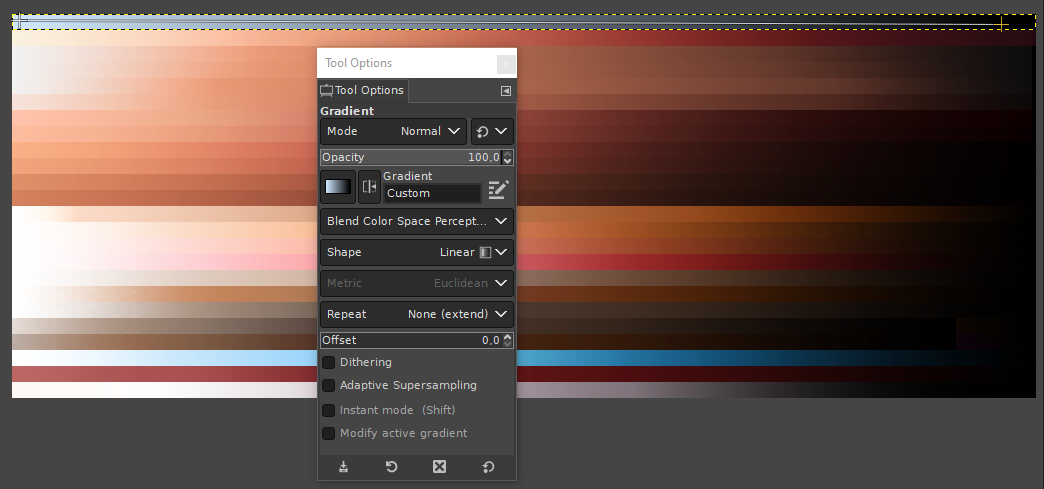
This would lead to a not very complex but neat blue-grayish skin tone:
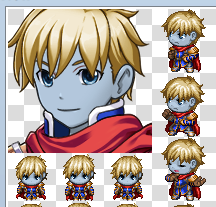
But usually, especially for skin, you need a more complex gradient, shifting the hue to actually look natural.
To achieve this, we can use a right click on the list of pre-made gradients…
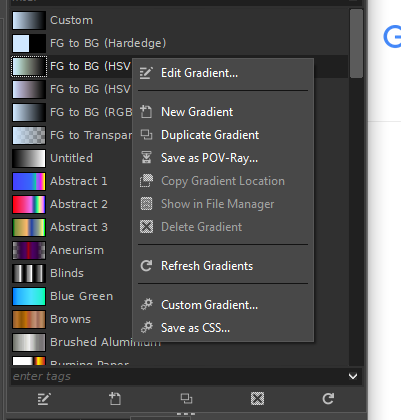
and add a “New Gradient”.
In the resulting window we can set up our “extremes”, for my example skin tone I am going with a slightly purple desaturated tone for dark and a very bright yellow tone for the highlights:
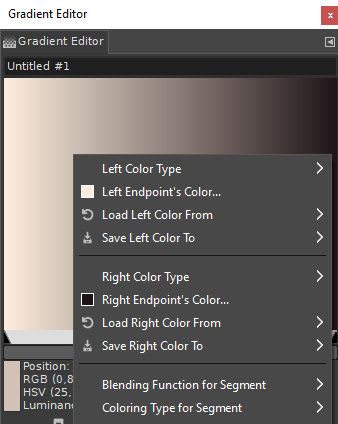
As you can already see, the whole gradient looks very pale and not at all like skin. But again we can utilize the options a right click offers us:
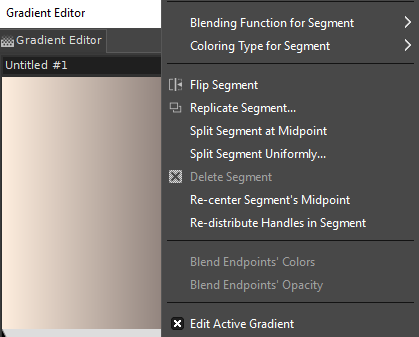
We can either split the segment at midpoint or get more parts by splitting it uniformly. Depending on how many color shifts we want, we can pick accordingly. Here I went with 4 segments:
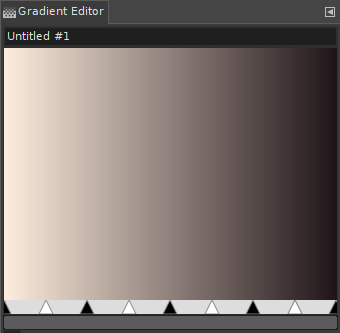
Now we can not only set all the colors where the black arrows are, but also slide them around to have the gradient unfold as we wish:
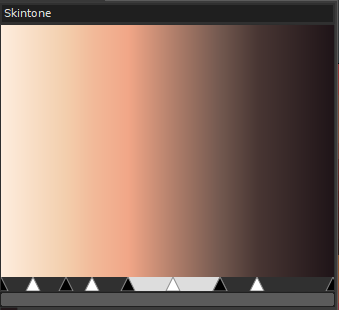
By adding 4 more pixels to the canvas height and using the gradient on the new empty square (hold ctrl while drawing the gradient to ensure it is perfectly horizontally aligned), and then the new color is an option once you open (or restart) the maker:
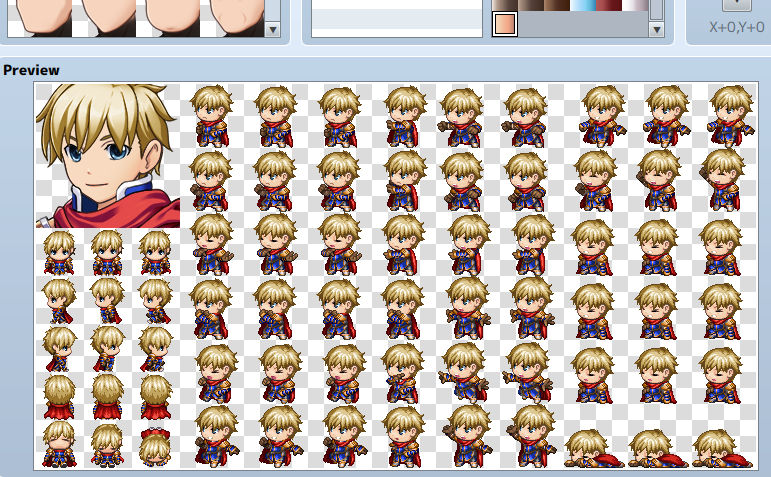
You can now make any gradient you like, maybe you want a green skinned race?
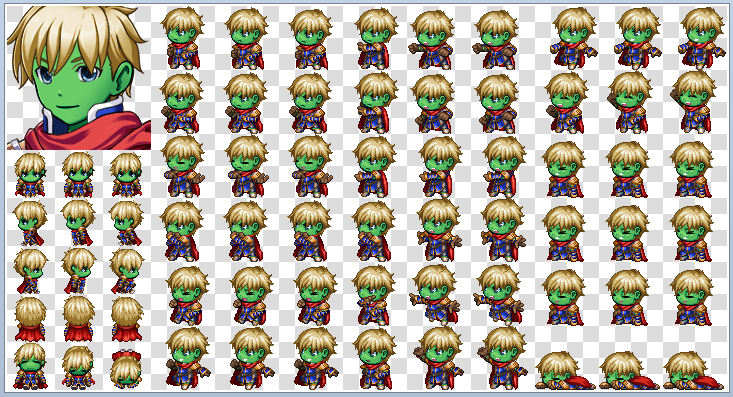
For a different approach, you could also copy an existing gradient and play around with the different recoloring options!
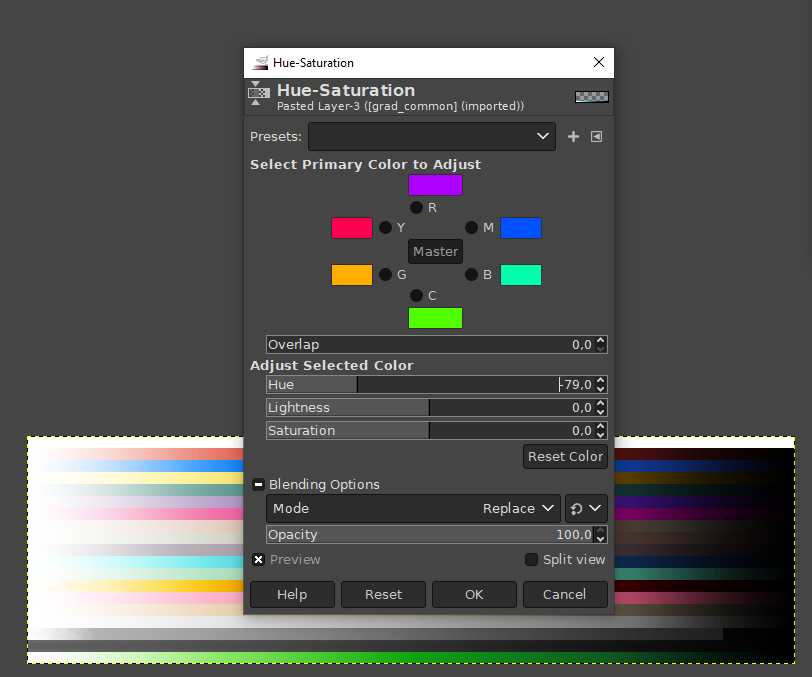
Here for example I copied the blue exiting gradient and moved the slider to get a nice fresh green!
And because I only moved the hue, the lightness and saturation stayed as they were, so the color fits the default ones nicely:
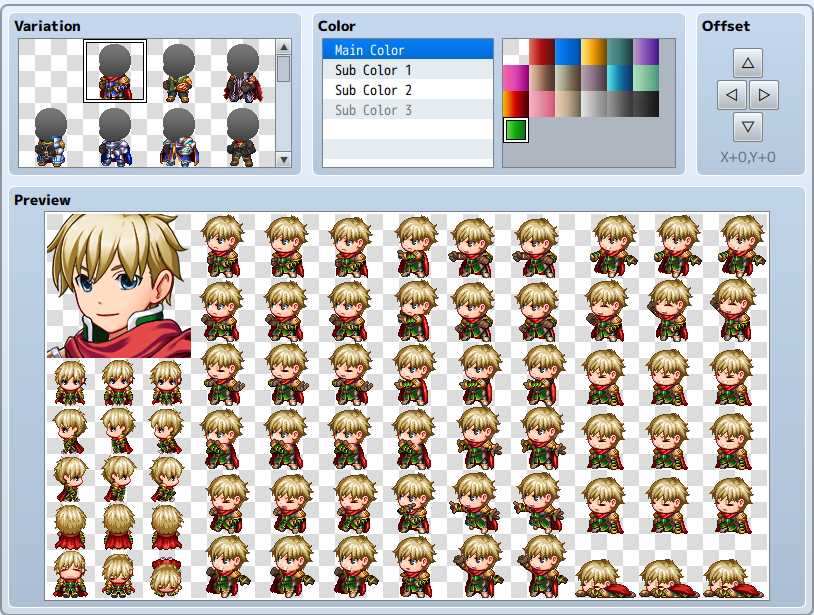
Tip: Backup your default colors in case you accidentially screw them up while editing them! ;3
本贴来自国际rpgmaker官方论坛作者:Avery处,因国际论坛即将永久关站,为了存档多年珍贵资料,署名转载到本论坛存档,由于官方帖子为英文原帖,需要中文翻译请点击论坛顶部切换语言为中文就可以将帖子翻译成中文浏览,方便大家随时查看,原文地址:
https://forums.rpgmakerweb.com/threads/making-new-gradients-for-the-generator.157419/ 简体中文
简体中文
 English(英语)
 日本語(日语)
 Deutsch(德语)
 Русский язык(俄语)
 بالعربية(阿拉伯语)
 Türkçe(土耳其语)
 Português(葡萄牙语)
 ภาษาไทย(泰国语)
 한어(朝鲜语/韩语)
 Français(法语)





 Making new gradients for the generator: Making new gradients for the generator-5.jpg